


ChatGPT’s New Computer Control Is Finally Practical
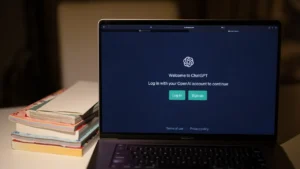
OpenAI’s newly redesigned ChatGPT desktop app is proving that AI-powered “computer use” has reached a new level of maturity. Just months after AI agents struggled with basic desktop interactions, ChatGPT can now successfully operate macOS applications, play games, and complete everyday tasks with minimal user intervention.
The feature is part of the new ChatGPT experience introduced last week and represents one of the biggest advances yet in AI desktop automation.
A Smarter ChatGPT Desktop Experience
The latest ChatGPT app bundles several new capabilities, including:
- GPT-5.6 Sol, OpenAI’s newest flagship model
- ChatGPT Work, an AI agent capable of accessing local files and generating reports
- Codex integration for software development
- Computer Use, allowing ChatGPT to control desktop applications with user permission
Unlike previous AI assistants that primarily responded to text prompts, ChatGPT can now interact directly with graphical user interfaces using your mouse and keyboard.
Successfully Playing Chess on macOS
To test the feature, ChatGPT was asked to play a game using the built-in macOS Chess application.
After receiving permission to:
- Record the screen
- Control the Chess app
ChatGPT launched the application in under 30 seconds and immediately recognized that a new game was ready.
Using GPT-5.6 Sol, the AI executed several moves in quick succession, correctly identifying the opponent’s opening strategy and responding with an appropriate counter.
Earlier AI agents often failed at this task because they struggled to interpret graphical interfaces. ChatGPT handled it smoothly.
Desktop Automation Goes Beyond Games
The testing continued with Apple’s Journal application.
After being prompted to create a new journal entry, ChatGPT:
- Opened the Journal app
- Created a new entry
- Wrote a short reflective passage automatically
The AI completed the task without requiring additional guidance, demonstrating that it can interact with ordinary desktop software—not just specialized tools.
Claude Has Improved Too
Anthropic’s Claude has also made significant progress.
When tested using its latest Fable 5 model, Claude successfully controlled the Chess application as well, correctly recognizing a different opening and adapting its gameplay accordingly.
Just a few months earlier, the same application had been unable to move a single chess piece because it struggled with the game’s 3D graphical interface.
The rapid improvement highlights how quickly desktop AI agents are evolving.
Useful—But Not Without Risks
OpenAI suggests Computer Use for tasks such as:
- Testing desktop applications
- Reproducing software bugs
- Navigating complex graphical settings
- Automating repetitive workflows
However, granting an AI control over a desktop also raises important privacy and security considerations.
Because the feature requires screen recording and application access, users should close sensitive documents and carefully review permission requests before allowing ChatGPT to interact with their computer.
A Major Step for AI Agents
While many users may not yet be comfortable allowing AI to manage personal finances, organize sensitive files, or edit important documents, OpenAI’s latest release shows that desktop AI agents are becoming increasingly capable.
Computer Use has evolved from an experimental novelty into a genuinely practical feature, signaling that AI assistants are moving closer to functioning as true digital co-workers rather than simple chatbots.