

Close Menu
Şevket Ayaksız

    Subscribe to Updates

    Get the latest creative news from FooBar about art, design and business.

    What's Hot

    Why I Switched From iPhone Hotspot to a 5G Travel Router for Good

    Nisan 18, 2026

    Apple AirTags Revisited After 5 Years: How They Stack Up Today

    Nisan 18, 2026

    Verizon Offers Free iPad or Apple Watch With New iPhone Purchase: Here’s How It Works

    Nisan 18, 2026
    Facebook X (Twitter) Instagram
    • software
    • Gadgets
    Facebook X (Twitter) Instagram
    Şevket AyaksızŞevket Ayaksız
    Subscribe
    • Home
    • Technology

      Why I Switched From iPhone Hotspot to a 5G Travel Router for Good

      Nisan 18, 2026

      Verizon Offers Free iPad or Apple Watch With New iPhone Purchase: Here’s How It Works

      Nisan 18, 2026

      How to Use AI Safely at Work: 4 Practical Tips

      Nisan 18, 2026

      Turn an Old Tablet into a Smart Home Control Hub

      Nisan 18, 2026

      Gemini Mac App Tested: Key Edge Over Web Version

      Nisan 18, 2026
    • Adobe
    • Microsoft
    • java
    • Oracle
    Şevket Ayaksız
    Anasayfa » iPhone Settings That Can Boost Battery Life on iOS 26 and Earlier
    Tech

    iPhone Settings That Can Boost Battery Life on iOS 26 and Earlier

    By mustafa efeŞubat 25, 2026Yorum yapılmamış2 Mins Read
    Facebook Twitter Pinterest LinkedIn Tumblr Email
    Share
    Facebook Twitter LinkedIn Pinterest Email

    Still having iOS 26 battery life problems? Try these 5 fixes to improve it  | TechRadar

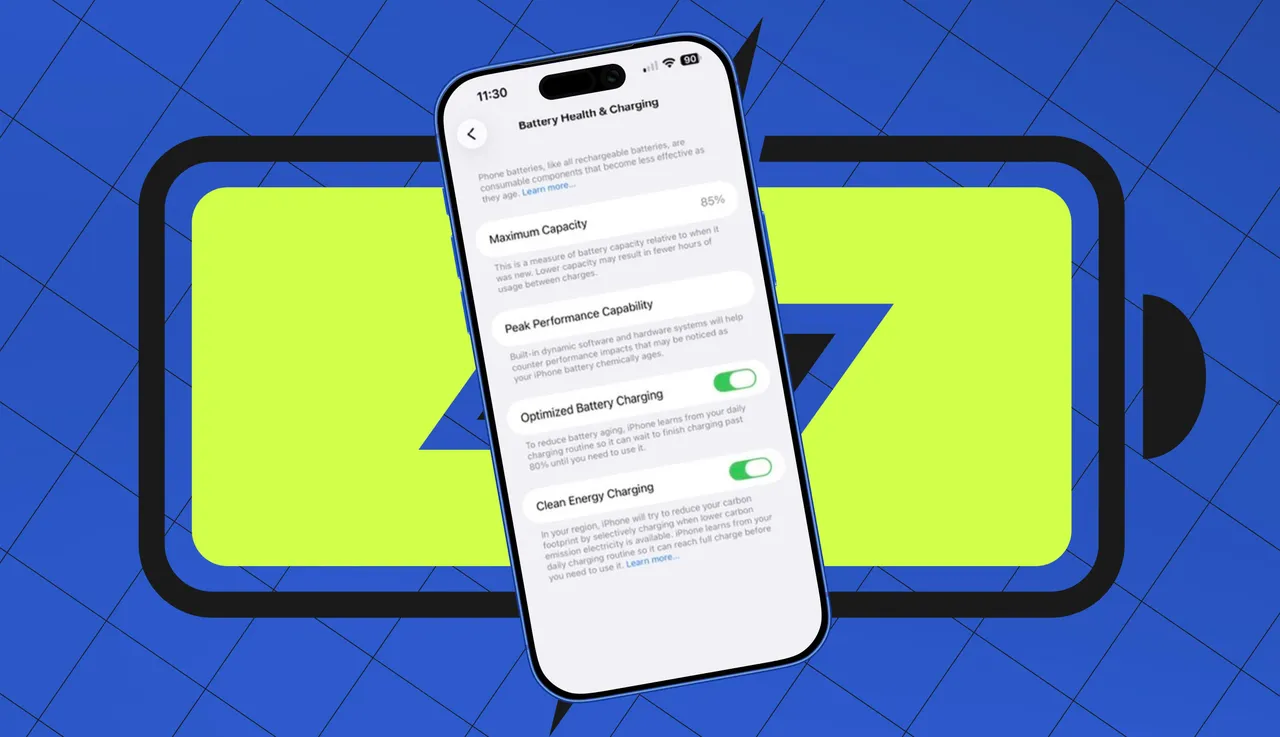
    Keeping your iPhone battery in top shape starts with one simple step: updating to the latest iOS. Apple frequently rolls out software updates that not only introduce new features but also optimize power management and fix bugs that can drain your battery. Updates can improve everything from CPU performance to network efficiency, meaning skipping them could actually worsen battery life. To update, go to Settings > General > Software Update, then tap Download and Install if an update is available. For convenience, you can also enable Automatic Updates so your iPhone installs the latest iOS whenever it’s charging, locked, and connected to Wi-Fi.

    Another major factor affecting battery life is screen brightness. The display is consistently one of the biggest power consumers on any iPhone. Even reducing brightness by just 10–20% can lead to noticeable improvements in battery endurance. You can adjust brightness quickly by swiping down from the top-right corner to open Control Center and dragging the Brightness slider to a comfortable level.

    For hands-free adjustment, enable Auto-Brightness. This feature automatically adapts your screen’s brightness based on ambient lighting, reducing unnecessary power usage. To turn it on, go to Settings > Accessibility > Display & Text Size, then toggle Auto-Brightness. Combining manual dimming with Auto-Brightness can give your battery a significant boost throughout the day.

    By regularly updating iOS and managing screen brightness, you can address two of the most common factors that sap battery life. These tweaks are simple but highly effective, helping your iPhone last longer between charges and keeping performance smooth. Small changes like these often make the biggest difference in real-world battery performance.

    Post Views: 96
    Share. Facebook Twitter Pinterest LinkedIn Tumblr Email
    mustafa efe
    • Website

    Related Posts

    Why I Switched From iPhone Hotspot to a 5G Travel Router for Good

    Nisan 18, 2026

    Verizon Offers Free iPad or Apple Watch With New iPhone Purchase: Here’s How It Works

    Nisan 18, 2026

    How to Use AI Safely at Work: 4 Practical Tips

    Nisan 18, 2026
    Add A Comment

    Comments are closed.

    Editors Picks
    8.5

    Apple Planning Big Mac Redesign and Half-Sized Old Mac

    Ocak 5, 2021

    Autonomous Driving Startup Attracts Chinese Investor

    Ocak 5, 2021

    Onboard Cameras Allow Disabled Quadcopters to Fly

    Ocak 5, 2021
    Top Reviews
    9.1

    Review: T-Mobile Winning 5G Race Around the World

    By sevketayaksiz
    8.9

    Samsung Galaxy S21 Ultra Review: the New King of Android Phones

    By sevketayaksiz
    8.9

    Xiaomi Mi 10: New Variant with Snapdragon 870 Review

    By sevketayaksiz
    Advertisement
    Demo
    Şevket Ayaksız
    Facebook X (Twitter) Instagram YouTube
    • Home
    • Adobe
    • microsoft
    • java
    • Oracle
    • Contact
    © 2026 Theme Designed by Şevket Ayaksız.

    Type above and press Enter to search. Press Esc to cancel.