

Close Menu
Şevket Ayaksız

    Subscribe to Updates

    Get the latest creative news from FooBar about art, design and business.

    What's Hot

    Google Maps vs Waze: I Put the Two Best Navigation Apps Head-to-Head — and One Clearly Came Out on Top

    Mayıs 1, 2026

    Samsung Electronics Offers Free 32-Inch Odyssey gaming monitor: Eligibility and How to Claim Deal

    Mayıs 1, 2026

    T-Mobile Bundles Free Hulu and Netflix for 5G Users: Eligibility Explained

    Mayıs 1, 2026
    Facebook X (Twitter) Instagram
    • software
    • Gadgets
    Facebook X (Twitter) Instagram
    Şevket AyaksızŞevket Ayaksız
    Subscribe
    • Home
    • Technology

      Google Maps vs Waze: I Put the Two Best Navigation Apps Head-to-Head — and One Clearly Came Out on Top

      Mayıs 1, 2026

      T-Mobile Bundles Free Hulu and Netflix for 5G Users: Eligibility Explained

      Mayıs 1, 2026

      This Portable Mini PC Is the Unexpected Raspberry Pi Alternative You Might Actually Want

      Mayıs 1, 2026

      Samsung warns RAM shortages could worsen beyond 2027

      Mayıs 1, 2026

      Oxford study finds friendly AI chatbots are less accurate

      Mayıs 1, 2026
    • Adobe
    • Microsoft
    • java
    • Oracle
    Şevket Ayaksız
    Anasayfa » What Is Memory Integrity in Windows Security and Why Is It Turned Off by Default?
    Windows

    What Is Memory Integrity in Windows Security and Why Is It Turned Off by Default?

    By ayaksızEkim 22, 2024Yorum yapılmamış2 Mins Read
    Facebook Twitter Pinterest LinkedIn Tumblr Email
    Share
    Facebook Twitter LinkedIn Pinterest Email

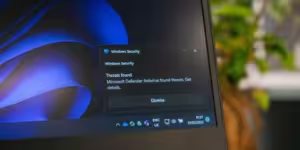
    Microsoft’s Windows Security provides solid protection for most users, but it’s worth noting that a few critical protections are turned off by default. One of these is Memory Integrity, a setting designed to prevent malicious software from exploiting Windows drivers to compromise your system’s memory.

    When you activate Memory Integrity, it enables Virtualization Based Security (VBS), a feature that isolates the system verification process from the operating system, adding an additional level of protection. This dual-layer security ensures that any code attempting to run is thoroughly checked and verified, safeguarding your PC from potential threats.

    The downside of enabling Memory Integrity is that some applications, particularly older or specialized software, may not run as smoothly. The extra protection can interfere with code execution, leading to compatibility issues. Additionally, on older hardware, the performance might slightly degrade, as the increased security demands more system resources.

    To enable or disable Memory Integrity, simply open Windows Security via the Start Menu or Windows Search. Head to Device security, select Core Isolation, and toggle the Memory Integrity switch. You can easily revert this setting if you encounter issues with app compatibility or performance.

    This isn’t the only feature left off by default. Microsoft balances security with usability, which is why additional settings like ransomware protection are also disabled initially. You can enable these protections to safeguard specific folders and ensure malicious apps don’t gain control of your files, offering enhanced security at the expense of slight performance trade-offs.

    Post Views: 262
    Share. Facebook Twitter Pinterest LinkedIn Tumblr Email
    ayaksız
    • Website

    Related Posts

    Windows 11 April update breaks some third-party backup apps

    Mayıs 1, 2026

    Windows 11 fixes two major design complaints, including taskbar limits

    Nisan 8, 2026

    Windows 11 finally overtakes as the dominant PC OS

    Nisan 8, 2026
    Add A Comment

    Comments are closed.

    Editors Picks
    8.5

    Apple Planning Big Mac Redesign and Half-Sized Old Mac

    Ocak 5, 2021

    Autonomous Driving Startup Attracts Chinese Investor

    Ocak 5, 2021

    Onboard Cameras Allow Disabled Quadcopters to Fly

    Ocak 5, 2021
    Top Reviews
    9.1

    Review: T-Mobile Winning 5G Race Around the World

    By sevketayaksiz
    8.9

    Samsung Galaxy S21 Ultra Review: the New King of Android Phones

    By sevketayaksiz
    8.9

    Xiaomi Mi 10: New Variant with Snapdragon 870 Review

    By sevketayaksiz
    Advertisement
    Demo
    Şevket Ayaksız
    Facebook X (Twitter) Instagram YouTube
    • Home
    • Adobe
    • microsoft
    • java
    • Oracle
    • Contact
    © 2026 Theme Designed by Şevket Ayaksız.

    Type above and press Enter to search. Press Esc to cancel.