


Close Menu
Şevket Ayaksız

    Subscribe to Updates

    Get the latest creative news from FooBar about art, design and business.

    What's Hot

    Samsung warns RAM shortages will deepen beyond 2027

    Mayıs 3, 2026

    Windows 11 April update breaks third-party backup software

    Mayıs 3, 2026

    Oxford study finds friendly AI chatbots make more mistakes

    Mayıs 3, 2026
    Facebook X (Twitter) Instagram
    • software
    • Gadgets
    Facebook X (Twitter) Instagram
    Şevket AyaksızŞevket Ayaksız
    Subscribe
    • Home
    • Technology

      Google Maps vs Waze: I Put the Two Best Navigation Apps Head-to-Head — and One Clearly Came Out on Top

      Mayıs 1, 2026

      T-Mobile Bundles Free Hulu and Netflix for 5G Users: Eligibility Explained

      Mayıs 1, 2026

      This Portable Mini PC Is the Unexpected Raspberry Pi Alternative You Might Actually Want

      Mayıs 1, 2026

      Samsung warns RAM shortages could worsen beyond 2027

      Mayıs 1, 2026

      Oxford study finds friendly AI chatbots are less accurate

      Mayıs 1, 2026
    • Adobe
    • Microsoft
    • java
    • Oracle
    Şevket Ayaksız
    Anasayfa » Microsoft Rolls Out New Camera Features for Windows 11 Users
    Windows

    Microsoft Rolls Out New Camera Features for Windows 11 Users

    By ayaksızAralık 28, 2024Yorum yapılmamış1 Min Read
    Facebook Twitter Pinterest LinkedIn Tumblr Email
    Share
    Facebook Twitter LinkedIn Pinterest Email

    Windows 11 Beta Update Brings New Camera Features and Multitasking Support

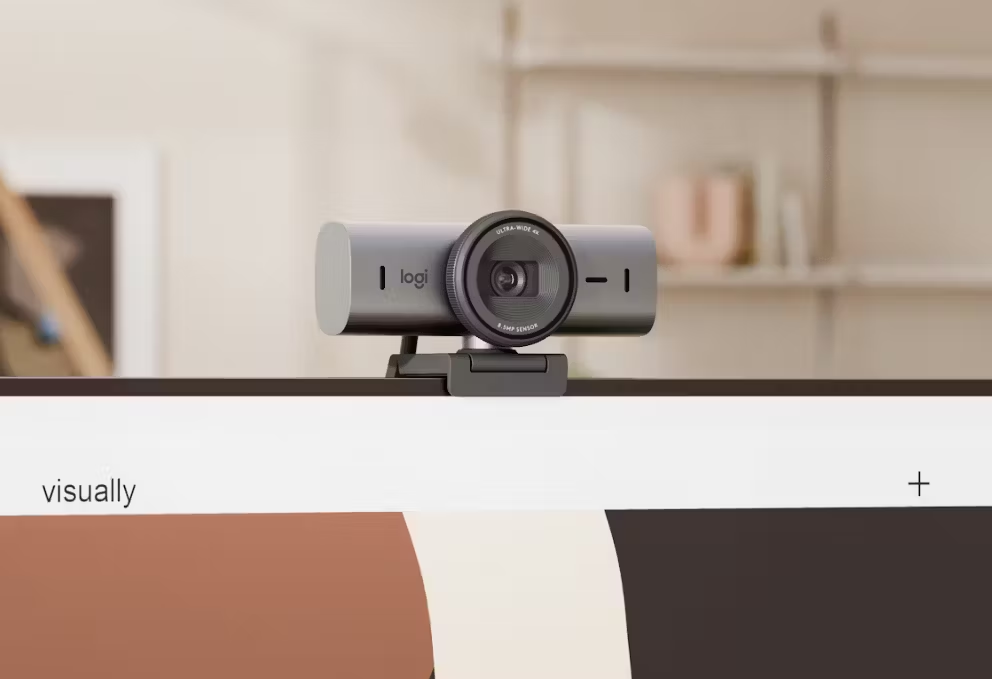
    Windows 11 is stepping up its game with enhanced camera features, now available to beta testers in the Dev Channel. As outlined by Windows Latest, the latest update introduces options to fine-tune brightness and contrast settings, letting users customize the visual output to match their preferences. Moreover, you can now tweak camera resolution and frame rate, ideal for achieving specific requirements during video calls or recordings.

    One of the most exciting additions is support for simultaneous camera access by multiple applications. This long-awaited feature allows seamless switching and parallel use of camera-enabled apps, significantly enhancing multitasking capabilities for professionals and casual users alike.

    That said, these features won’t work universally; availability depends on your camera model’s compatibility. Beta testers can experience the changes now by downloading build 26120.2702. To access it, navigate to Settings > Update & Security > Windows Insider Program, and select the Dev Channel to get started.

    This update reflects Microsoft’s focus on integrating practical features into Windows 11, making it a more versatile and powerful operating system for modern workflows.

    Post Views: 276
    Share. Facebook Twitter Pinterest LinkedIn Tumblr Email
    ayaksız
    • Website

    Related Posts

    Microsoft’s faster, cleaner Windows 11 vision comes into focus

    Mayıs 3, 2026

    Windows 11 April update breaks some third-party backup apps

    Mayıs 1, 2026

    Windows 11 fixes two major design complaints, including taskbar limits

    Nisan 8, 2026
    Add A Comment

    Comments are closed.

    Editors Picks
    8.5

    Apple Planning Big Mac Redesign and Half-Sized Old Mac

    Ocak 5, 2021

    Autonomous Driving Startup Attracts Chinese Investor

    Ocak 5, 2021

    Onboard Cameras Allow Disabled Quadcopters to Fly

    Ocak 5, 2021
    Top Reviews
    9.1

    Review: T-Mobile Winning 5G Race Around the World

    By sevketayaksiz
    8.9

    Samsung Galaxy S21 Ultra Review: the New King of Android Phones

    By sevketayaksiz
    8.9

    Xiaomi Mi 10: New Variant with Snapdragon 870 Review

    By sevketayaksiz
    Advertisement
    Demo
    Şevket Ayaksız
    Facebook X (Twitter) Instagram YouTube
    • Home
    • Adobe
    • microsoft
    • java
    • Oracle
    • Contact
    © 2026 Theme Designed by Şevket Ayaksız.

    Type above and press Enter to search. Press Esc to cancel.