

Close Menu
Şevket Ayaksız

    Subscribe to Updates

    Get the latest creative news from FooBar about art, design and business.

    What's Hot

    Samsung warns RAM shortages will deepen beyond 2027

    Mayıs 3, 2026

    Windows 11 April update breaks third-party backup software

    Mayıs 3, 2026

    Oxford study finds friendly AI chatbots make more mistakes

    Mayıs 3, 2026
    Facebook X (Twitter) Instagram
    • software
    • Gadgets
    Facebook X (Twitter) Instagram
    Şevket AyaksızŞevket Ayaksız
    Subscribe
    • Home
    • Technology

      Google Maps vs Waze: I Put the Two Best Navigation Apps Head-to-Head — and One Clearly Came Out on Top

      Mayıs 1, 2026

      T-Mobile Bundles Free Hulu and Netflix for 5G Users: Eligibility Explained

      Mayıs 1, 2026

      This Portable Mini PC Is the Unexpected Raspberry Pi Alternative You Might Actually Want

      Mayıs 1, 2026

      Samsung warns RAM shortages could worsen beyond 2027

      Mayıs 1, 2026

      Oxford study finds friendly AI chatbots are less accurate

      Mayıs 1, 2026
    • Adobe
    • Microsoft
    • java
    • Oracle
    Şevket Ayaksız
    Anasayfa » Revealed: Windows 11’s Smart Start Menu Sorting
    Windows

    Revealed: Windows 11’s Smart Start Menu Sorting

    By ayaksızTemmuz 3, 2025Yorum yapılmamış1 Min Read
    Facebook Twitter Pinterest LinkedIn Tumblr Email
    Share
    Facebook Twitter LinkedIn Pinterest Email

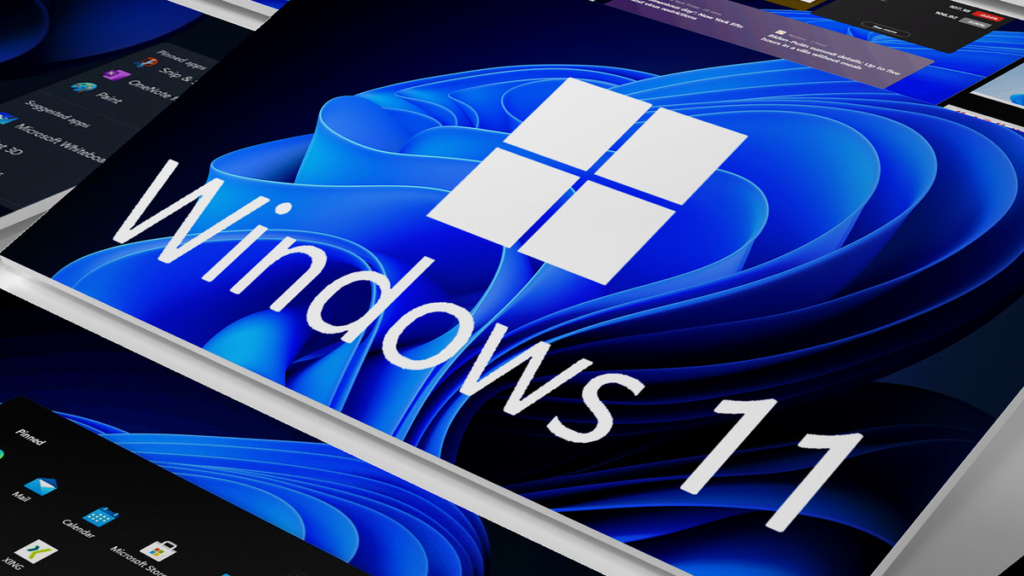
    As we’ve previously covered, Microsoft is working on another redesign of the Start Menu in Windows 11, and one of the new features is that apps will be divided into different categories automatically.

    According to Windows Latest, Microsoft has created a 15 megabyte JSON file with information about which apps should end up in which category. That’s right—pretty much every app on the Microsoft Store has been assigned a number, with 0 indicating Productivity apps, 1 indicating Social apps, 2 indicating Creative apps, and so on.

    As soon as you have at least three apps that belong to the same category, they will automatically be grouped together in the new Start Menu. The ranking of the apps will depend on how often you use them, so the apps in a category won’t be sorted in an alphabetical order.

    At the moment, it doesn’t look like Microsoft is going to give us the option to rename categories or add our own, so we’ll just have to accept the company’s categorization method… for better or worse.

    Post Views: 165
    Share. Facebook Twitter Pinterest LinkedIn Tumblr Email
    ayaksız
    • Website

    Related Posts

    Microsoft’s faster, cleaner Windows 11 vision comes into focus

    Mayıs 3, 2026

    Windows 11 April update breaks some third-party backup apps

    Mayıs 1, 2026

    Windows 11 fixes two major design complaints, including taskbar limits

    Nisan 8, 2026
    Add A Comment

    Comments are closed.

    Editors Picks
    8.5

    Apple Planning Big Mac Redesign and Half-Sized Old Mac

    Ocak 5, 2021

    Autonomous Driving Startup Attracts Chinese Investor

    Ocak 5, 2021

    Onboard Cameras Allow Disabled Quadcopters to Fly

    Ocak 5, 2021
    Top Reviews
    9.1

    Review: T-Mobile Winning 5G Race Around the World

    By sevketayaksiz
    8.9

    Samsung Galaxy S21 Ultra Review: the New King of Android Phones

    By sevketayaksiz
    8.9

    Xiaomi Mi 10: New Variant with Snapdragon 870 Review

    By sevketayaksiz
    Advertisement
    Demo
    Şevket Ayaksız
    Facebook X (Twitter) Instagram YouTube
    • Home
    • Adobe
    • microsoft
    • java
    • Oracle
    • Contact
    © 2026 Theme Designed by Şevket Ayaksız.

    Type above and press Enter to search. Press Esc to cancel.