


Close Menu
Şevket Ayaksız

    Subscribe to Updates

    Get the latest creative news from FooBar about art, design and business.

    What's Hot

    Baseus retractable 100W USB-C cable drops to just $10 for Prime Day

    Haziran 25, 2026

    Logitech M720 Triathlon mouse drops to $29 for Prime Day

    Haziran 25, 2026

    Claude may soon ask some users for ID verification

    Haziran 25, 2026
    Facebook X (Twitter) Instagram
    • software
    • Gadgets
    Facebook X (Twitter) Instagram
    Şevket AyaksızŞevket Ayaksız
    Subscribe
    • Home
    • Technology

      Fast chargers with flagship iPhone, Samsung, and OnePlus phones

      Haziran 16, 2026

      7 budget-friendly upgrades that made my TV sound dramatically better

      Haziran 16, 2026

      Valve targets a summer launch for Steam Machine but keeps pricing secret

      Haziran 7, 2026

      Intel and Phison aim to overcome local AI’s memory bottleneck

      Haziran 2, 2026

      Nvidia RTX Spark could transform the next generation of gaming handhelds

      Haziran 2, 2026
    • Adobe
    • Microsoft
    • java
    • Oracle
    Şevket Ayaksız
    Anasayfa » The Complete Guide: Capturing Full Web Page Screenshots
    software

    The Complete Guide: Capturing Full Web Page Screenshots

    By ayaksızNisan 6, 2024Yorum yapılmamış2 Mins Read
    Facebook Twitter Pinterest LinkedIn Tumblr Email
    Share
    Facebook Twitter LinkedIn Pinterest Email

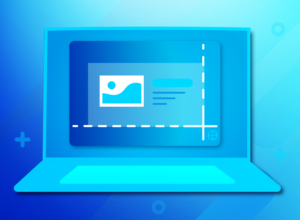
    Taking screenshots of web pages is a common practice for documenting content, but capturing only the visible area can be limiting. Instead of laboriously piecing together multiple screenshots, there are more efficient ways to capture the entire online content in one shot.

    For desktop users, various screenshot add-ons streamline this process. For instance, the Fireshot extension is compatible with popular Chromium-based browsers like Chrome, Edge, Opera, and Vivaldi, as well as Firefox. Additionally, Firefox and Opera offer built-in screenshot functionalities accessible via icons located in the top right-hand corner. However, in browsers without such features, you may need to enable extended screenshot functions.

    Regardless of the tool used, you’ll typically have the option to save either the visible area or the entire website when capturing a screenshot.

    On Android smartphones, capturing extended screenshots is also possible. Simply press the Power and Lower volume keys simultaneously, and a “Capture more” button will appear after a moment. Tap this button, adjust the visible area to your desired section, and confirm to save the screenshot, which will be accessible in your phone’s “Screenshots” directory.

    This method can also be applied to saving web images on your smartphone. Simply resize the section to be saved to fit the image, then save it accordingly.

    Post Views: 323
    Share. Facebook Twitter Pinterest LinkedIn Tumblr Email
    ayaksız
    • Website

    Related Posts

    Claude may soon ask some users for ID verification

    Haziran 25, 2026

    Chainguard launches Athena, an AI-powered initiative designed

    Haziran 16, 2026

    3 unofficial Android Auto apps that transformed my car’s infotainment screen

    Haziran 16, 2026
    Add A Comment

    Comments are closed.

    Editors Picks
    8.5

    Apple Planning Big Mac Redesign and Half-Sized Old Mac

    Ocak 5, 2021

    Autonomous Driving Startup Attracts Chinese Investor

    Ocak 5, 2021

    Onboard Cameras Allow Disabled Quadcopters to Fly

    Ocak 5, 2021
    Top Reviews
    9.1

    Review: T-Mobile Winning 5G Race Around the World

    By sevketayaksiz
    8.9

    Samsung Galaxy S21 Ultra Review: the New King of Android Phones

    By sevketayaksiz
    8.9

    Xiaomi Mi 10: New Variant with Snapdragon 870 Review

    By sevketayaksiz
    Advertisement
    Demo
    Şevket Ayaksız
    Facebook X (Twitter) Instagram YouTube
    • Home
    • Adobe
    • microsoft
    • java
    • Oracle
    • Contact
    © 2026 Theme Designed by Şevket Ayaksız.

    Type above and press Enter to search. Press Esc to cancel.