

Close Menu
Şevket Ayaksız

    Subscribe to Updates

    Get the latest creative news from FooBar about art, design and business.

    What's Hot

    Windows 11 bug has blocked updates for some PCs since February

    Mayıs 24, 2026

    Anker’s 25,000mAh laptop power bank drops $39 to $96

    Mayıs 24, 2026

    Ring Indoor Cam Plus drops to a record-low $35 on Amazon

    Mayıs 24, 2026
    Facebook X (Twitter) Instagram
    • software
    • Gadgets
    Facebook X (Twitter) Instagram
    Şevket AyaksızŞevket Ayaksız
    Subscribe
    • Home
    • Technology

      HP OmniBook 5 drops to $699 with 16GB RAM and long battery life

      Mayıs 11, 2026

      Anker’s 9-port charging station drops to $34 on Amazon

      Mayıs 11, 2026

      DDR5 counterfeits surge as the RAM shortage worsens

      Mayıs 11, 2026

      Google Maps vs Waze: I Put the Two Best Navigation Apps Head-to-Head — and One Clearly Came Out on Top

      Mayıs 1, 2026

      T-Mobile Bundles Free Hulu and Netflix for 5G Users: Eligibility Explained

      Mayıs 1, 2026
    • Adobe
    • Microsoft
    • java
    • Oracle
    Şevket Ayaksız
    Anasayfa » Revolutionizing Tech: Asus Tiny Titan Unveils a Mind-Blowing Motherboard Feature
    Tech

    Revolutionizing Tech: Asus Tiny Titan Unveils a Mind-Blowing Motherboard Feature

    By ayaksızOcak 9, 2024Yorum yapılmamış3 Mins Read
    Facebook Twitter Pinterest LinkedIn Tumblr Email
    Share
    Facebook Twitter LinkedIn Pinterest Email

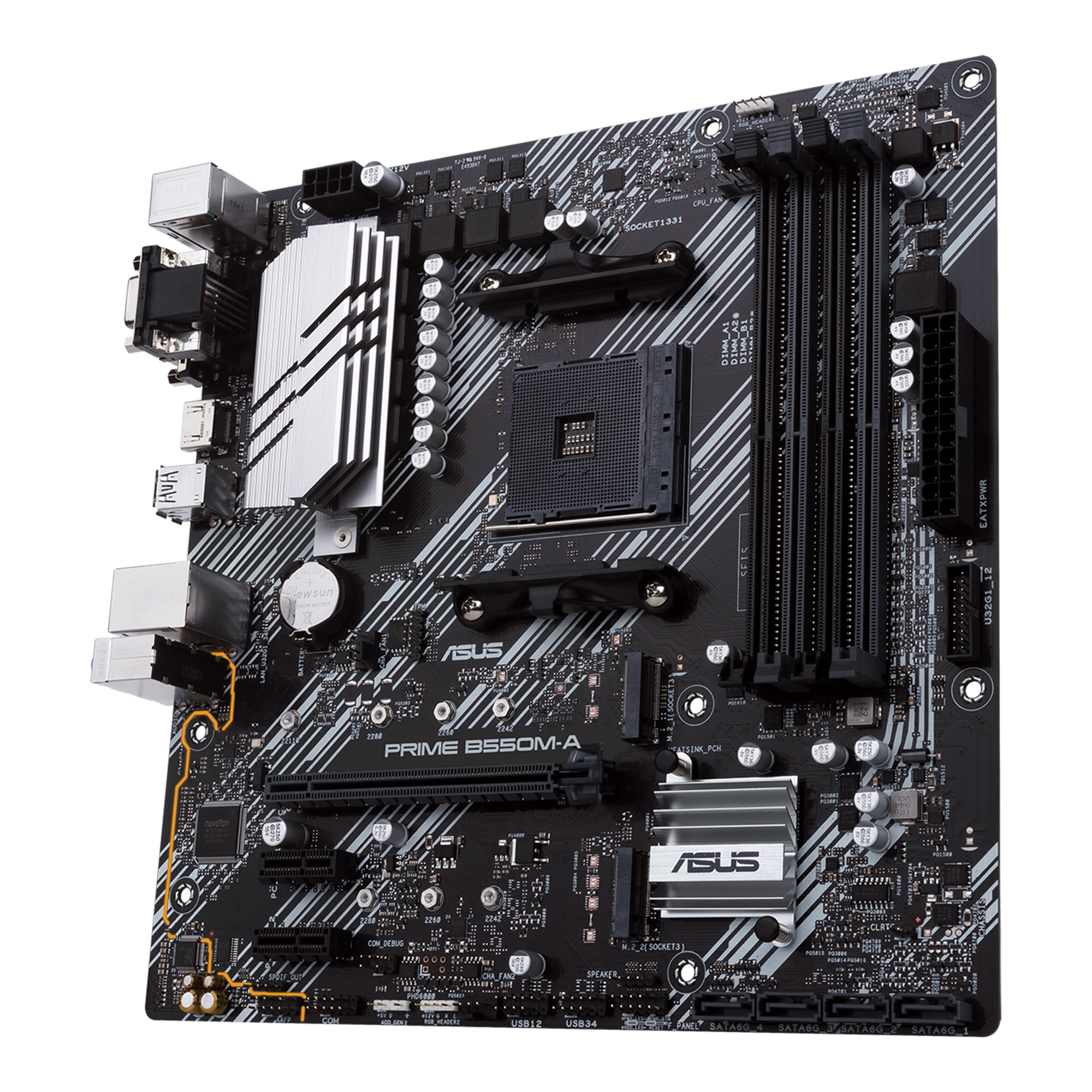
    At CES 2024, I stumbled upon a game-changing innovation at the Asus booth that, despite its simplicity, left me in awe. The revelation occurred when I witnessed a groundbreaking feature on Asus’ new Z790 motherboards, addressing a common yet often overlooked issue in PC building—ensuring the proper seating of RAM modules.

    Experienced PC builders understand the frustrations associated with improperly seated memory kits, which can lead to various annoying issues. Moreover, identifying this problem in the midst of troubleshooting can be a daunting task, particularly when obstructed by the installation of a CPU cooler. Asus PR manager Juan Jose Guerrero enlightened me on the frequent support calls the company receives, pinpointing this specific nuisance as a common culprit.

    The solution lies in a subtle but brilliant design choice—a tiny orange LED indicator light strategically placed next to the DIMM slots on the motherboard. This unassuming light serves as a sentinel, detecting the insertion of memory modules. If the modules aren’t fully seated, the light remains on, instantly alerting users to the issue. Conversely, when everything is in order, the LED is disabled, offering a quick visual confirmation of a well-assembled system. This feature even accommodates the nuances of inserting a dual-channel memory kit into a quad-channel build by focusing on the two primary DIMM slots.

    Reflecting on my past DIY adventures, I couldn’t help but think of the countless hours and frustration that could have been spared if this ingenious feature had been available earlier. The implementation of such a straightforward yet immensely practical solution left me wondering: How has no one thought of this before? Hindsight, as they say, is 20/20.

    Once the RAM is securely in place and your PC is up and running, the same LED indicator continues to prove its worth. It serves as a reliable diagnostic tool during startup, providing feedback on the status of your GPU, RAM, graphics card, and storage. This unassuming yet powerful LED stands as a testament to Asus’ commitment to user-friendly design.

    In addition to this groundbreaking feature, Asus Z790 motherboards boast other quality-of-life enhancements, including a PCIe quick-release button and a “Q-Latch” mechanism that secures M.2 SSDs without the need for additional tools. These innovations collectively redefine the user experience and have been seamlessly integrated into every Asus Z790 refresh ROG and TUF motherboard announced since the last Computex. Witnessing this innovation in action for the first time, I couldn’t help but commend Asus for these remarkable strides in simplifying and enhancing the PC building process.

    Post Views: 274
    Share. Facebook Twitter Pinterest LinkedIn Tumblr Email
    ayaksız
    • Website

    Related Posts

    HP OmniBook 5 drops to $699 with 16GB RAM and long battery life

    Mayıs 11, 2026

    Anker’s 9-port charging station drops to $34 on Amazon

    Mayıs 11, 2026

    DDR5 counterfeits surge as the RAM shortage worsens

    Mayıs 11, 2026
    Add A Comment

    Comments are closed.

    Editors Picks
    8.5

    Apple Planning Big Mac Redesign and Half-Sized Old Mac

    Ocak 5, 2021

    Autonomous Driving Startup Attracts Chinese Investor

    Ocak 5, 2021

    Onboard Cameras Allow Disabled Quadcopters to Fly

    Ocak 5, 2021
    Top Reviews
    9.1

    Review: T-Mobile Winning 5G Race Around the World

    By sevketayaksiz
    8.9

    Samsung Galaxy S21 Ultra Review: the New King of Android Phones

    By sevketayaksiz
    8.9

    Xiaomi Mi 10: New Variant with Snapdragon 870 Review

    By sevketayaksiz
    Advertisement
    Demo
    Şevket Ayaksız
    Facebook X (Twitter) Instagram YouTube
    • Home
    • Adobe
    • microsoft
    • java
    • Oracle
    • Contact
    © 2026 Theme Designed by Şevket Ayaksız.

    Type above and press Enter to search. Press Esc to cancel.