

How to Maintain Your Home Security Cameras: A Detailed Cleaning Guide
Outdoor home security cameras are constantly battling against a variety of environmental factors—dirt, tree sap, pollen, insects, water spots, fingerprints, and even bird droppings can all detract from the camera’s performance. Keeping these cameras clean is crucial for maintaining clear footage and ensuring that your security system functions as intended. Regular cleaning helps to prevent obstructions that can lead to blurry or distorted images, ensuring that you capture every detail necessary for effective monitoring.
Cleaning Tools and Materials
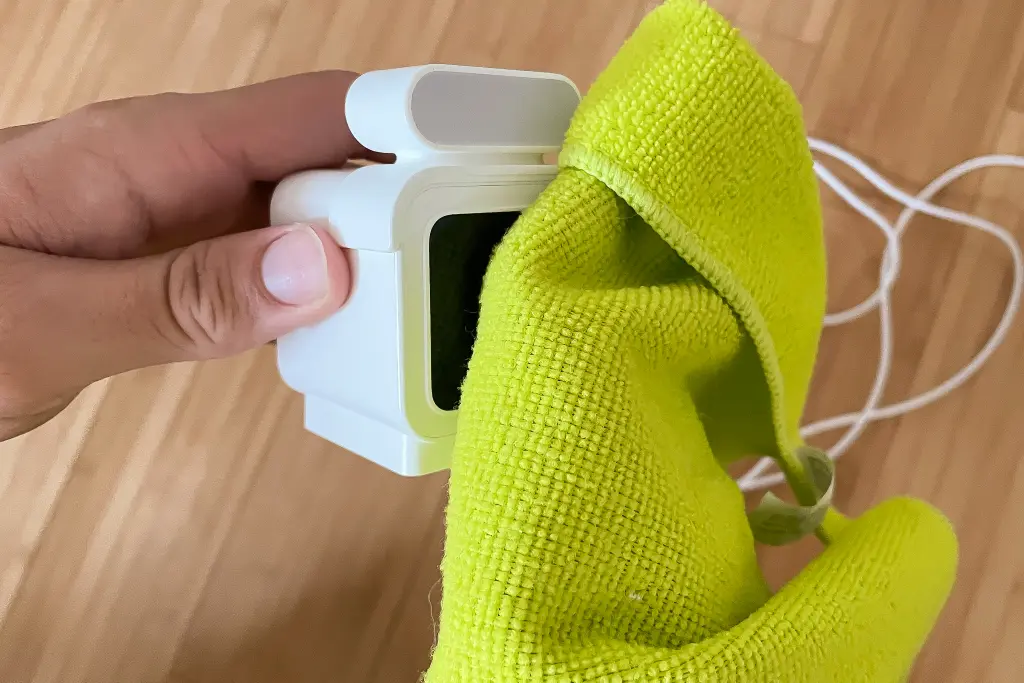
For optimal maintenance of your security cameras, you’ll need only a few essential tools. The primary item is a soft microfiber cloth, which is perfect for gently cleaning the camera lens without scratching it. When water alone isn’t effective, a small amount of diluted dish soap can be added to the cloth. Avoid using any abrasive materials or harsh chemicals, as these can damage the camera.
If your cameras are mounted at a height, use a ladder or step stool to safely access them. Be cautious to avoid using paper towels or other rough materials, as they can scratch the lens surface. A microfiber cloth is preferred for its gentle cleaning properties. For persistent stains, a diluted solution of dish soap can be applied.
Detailed Cleaning Procedure
Begin by powering off any wired security cameras to prevent accidental damage during cleaning. For battery-powered or wireless cameras, you might choose to remove the battery to clean the compartment, though this is not always necessary for basic surface cleaning. Wipe the camera’s exterior with a clean microfiber cloth, and if needed, use a damp cloth with a mixture of water and dish soap or an eyeglass cleaning solution. Refrain from using household cleaners or rubbing alcohol, as they can leave residues or damage the lens.
For a comprehensive clean, don’t overlook the battery compartment, charging port, and any cables. Dust these areas with a clean cloth, and if there’s any build-up, use the same cleaning method as for the exterior. Ensure that the battery compartment is dry before reinserting the batteries. Avoid applying cleaning solutions to the charging port; instead, use a dry cloth or cotton swab to clean it.
During the cleaning process, also inspect the camera for any signs of wear or damage. Check that the seals and weatherproofing are intact, as these are crucial for protecting the camera from environmental elements. If you find significant damage, consider replacing the camera to maintain effective security.
Recommended Cleaning Schedule
The frequency of cleaning is just as important as the method. For outdoor cameras, aim to clean them two to four times a year, with a target of every three to four months. This frequency may need adjustment based on local weather conditions; cameras in areas with high moisture or dust levels may require more frequent cleaning.
Indoor cameras generally face fewer environmental challenges and should be cleaned approximately once a year. Regular maintenance ensures that your security cameras continue to deliver clear, reliable footage, contributing to the overall security of your home.