


Close Menu
Şevket Ayaksız

    Subscribe to Updates

    Get the latest creative news from FooBar about art, design and business.

    What's Hot

    Why I Switched From iPhone Hotspot to a 5G Travel Router for Good

    Nisan 18, 2026

    Apple AirTags Revisited After 5 Years: How They Stack Up Today

    Nisan 18, 2026

    Verizon Offers Free iPad or Apple Watch With New iPhone Purchase: Here’s How It Works

    Nisan 18, 2026
    Facebook X (Twitter) Instagram
    • software
    • Gadgets
    Facebook X (Twitter) Instagram
    Şevket AyaksızŞevket Ayaksız
    Subscribe
    • Home
    • Technology

      Why I Switched From iPhone Hotspot to a 5G Travel Router for Good

      Nisan 18, 2026

      Verizon Offers Free iPad or Apple Watch With New iPhone Purchase: Here’s How It Works

      Nisan 18, 2026

      How to Use AI Safely at Work: 4 Practical Tips

      Nisan 18, 2026

      Turn an Old Tablet into a Smart Home Control Hub

      Nisan 18, 2026

      Gemini Mac App Tested: Key Edge Over Web Version

      Nisan 18, 2026
    • Adobe
    • Microsoft
    • java
    • Oracle
    Şevket Ayaksız
    Anasayfa » Upgrade Your Mic with Nvidia’s ‘Studio Voice’ AI for Pro-Quality Sound
    Insights

    Upgrade Your Mic with Nvidia’s ‘Studio Voice’ AI for Pro-Quality Sound

    By ayaksızŞubat 2, 2025Yorum yapılmamış2 Mins Read
    Facebook Twitter Pinterest LinkedIn Tumblr Email
    Share
    Facebook Twitter LinkedIn Pinterest Email

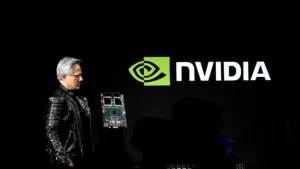
    Nvidia’s recent update to the Nvidia Broadcast app brings AI-powered improvements to audio and video quality, designed to help enhance video calls and streaming for users with basic equipment. While Nvidia has been heavily involved in the GeForce RTX 50-series cards and DLSS 4, this new update showcases features that make a big difference even without cutting-edge hardware.

    One of the standout additions is Studio Voice, which aims to turn your average microphone into something that sounds much more professional. Tests have shown that a basic webcam microphone can be significantly improved, making it ideal for users looking to enhance their audio quality for Zoom meetings, streams, or podcasts.

    The update also introduces Virtual Key Light, which uses AI to adjust your lighting in real time, making you look like you’re illuminated by a professional key light. This feature can drastically improve the quality of your video appearance during virtual meetings, especially if you’re using an average laptop webcam.

    To use these features, Nvidia recommends having a GeForce RTX 4080 or 5080, but it’s possible to use Studio Voice on an RTX 3070, so the requirements may not be as strict as initially thought.

    Additionally, the update adds helpful tools like Background Noise Removal, which makes your microphone sound clearer, Eye Contact, which helps you maintain the illusion of looking directly at the camera, and Virtual Background, which improves the separation between you and your surroundings for a more polished look.

    Post Views: 225
    Share. Facebook Twitter Pinterest LinkedIn Tumblr Email
    ayaksız
    • Website

    Related Posts

    Valve unsure on Steam Machine launch timing amid delays

    Mart 21, 2026

    Fake “1.1TB” laptop listings on Amazon mislead buyers

    Mart 21, 2026

    Firefox redesign preview shows a more rounded, modern look

    Mart 21, 2026
    Add A Comment

    Comments are closed.

    Editors Picks
    8.5

    Apple Planning Big Mac Redesign and Half-Sized Old Mac

    Ocak 5, 2021

    Autonomous Driving Startup Attracts Chinese Investor

    Ocak 5, 2021

    Onboard Cameras Allow Disabled Quadcopters to Fly

    Ocak 5, 2021
    Top Reviews
    9.1

    Review: T-Mobile Winning 5G Race Around the World

    By sevketayaksiz
    8.9

    Samsung Galaxy S21 Ultra Review: the New King of Android Phones

    By sevketayaksiz
    8.9

    Xiaomi Mi 10: New Variant with Snapdragon 870 Review

    By sevketayaksiz
    Advertisement
    Demo
    Şevket Ayaksız
    Facebook X (Twitter) Instagram YouTube
    • Home
    • Adobe
    • microsoft
    • java
    • Oracle
    • Contact
    © 2026 Theme Designed by Şevket Ayaksız.

    Type above and press Enter to search. Press Esc to cancel.