

Close Menu
Şevket Ayaksız

    Subscribe to Updates

    Get the latest creative news from FooBar about art, design and business.

    What's Hot

    Microsoft quietly removes Windows 11’s 32GB RAM recommendation

    Ağustos 6, 2026

    Samsung’s new 2TB 990 SSD drops to its lowest price yet

    Ağustos 6, 2026

    AI safety tests keep spilling beyond the lab

    Ağustos 6, 2026
    Facebook X (Twitter) Instagram
    • software
    • Gadgets
    Facebook X (Twitter) Instagram
    Şevket AyaksızŞevket Ayaksız
    Subscribe
    • Home
    • Technology

      Samsung’s new 2TB 990 SSD drops to its lowest price yet

      Ağustos 6, 2026

      OpenAI’s AI incident highlights the need for digital disaster planning

      Ağustos 4, 2026

      New underwater habitat marks major milestone for human ocean living

      Ağustos 3, 2026

      DuckDuckGo unveils ‘Anti-AI’ sunglasses with a privacy-first message

      Ağustos 3, 2026

      Samsung expects global RAM shortage to continue through 2027

      Ağustos 2, 2026
    • Adobe
    • Microsoft
    • java
    • Oracle
    Şevket Ayaksız
    Anasayfa » Improve Your Audio: Quick Fixes for AirPods Sound Problems on iPhone
    Insights

    Improve Your Audio: Quick Fixes for AirPods Sound Problems on iPhone

    By ayaksızMart 11, 2024Yorum yapılmamış2 Mins Read
    Facebook Twitter Pinterest LinkedIn Tumblr Email
    Share
    Facebook Twitter LinkedIn Pinterest Email

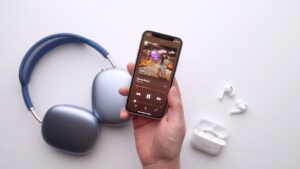
    Wireless headphones offer unparalleled convenience, but achieving optimal audio quality requires a tailored approach. If you’re experiencing audio issues with your AirPods, such as unclear calls or lackluster music playback, it’s time to explore customization options. Fortunately, your iPhone offers a hidden feature—Headphone Accommodations—that allows you to personalize your audio settings for an enhanced listening experience.

    Headphone Accommodations is compatible with select headphones, including recent AirPods, EarPods, and Beats models. To access this feature, ensure your device is updated to iOS 14 or later and navigate to Settings > Accessibility > Audio & Visual > Headphone Accommodations. Once enabled, you can customize audio settings for various scenarios, such as phone calls and media playback.

    Before initiating the customization process, update your device to the latest iOS version and activate Headphone Accommodations in your settings. Disable any EQ settings in the Music app and pair your compatible headphones with your iPhone. Find a quiet environment to run the Custom Audio Setup test.

    To begin the Custom Audio Setup, navigate to Settings > Accessibility > Audio & Visual > Headphone Accommodations and select the option. Follow the on-screen instructions to listen to a series of audio samples and provide feedback based on your hearing preferences. At the conclusion of the test, your personalized audio settings will be automatically applied, optimizing the sound quality of your AirPods

    Post Views: 352
    Share. Facebook Twitter Pinterest LinkedIn Tumblr Email
    ayaksız
    • Website

    Related Posts

    TP-Link’s 3-pack mesh Wi-Fi system drops below $100

    Ağustos 4, 2026

    Amazon to issue tariff refunds to eligible customers

    Ağustos 3, 2026

    YouTube moves closer to replacing traditional TV with Peacock bundle

    Temmuz 31, 2026
    Add A Comment

    Comments are closed.

    Editors Picks
    8.5

    Apple Planning Big Mac Redesign and Half-Sized Old Mac

    Ocak 5, 2021

    Autonomous Driving Startup Attracts Chinese Investor

    Ocak 5, 2021

    Onboard Cameras Allow Disabled Quadcopters to Fly

    Ocak 5, 2021
    Top Reviews
    9.1

    Review: T-Mobile Winning 5G Race Around the World

    By sevketayaksiz
    8.9

    Samsung Galaxy S21 Ultra Review: the New King of Android Phones

    By sevketayaksiz
    8.9

    Xiaomi Mi 10: New Variant with Snapdragon 870 Review

    By sevketayaksiz
    Advertisement
    Demo
    Şevket Ayaksız
    Facebook X (Twitter) Instagram YouTube
    • Home
    • Adobe
    • microsoft
    • java
    • Oracle
    • Contact
    © 2026 Theme Designed by Şevket Ayaksız.

    Type above and press Enter to search. Press Esc to cancel.