

Close Menu
Şevket Ayaksız

    Subscribe to Updates

    Get the latest creative news from FooBar about art, design and business.

    What's Hot

    Why I Switched From iPhone Hotspot to a 5G Travel Router for Good

    Nisan 18, 2026

    Apple AirTags Revisited After 5 Years: How They Stack Up Today

    Nisan 18, 2026

    Verizon Offers Free iPad or Apple Watch With New iPhone Purchase: Here’s How It Works

    Nisan 18, 2026
    Facebook X (Twitter) Instagram
    • software
    • Gadgets
    Facebook X (Twitter) Instagram
    Şevket AyaksızŞevket Ayaksız
    Subscribe
    • Home
    • Technology

      Why I Switched From iPhone Hotspot to a 5G Travel Router for Good

      Nisan 18, 2026

      Verizon Offers Free iPad or Apple Watch With New iPhone Purchase: Here’s How It Works

      Nisan 18, 2026

      How to Use AI Safely at Work: 4 Practical Tips

      Nisan 18, 2026

      Turn an Old Tablet into a Smart Home Control Hub

      Nisan 18, 2026

      Gemini Mac App Tested: Key Edge Over Web Version

      Nisan 18, 2026
    • Adobe
    • Microsoft
    • java
    • Oracle
    Şevket Ayaksız
    Anasayfa » Strengthen iPhone Security: Unlock Advanced Stolen Device Protection with iOS 17.4 in 5 Effortless Steps!
    software

    Strengthen iPhone Security: Unlock Advanced Stolen Device Protection with iOS 17.4 in 5 Effortless Steps!

    By ayaksızNisan 2, 2024Yorum yapılmamış2 Mins Read
    Facebook Twitter Pinterest LinkedIn Tumblr Email
    Share
    Facebook Twitter LinkedIn Pinterest Email

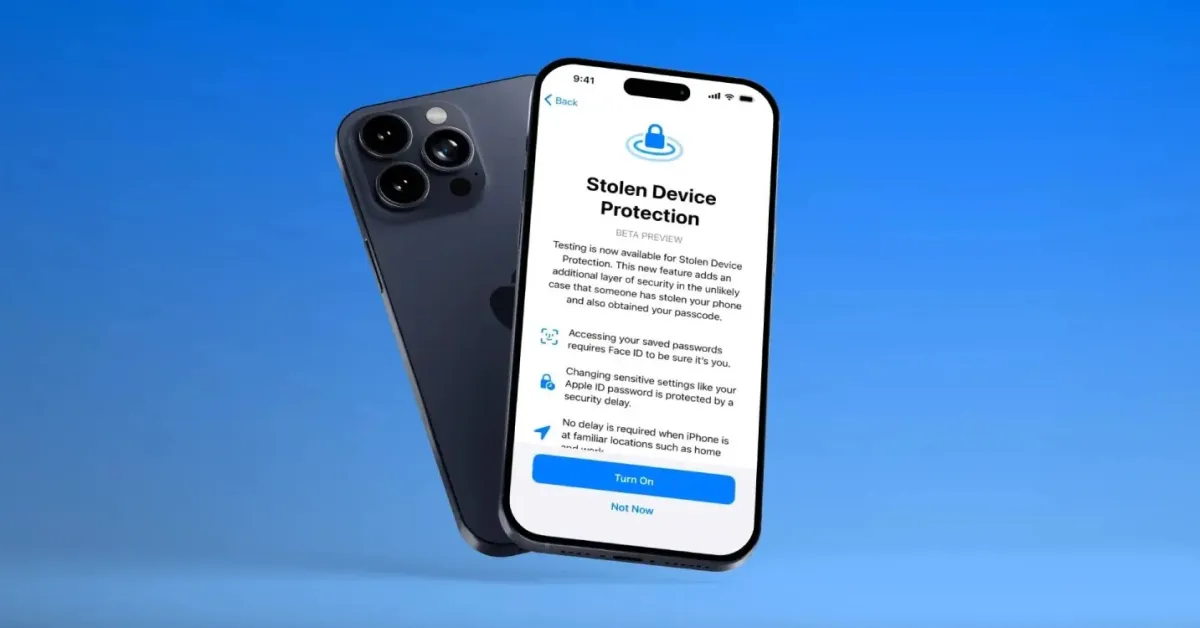
    The arrival of iOS 17.4 on March 5 brought a host of enhancements to your iPhone, from delightful new emoji additions to pivotal bug fixes. Among these updates lies a significant improvement in device security, particularly in the realm of Stolen Device Protection settings.

    Initially introduced in iOS 17.3, Stolen Device Protection acts as a safeguard against unauthorized access to sensitive information by requiring biometric verification in unfamiliar locations. However, certain scenarios, such as frequenting public spaces or residing in communal living environments, may inadvertently circumvent this security measure. iOS 17.4 aims to address this vulnerability by empowering users to enforce a one-hour security delay regardless of their surroundings.

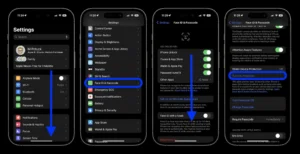
    Here’s how to activate the one-hour security delay:

    1. Open Settings
    2. Navigate to Face ID & Passcode
    3. Scroll down to Stolen Device Protection
    4. Enable Stolen Device Protection if not already activated, or proceed if already enabled
    5. Select “Always” under “Require Security Delay“

    By enabling this setting, your iPhone will consistently implement a one-hour security delay, bolstering protection against unauthorized access or alterations to device settings, regardless of your current location.

    It’s worth noting, however, that while Stolen Device Protection fortifies select settings, additional precautions remain crucial to safeguarding other sensitive data. For example, despite the activation of Stolen Device Protection, your iPhone’s passcode remains pivotal for securing Apple Pay transactions, underscoring the importance of a comprehensive security approach.

    Apple strongly recommends all users activate Stolen Device Protection, emphasizing its pivotal role in enhancing device security, even if opting not to enforce the one-hour security delay at all times.

    Post Views: 211
    Share. Facebook Twitter Pinterest LinkedIn Tumblr Email
    ayaksız
    • Website

    Related Posts

    Microsoft’s Windows Insider Program Finally Becomes More Streamlined and User-Friendly

    Nisan 11, 2026

    Microsoft launches tool to gather user feedback on Windows issues

    Nisan 8, 2026

    Microsoft outlines major Windows 11 reset focused on performance

    Nisan 8, 2026
    Add A Comment

    Comments are closed.

    Editors Picks
    8.5

    Apple Planning Big Mac Redesign and Half-Sized Old Mac

    Ocak 5, 2021

    Autonomous Driving Startup Attracts Chinese Investor

    Ocak 5, 2021

    Onboard Cameras Allow Disabled Quadcopters to Fly

    Ocak 5, 2021
    Top Reviews
    9.1

    Review: T-Mobile Winning 5G Race Around the World

    By sevketayaksiz
    8.9

    Samsung Galaxy S21 Ultra Review: the New King of Android Phones

    By sevketayaksiz
    8.9

    Xiaomi Mi 10: New Variant with Snapdragon 870 Review

    By sevketayaksiz
    Advertisement
    Demo
    Şevket Ayaksız
    Facebook X (Twitter) Instagram YouTube
    • Home
    • Adobe
    • microsoft
    • java
    • Oracle
    • Contact
    © 2026 Theme Designed by Şevket Ayaksız.

    Type above and press Enter to search. Press Esc to cancel.