

Close Menu
Şevket Ayaksız

    Subscribe to Updates

    Get the latest creative news from FooBar about art, design and business.

    What's Hot

    Windows 11 bug has blocked updates for some PCs since February

    Mayıs 24, 2026

    Anker’s 25,000mAh laptop power bank drops $39 to $96

    Mayıs 24, 2026

    Ring Indoor Cam Plus drops to a record-low $35 on Amazon

    Mayıs 24, 2026
    Facebook X (Twitter) Instagram
    • software
    • Gadgets
    Facebook X (Twitter) Instagram
    Şevket AyaksızŞevket Ayaksız
    Subscribe
    • Home
    • Technology

      HP OmniBook 5 drops to $699 with 16GB RAM and long battery life

      Mayıs 11, 2026

      Anker’s 9-port charging station drops to $34 on Amazon

      Mayıs 11, 2026

      DDR5 counterfeits surge as the RAM shortage worsens

      Mayıs 11, 2026

      Google Maps vs Waze: I Put the Two Best Navigation Apps Head-to-Head — and One Clearly Came Out on Top

      Mayıs 1, 2026

      T-Mobile Bundles Free Hulu and Netflix for 5G Users: Eligibility Explained

      Mayıs 1, 2026
    • Adobe
    • Microsoft
    • java
    • Oracle
    Şevket Ayaksız
    Anasayfa » Strengthen iPhone Security: Unlock Advanced Stolen Device Protection with iOS 17.4 in 5 Effortless Steps!
    software

    Strengthen iPhone Security: Unlock Advanced Stolen Device Protection with iOS 17.4 in 5 Effortless Steps!

    By ayaksızNisan 2, 2024Yorum yapılmamış2 Mins Read
    Facebook Twitter Pinterest LinkedIn Tumblr Email
    Share
    Facebook Twitter LinkedIn Pinterest Email

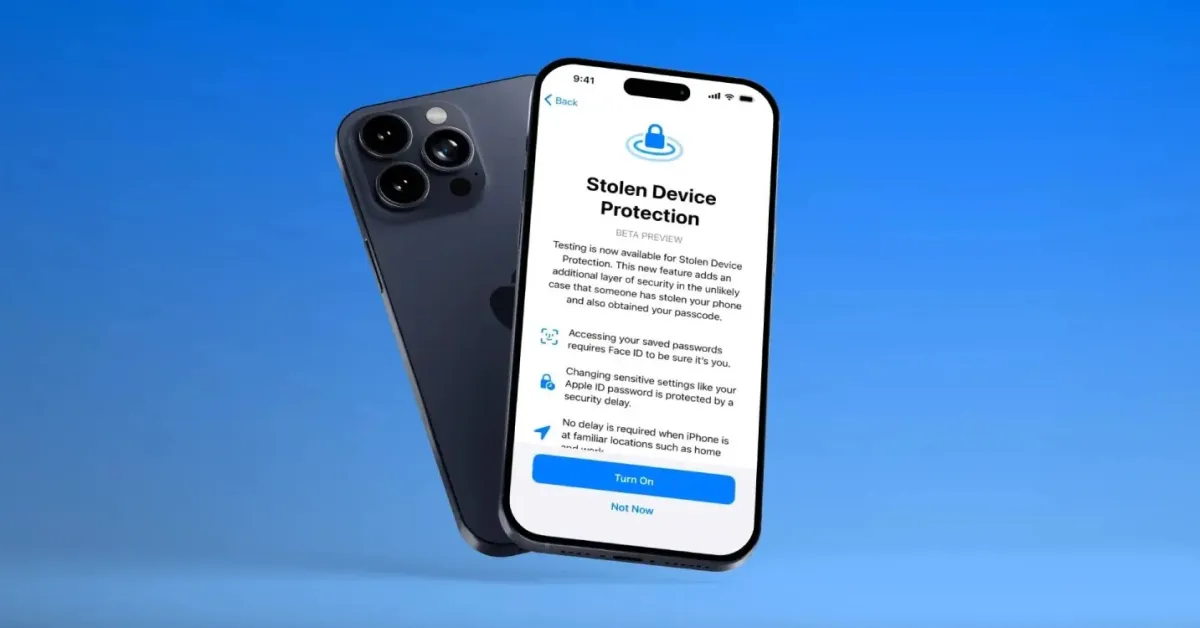
    The arrival of iOS 17.4 on March 5 brought a host of enhancements to your iPhone, from delightful new emoji additions to pivotal bug fixes. Among these updates lies a significant improvement in device security, particularly in the realm of Stolen Device Protection settings.

    Initially introduced in iOS 17.3, Stolen Device Protection acts as a safeguard against unauthorized access to sensitive information by requiring biometric verification in unfamiliar locations. However, certain scenarios, such as frequenting public spaces or residing in communal living environments, may inadvertently circumvent this security measure. iOS 17.4 aims to address this vulnerability by empowering users to enforce a one-hour security delay regardless of their surroundings.

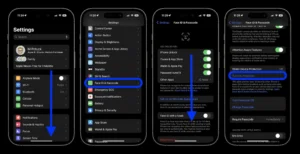
    Here’s how to activate the one-hour security delay:

    1. Open Settings
    2. Navigate to Face ID & Passcode
    3. Scroll down to Stolen Device Protection
    4. Enable Stolen Device Protection if not already activated, or proceed if already enabled
    5. Select “Always” under “Require Security Delay“

    By enabling this setting, your iPhone will consistently implement a one-hour security delay, bolstering protection against unauthorized access or alterations to device settings, regardless of your current location.

    It’s worth noting, however, that while Stolen Device Protection fortifies select settings, additional precautions remain crucial to safeguarding other sensitive data. For example, despite the activation of Stolen Device Protection, your iPhone’s passcode remains pivotal for securing Apple Pay transactions, underscoring the importance of a comprehensive security approach.

    Apple strongly recommends all users activate Stolen Device Protection, emphasizing its pivotal role in enhancing device security, even if opting not to enforce the one-hour security delay at all times.

    Post Views: 224
    Share. Facebook Twitter Pinterest LinkedIn Tumblr Email
    ayaksız
    • Website

    Related Posts

    Microsoft faces fresh security chaos after May Patch Tuesday

    Mayıs 24, 2026

    Microsoft is phasing out SMS verification for personal accounts

    Mayıs 19, 2026

    Microsoft patches 120 security flaws in May Windows updates

    Mayıs 14, 2026
    Add A Comment

    Comments are closed.

    Editors Picks
    8.5

    Apple Planning Big Mac Redesign and Half-Sized Old Mac

    Ocak 5, 2021

    Autonomous Driving Startup Attracts Chinese Investor

    Ocak 5, 2021

    Onboard Cameras Allow Disabled Quadcopters to Fly

    Ocak 5, 2021
    Top Reviews
    9.1

    Review: T-Mobile Winning 5G Race Around the World

    By sevketayaksiz
    8.9

    Samsung Galaxy S21 Ultra Review: the New King of Android Phones

    By sevketayaksiz
    8.9

    Xiaomi Mi 10: New Variant with Snapdragon 870 Review

    By sevketayaksiz
    Advertisement
    Demo
    Şevket Ayaksız
    Facebook X (Twitter) Instagram YouTube
    • Home
    • Adobe
    • microsoft
    • java
    • Oracle
    • Contact
    © 2026 Theme Designed by Şevket Ayaksız.

    Type above and press Enter to search. Press Esc to cancel.