

Close Menu
Şevket Ayaksız

    Subscribe to Updates

    Get the latest creative news from FooBar about art, design and business.

    What's Hot

    Why I Switched From iPhone Hotspot to a 5G Travel Router for Good

    Nisan 18, 2026

    Apple AirTags Revisited After 5 Years: How They Stack Up Today

    Nisan 18, 2026

    Verizon Offers Free iPad or Apple Watch With New iPhone Purchase: Here’s How It Works

    Nisan 18, 2026
    Facebook X (Twitter) Instagram
    • software
    • Gadgets
    Facebook X (Twitter) Instagram
    Şevket AyaksızŞevket Ayaksız
    Subscribe
    • Home
    • Technology

      Why I Switched From iPhone Hotspot to a 5G Travel Router for Good

      Nisan 18, 2026

      Verizon Offers Free iPad or Apple Watch With New iPhone Purchase: Here’s How It Works

      Nisan 18, 2026

      How to Use AI Safely at Work: 4 Practical Tips

      Nisan 18, 2026

      Turn an Old Tablet into a Smart Home Control Hub

      Nisan 18, 2026

      Gemini Mac App Tested: Key Edge Over Web Version

      Nisan 18, 2026
    • Adobe
    • Microsoft
    • java
    • Oracle
    Şevket Ayaksız
    Anasayfa » ChromeOS Update Unveils a Host of New Features and Improvements
    Tech

    ChromeOS Update Unveils a Host of New Features and Improvements

    By ayaksızKasım 5, 2024Yorum yapılmamış2 Mins Read
    Facebook Twitter Pinterest LinkedIn Tumblr Email
    Share
    Facebook Twitter LinkedIn Pinterest Email

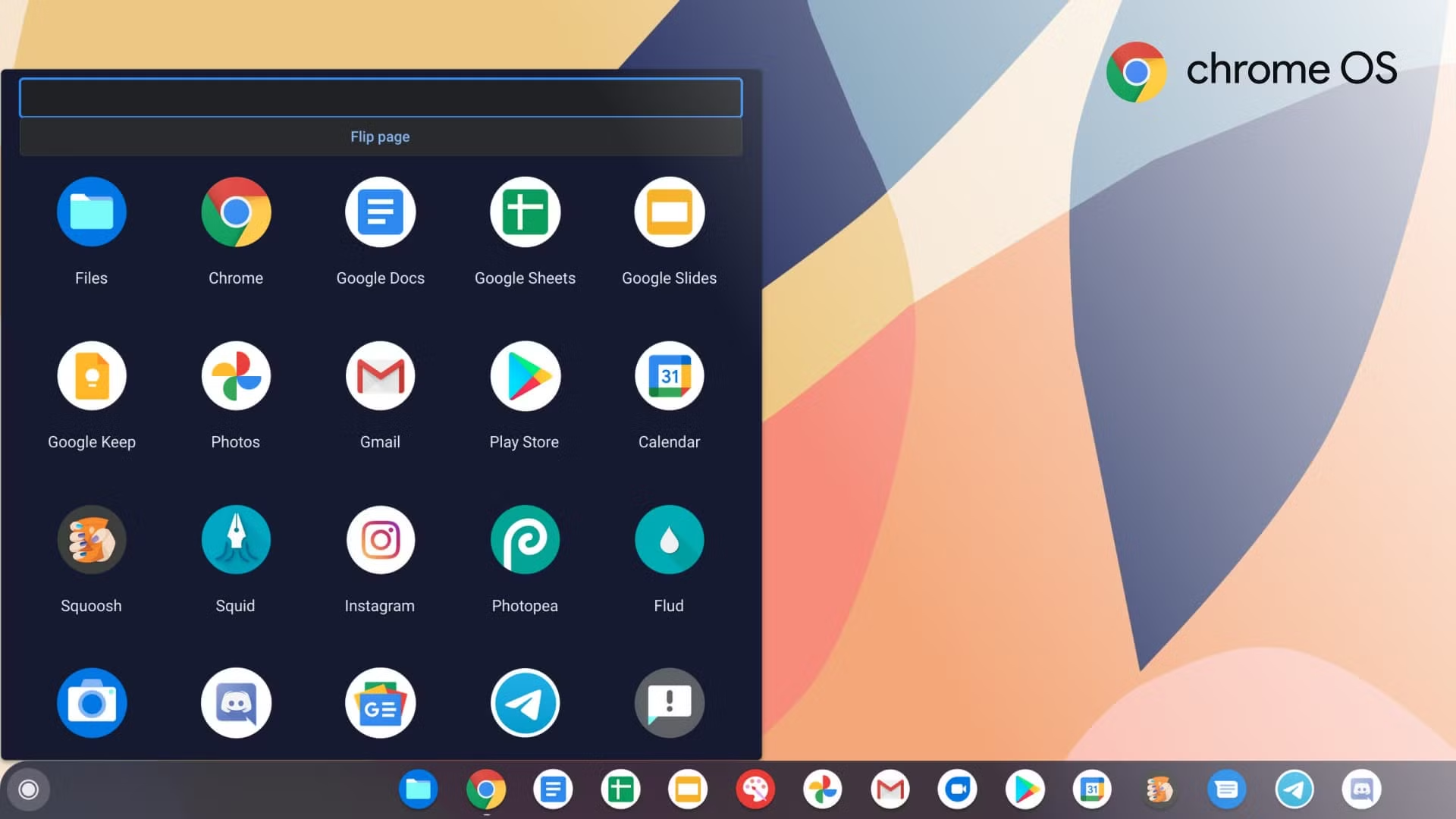
    Google has officially launched the ChromeOS M130 update, delivering a series of enhancements and new features to users on the stable channel. This update introduces several tools, including Quick Insert, Focus, and Welcome Recap, which aim to improve overall functionality and user productivity.

    Quick Insert is a notable new feature that allows users to quickly add emojis, symbols, GIFs, links, calculations, and access AI tools. Activation can vary by Chromebook model, with some utilizing a specific key, while all users can use the shortcut of Launcher key + F to access this feature.

    Another important addition is the Focus tool, which enables users to easily toggle the Do Not Disturb (DND) mode. This feature allows for setting focus times, managing Google Tasks, and streaming curated playlists via YouTube Music Premium, all designed to help users concentrate better by reducing interruptions.

    The Welcome Recap feature assists users in transitioning back into their work environment when starting their Chromebook. Once enabled, it allows for quick restoration of apps and tabs from the previous session and provides personalized information like the current weather, upcoming events from the calendar, and suggestions from Google Drive.

    Alongside these new features, the M130 update includes various improvements, such as quicker access to starred files in Google Drive, an AI-powered Recorder app for creating accurate transcriptions, enhanced privacy settings, multi-calendar event support, and increased flexibility with Picture-in-Picture (PIP) windows for seamless video playback during multitasking.

    Users should expect to see the ChromeOS version M130 rolling out soon, with new features becoming accessible over the next few days.

    Post Views: 255
    Share. Facebook Twitter Pinterest LinkedIn Tumblr Email
    ayaksız
    • Website

    Related Posts

    Why I Switched From iPhone Hotspot to a 5G Travel Router for Good

    Nisan 18, 2026

    Verizon Offers Free iPad or Apple Watch With New iPhone Purchase: Here’s How It Works

    Nisan 18, 2026

    How to Use AI Safely at Work: 4 Practical Tips

    Nisan 18, 2026
    Add A Comment

    Comments are closed.

    Editors Picks
    8.5

    Apple Planning Big Mac Redesign and Half-Sized Old Mac

    Ocak 5, 2021

    Autonomous Driving Startup Attracts Chinese Investor

    Ocak 5, 2021

    Onboard Cameras Allow Disabled Quadcopters to Fly

    Ocak 5, 2021
    Top Reviews
    9.1

    Review: T-Mobile Winning 5G Race Around the World

    By sevketayaksiz
    8.9

    Samsung Galaxy S21 Ultra Review: the New King of Android Phones

    By sevketayaksiz
    8.9

    Xiaomi Mi 10: New Variant with Snapdragon 870 Review

    By sevketayaksiz
    Advertisement
    Demo
    Şevket Ayaksız
    Facebook X (Twitter) Instagram YouTube
    • Home
    • Adobe
    • microsoft
    • java
    • Oracle
    • Contact
    © 2026 Theme Designed by Şevket Ayaksız.

    Type above and press Enter to search. Press Esc to cancel.