

Close Menu
Şevket Ayaksız

    Subscribe to Updates

    Get the latest creative news from FooBar about art, design and business.

    What's Hot

    Why I Switched From iPhone Hotspot to a 5G Travel Router for Good

    Nisan 18, 2026

    Apple AirTags Revisited After 5 Years: How They Stack Up Today

    Nisan 18, 2026

    Verizon Offers Free iPad or Apple Watch With New iPhone Purchase: Here’s How It Works

    Nisan 18, 2026
    Facebook X (Twitter) Instagram
    • software
    • Gadgets
    Facebook X (Twitter) Instagram
    Şevket AyaksızŞevket Ayaksız
    Subscribe
    • Home
    • Technology

      Why I Switched From iPhone Hotspot to a 5G Travel Router for Good

      Nisan 18, 2026

      Verizon Offers Free iPad or Apple Watch With New iPhone Purchase: Here’s How It Works

      Nisan 18, 2026

      How to Use AI Safely at Work: 4 Practical Tips

      Nisan 18, 2026

      Turn an Old Tablet into a Smart Home Control Hub

      Nisan 18, 2026

      Gemini Mac App Tested: Key Edge Over Web Version

      Nisan 18, 2026
    • Adobe
    • Microsoft
    • java
    • Oracle
    Şevket Ayaksız
    Anasayfa » Extend Your iPhone Battery Life with These Easy Adjustments
    Gear

    Extend Your iPhone Battery Life with These Easy Adjustments

    By ayaksızAğustos 15, 2024Yorum yapılmamış3 Mins Read
    Facebook Twitter Pinterest LinkedIn Tumblr Email
    Share
    Facebook Twitter LinkedIn Pinterest Email

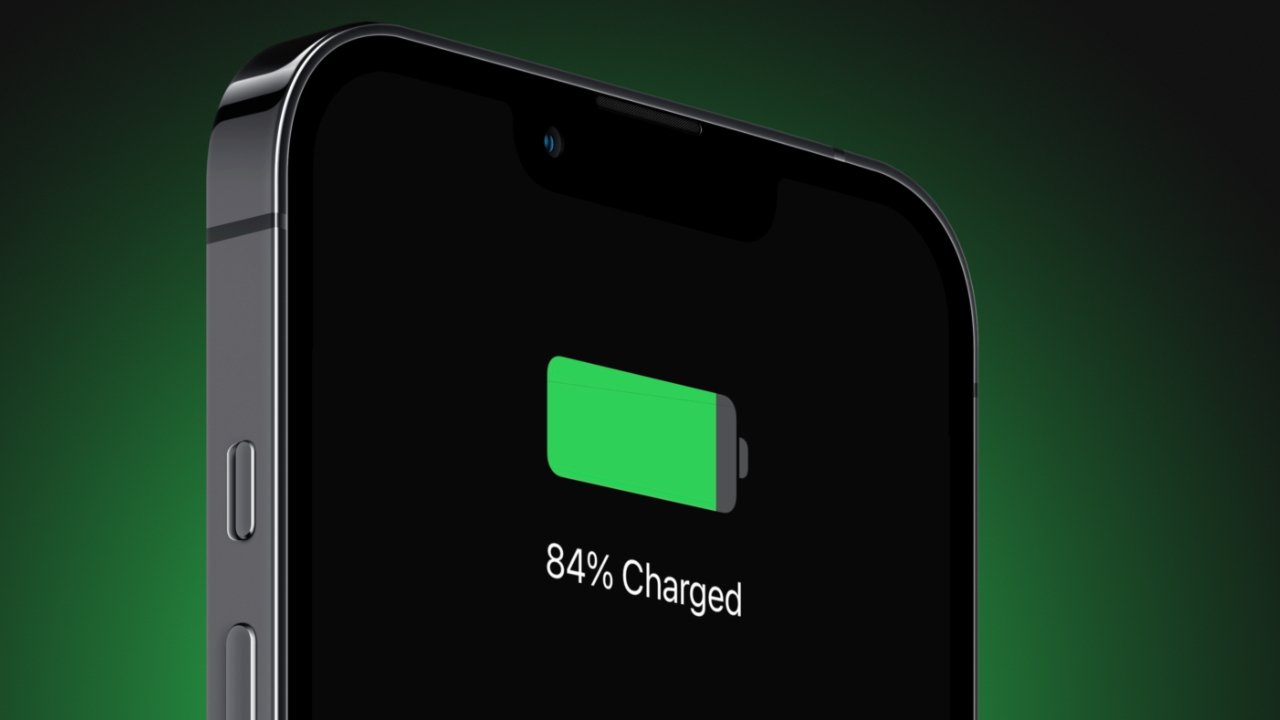
    Do you often find yourself on long commutes or cross-country trips, anxious about your smartphone’s battery life? While a portable charger can offer peace of mind, it’s even better if you don’t have to worry about your battery running low at all. For iPhone users, iOS 17.4 offers several settings adjustments that can help you get the most out of your battery.

    iOS 17.4 also includes tools to keep an eye on your battery’s health. The Battery Health menu lets you check your battery’s health percentage (aim for 80% or higher) and offers a new menu that shows the number of charge cycles your battery has undergone, as well as whether its overall condition is “normal.”

    In addition to these best practices, iOS 16 and iOS 17 have some lesser-known but effective tips that can help you extend your iPhone’s battery life even further.

    This guide covers two specific features in iOS 16 and iOS 17 that can drain your battery and explains how to disable them to help preserve battery life. Here’s what you need to know.

    Remove Widgets from Your iPhone Lock Screen

    Lock screen widgets are handy, but they come at a cost. These widgets require apps to constantly run in the background, fetching data to keep the information updated, which drains your battery over time.

    To save battery on iOS 17, it’s best to minimize the use of lock screen widgets. The easiest approach is to switch to a different lock screen profile. Simply press and hold your current lock screen, then swipe to select one that doesn’t feature any widgets.

    If you’d rather keep your current lock screen but remove the widgets, press and hold the lock screen, tap “Customize,” choose “Lock Screen,” then tap the widget box and press the “—” button on each widget to remove it.

    Turn Off Your iPhone’s Haptic Keyboard Feedback

    iOS 16 introduced haptic feedback for the iPhone keyboard, allowing users to feel a slight vibration with each keypress. This feature adds a tactile element to typing but, according to Apple, it can also negatively impact your battery life.

    Apple hasn’t disclosed exactly how much battery life haptic feedback uses, but if you’re trying to conserve energy, disabling it is a smart move. The feature is off by default, but if you’ve turned it on, you can disable it by navigating to Settings > Sounds & Haptics > Keyboard Feedback and switching off “Haptic.”

    Post Views: 257
    Share. Facebook Twitter Pinterest LinkedIn Tumblr Email
    ayaksız
    • Website

    Related Posts

    Acer OLED gaming monitors drop up to 50% across lineup

    Nisan 8, 2026

    LG G6 vs. Samsung S95H: My 2026 OLED TV Comparison

    Nisan 7, 2026

    Raspberry Pi Prices Surge to Laptop Levels

    Nisan 7, 2026
    Add A Comment

    Comments are closed.

    Editors Picks
    8.5

    Apple Planning Big Mac Redesign and Half-Sized Old Mac

    Ocak 5, 2021

    Autonomous Driving Startup Attracts Chinese Investor

    Ocak 5, 2021

    Onboard Cameras Allow Disabled Quadcopters to Fly

    Ocak 5, 2021
    Top Reviews
    9.1

    Review: T-Mobile Winning 5G Race Around the World

    By sevketayaksiz
    8.9

    Samsung Galaxy S21 Ultra Review: the New King of Android Phones

    By sevketayaksiz
    8.9

    Xiaomi Mi 10: New Variant with Snapdragon 870 Review

    By sevketayaksiz
    Advertisement
    Demo
    Şevket Ayaksız
    Facebook X (Twitter) Instagram YouTube
    • Home
    • Adobe
    • microsoft
    • java
    • Oracle
    • Contact
    © 2026 Theme Designed by Şevket Ayaksız.

    Type above and press Enter to search. Press Esc to cancel.