

Close Menu
Şevket Ayaksız

    Subscribe to Updates

    Get the latest creative news from FooBar about art, design and business.

    What's Hot

    Why I Switched From iPhone Hotspot to a 5G Travel Router for Good

    Nisan 18, 2026

    Apple AirTags Revisited After 5 Years: How They Stack Up Today

    Nisan 18, 2026

    Verizon Offers Free iPad or Apple Watch With New iPhone Purchase: Here’s How It Works

    Nisan 18, 2026
    Facebook X (Twitter) Instagram
    • software
    • Gadgets
    Facebook X (Twitter) Instagram
    Şevket AyaksızŞevket Ayaksız
    Subscribe
    • Home
    • Technology

      Why I Switched From iPhone Hotspot to a 5G Travel Router for Good

      Nisan 18, 2026

      Verizon Offers Free iPad or Apple Watch With New iPhone Purchase: Here’s How It Works

      Nisan 18, 2026

      How to Use AI Safely at Work: 4 Practical Tips

      Nisan 18, 2026

      Turn an Old Tablet into a Smart Home Control Hub

      Nisan 18, 2026

      Gemini Mac App Tested: Key Edge Over Web Version

      Nisan 18, 2026
    • Adobe
    • Microsoft
    • java
    • Oracle
    Şevket Ayaksız
    Anasayfa » Fix Incoming: Windows 11 Taskbar Bug on the Mend!
    microsoft

    Fix Incoming: Windows 11 Taskbar Bug on the Mend!

    By ayaksızŞubat 29, 2024Yorum yapılmamış2 Mins Read
    Facebook Twitter Pinterest LinkedIn Tumblr Email
    Share
    Facebook Twitter LinkedIn Pinterest Email

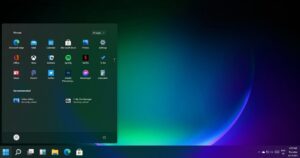
    With the unveiling of Windows 11 Insider Preview Build 22635.3212, Microsoft isn’t rolling out any flashy new features, but it’s taking a significant step toward resolving a persistent annoyance for users. According to reports from Betanews, a troublesome bug affecting the taskbar’s responsiveness in Windows 11 is finally receiving attention.

    For some users, Windows 11 has been exhibiting a frustrating delay in rendering the taskbar usable after system boot-up. This sluggishness not only impedes access to essential applications but also deprives users of critical settings typically accessible from the taskbar. Fortunately, the new KB5034845 update is aimed at rectifying this issue, as outlined in the support document for Windows 11 Insider Preview Build 22635.3212 (Beta Channel).

    Microsoft’s fix targets the slow appearance of the taskbar after booting up and logging in for the first time, ensuring a smoother user experience. Additionally, another taskbar-related glitch involving the search function has been addressed, resolving an issue where the search would open briefly before promptly closing.

    Moreover, this refined taskbar experience isn’t confined to the beta channel; it’s also available in the development and canary channels. However, users may need to exercise patience as it may take a few more weeks before these enhancements reach the stable versions of Windows 11. The forthcoming Microsoft patch day on March 12 could mark the formal introduction of the improved taskbar in the final release.

    Post Views: 383
    Share. Facebook Twitter Pinterest LinkedIn Tumblr Email
    ayaksız
    • Website

    Related Posts

    Microsoft launches tool to gather user feedback on Windows issues

    Nisan 8, 2026

    Microsoft outlines major Windows 11 reset focused on performance

    Nisan 8, 2026

    Microsoft says Windows 11 will speed up by scaling back Copilot

    Nisan 8, 2026
    Add A Comment

    Comments are closed.

    Editors Picks
    8.5

    Apple Planning Big Mac Redesign and Half-Sized Old Mac

    Ocak 5, 2021

    Autonomous Driving Startup Attracts Chinese Investor

    Ocak 5, 2021

    Onboard Cameras Allow Disabled Quadcopters to Fly

    Ocak 5, 2021
    Top Reviews
    9.1

    Review: T-Mobile Winning 5G Race Around the World

    By sevketayaksiz
    8.9

    Samsung Galaxy S21 Ultra Review: the New King of Android Phones

    By sevketayaksiz
    8.9

    Xiaomi Mi 10: New Variant with Snapdragon 870 Review

    By sevketayaksiz
    Advertisement
    Demo
    Şevket Ayaksız
    Facebook X (Twitter) Instagram YouTube
    • Home
    • Adobe
    • microsoft
    • java
    • Oracle
    • Contact
    © 2026 Theme Designed by Şevket Ayaksız.

    Type above and press Enter to search. Press Esc to cancel.