

Humans struggle with passwords. Creating them, remembering them, and sharing them too freely have become significant challenges. The very tool meant to enhance online security has become a hindrance. If you’re hesitant about using a password manager, this guide will debunk your reservations.
The Role of Password Managers:
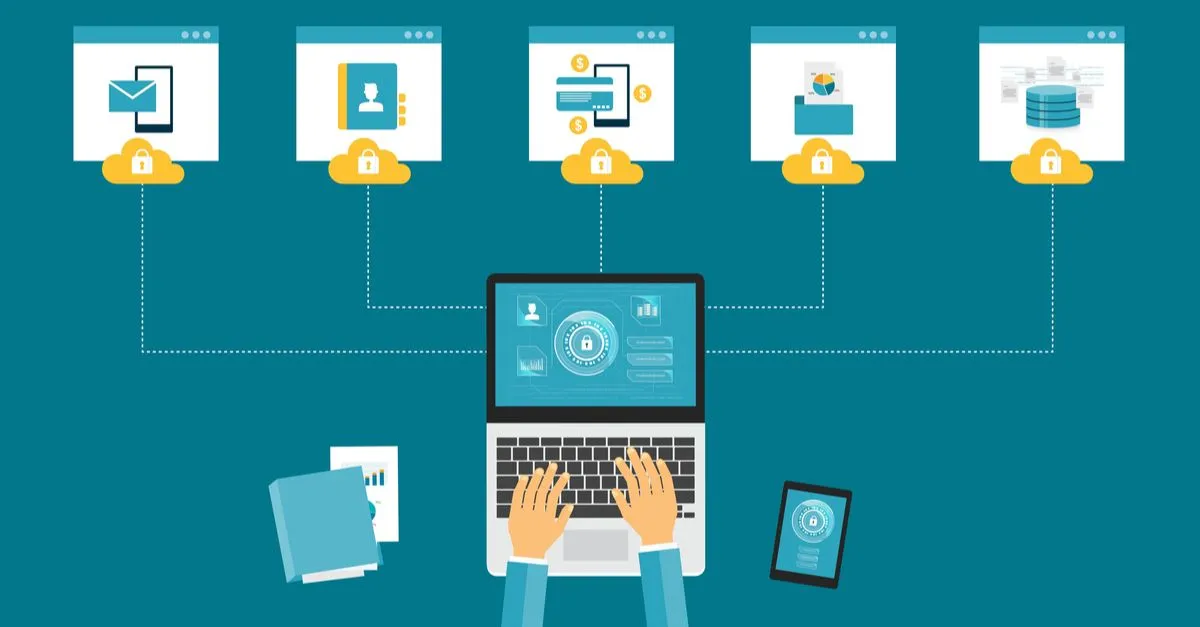
Top password managers address two major issues: creating and remembering complex passwords. While sharing passwords is a user responsibility, these applications encrypt login info in a secure vault, accessible only with a master password. Elevating your security is achievable through a password manager, despite browser features emerging.
Platform Compatibility:
Our top picks cater to various operating systems (Windows, Mac OS, Android, iOS) and major browsers. Syncing data across devices is a common feature, albeit sometimes with additional costs. Once you choose a password manager, refer to our guide on maximizing its potential.
Dashlane – Best Overall: $4.99 at Dashlane
Pros:
- Analyzes and rates password strength
- Auto-filling web forms with personal profiles
- VPN and Dark Web scanning (paid)
Cons:
- Expensive premium tiers
- Free plan limited to one device
Dashlane excels in accessibility, offering a secure portal and browser extensions. Its password management is robust, generating and storing complex passwords effortlessly. While its pricing is slightly higher, Dashlane’s premium product and reliable service make it a top choice.
Keeper – Most Security-Minded: $17.49 at Keeper Security
Pros:
- Exceptionally strong security
- Seamless experience across platforms
- Easy-to-use web interface
Cons:
- Some security features may be inconvenient
- Free version more limited than competitors
For security-focused users, Keeper stands out. Balancing security with user-friendliness, Keeper continuously updates its interface. Its robust features cater to both security enthusiasts and everyday users.
LogMeOnce – Best for Alternate Login Methods: $0 at LogMeOnce
Pros:
- No need to remember a complex master password
- Robust security features
- Easy-to-use web interface
Cons:
- Paid plans required for extensive sharing
- Features can be overwhelming
LogMeOnce offers a unique edge with PIN, biometric, or photo logins. Operating similarly to peers, it provides convenient password management and additional features.
Bitwarden – Best Free Password Manager: $0 at Bitwarden
Pros:
- Free plan with unlimited entries and device syncing
- 70% cheaper paid plan
- Two-factor authentication
Cons:
- Occasional trouble capturing credentials
- Requires more manual setup than paid options
Bitwarden’s generous free plan, supporting unlimited vault items and device syncing, makes it an excellent budget-friendly choice. While lacking some advanced features, its affordability and security upgrades make it compelling.
KeePass – Best for Total Control: $0 at KeePass
Pros:
- Free to use
- Highly customizable
- Full user control of data
Cons:
- Requires technical proficiency
- Dated interface
KeePass suits users seeking control and customization. With an open-source approach, it’s free but requires technical proficiency. Ideal for those valuing a personalized, DIY approach.
IronVest – Best for Masking: $0 at IronVest
Pros:
- Manages login credentials
- Hides email addresses and credit card numbers
- Blocks trackers
Cons:
- Requires paid subscription for advanced features
- Some features still in beta
IronVest focuses on more than passwords, offering a unique feature to mask personally identifiable information. While still in its early stages, it shows promise in enhancing online security.
What to Look for in a Password Manager:
Password managers extend beyond storing passwords. Features like password generation, autofill, secure sharing, two-factor authentication, and protection for personal data are crucial. Despite potential risks, password managers remain a safer alternative for managing online logins.
FAQ:
- Are password managers safe? Password managers encrypt data, providing enhanced security. The strength of the master password is crucial, and reputable services employ additional security measures.
- Is it worth paying for a password manager? Premium services offer additional features and multi-device syncing. If basic features suffice, free options are viable.
- What if the password manager gets hacked? Reputable services notify users of breaches. Even if hacked, encrypted passwords provide an additional layer of security.
- Is using one master password safe? While reliant on the master password’s strength, most password managers store it separately from encrypted data, adding security.
- What are passkeys? Passkeys are a newer authentication method. Password managers like Dashlane and 1Password support passkeys, enhancing security.