

Close Menu
Şevket Ayaksız

    Subscribe to Updates

    Get the latest creative news from FooBar about art, design and business.

    What's Hot

    Windows 11 bug has blocked updates for some PCs since February

    Mayıs 24, 2026

    Anker’s 25,000mAh laptop power bank drops $39 to $96

    Mayıs 24, 2026

    Ring Indoor Cam Plus drops to a record-low $35 on Amazon

    Mayıs 24, 2026
    Facebook X (Twitter) Instagram
    • software
    • Gadgets
    Facebook X (Twitter) Instagram
    Şevket AyaksızŞevket Ayaksız
    Subscribe
    • Home
    • Technology

      HP OmniBook 5 drops to $699 with 16GB RAM and long battery life

      Mayıs 11, 2026

      Anker’s 9-port charging station drops to $34 on Amazon

      Mayıs 11, 2026

      DDR5 counterfeits surge as the RAM shortage worsens

      Mayıs 11, 2026

      Google Maps vs Waze: I Put the Two Best Navigation Apps Head-to-Head — and One Clearly Came Out on Top

      Mayıs 1, 2026

      T-Mobile Bundles Free Hulu and Netflix for 5G Users: Eligibility Explained

      Mayıs 1, 2026
    • Adobe
    • Microsoft
    • java
    • Oracle
    Şevket Ayaksız
    Anasayfa » Get Started with Google Gemini on Your Nest Speaker
    Tech

    Get Started with Google Gemini on Your Nest Speaker

    By ayaksızAralık 19, 2024Yorum yapılmamış2 Mins Read
    Facebook Twitter Pinterest LinkedIn Tumblr Email
    Share
    Facebook Twitter LinkedIn Pinterest Email

    How to Test Google’s Gemini AI on Your Nest Speaker

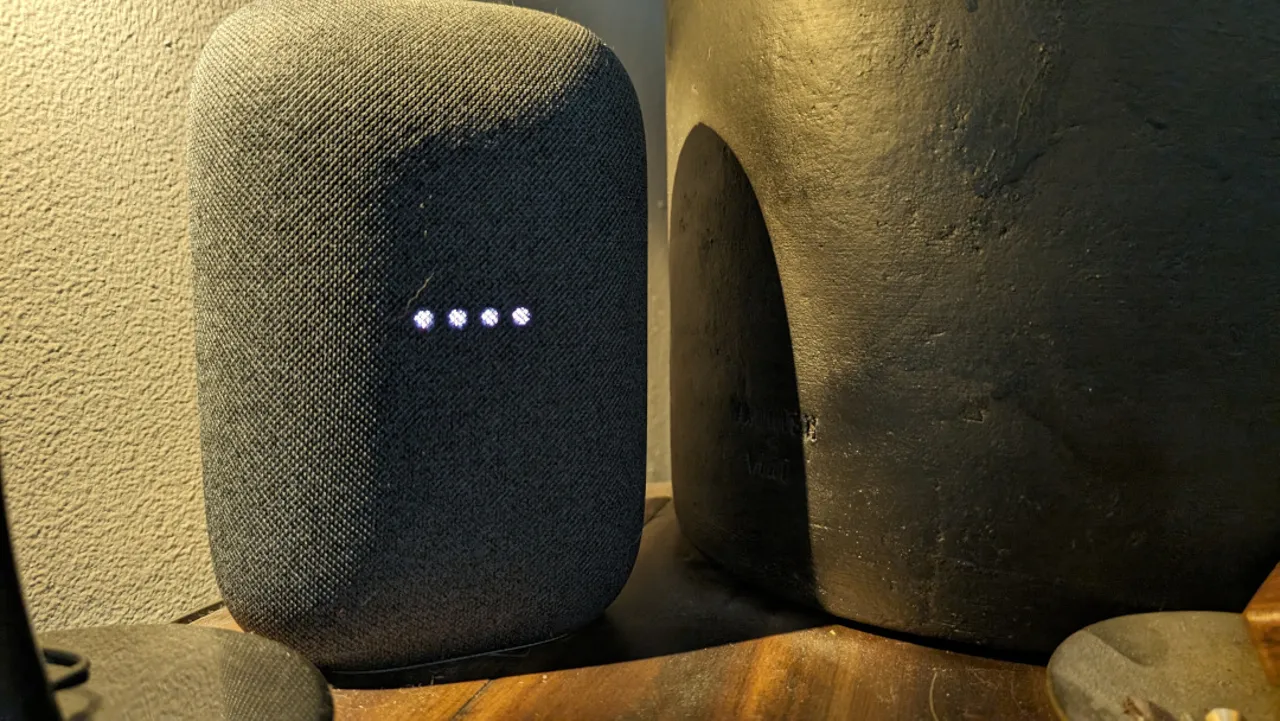
    Exciting news for users of Google Nest speakers: Gemini, Google’s new AI model, is now being tested on certain devices, and you can get in on the action! If you’ve been hearing a new, deeper voice coming from your Nest speaker, it’s likely powered by Gemini. Here’s everything you need to know to give it a try.

    1. Sign Up for the Public Preview Program: To get started, sign up for the Google Home public preview program for free. You can apply directly through their website.
    2. Enable Experimental AI Features: Once accepted into the program, you’ll eventually receive an invite in the Google Home app to turn on experimental AI features.
    3. Get a Nest Aware Subscription: You’ll need a paid Nest Aware subscription to access Gemini. The basic plan costs $8 per month, or you can opt for Nest Aware Plus for $15/month for extended features.
    4. Choose a Compatible Device: Gemini is available only on Nest Audio and Nest Mini speakers, so if you have a Nest Hub, you’re out of luck for now.
    5. Set Up Voice Match: To enable personalized results, set up Google Assistant’s Voice Match in the Google Home app.

    Once everything’s set up, ask your Nest speaker broader, more interesting questions like “Hey Google, can giraffes talk to each other?” and listen for the chime indicating that Gemini is providing a more detailed answer. This AI will sound more natural and fluid than the usual Assistant voice and can handle follow-up questions without requiring the “Hey Google” wake word.

    While Gemini is designed to offer better, more conversational responses, Google warns users to verify the information, especially for important topics such as legal, medical, or financial advice.

    Post Views: 386
    Share. Facebook Twitter Pinterest LinkedIn Tumblr Email
    ayaksız
    • Website

    Related Posts

    HP OmniBook 5 drops to $699 with 16GB RAM and long battery life

    Mayıs 11, 2026

    Anker’s 9-port charging station drops to $34 on Amazon

    Mayıs 11, 2026

    DDR5 counterfeits surge as the RAM shortage worsens

    Mayıs 11, 2026
    Add A Comment

    Comments are closed.

    Editors Picks
    8.5

    Apple Planning Big Mac Redesign and Half-Sized Old Mac

    Ocak 5, 2021

    Autonomous Driving Startup Attracts Chinese Investor

    Ocak 5, 2021

    Onboard Cameras Allow Disabled Quadcopters to Fly

    Ocak 5, 2021
    Top Reviews
    9.1

    Review: T-Mobile Winning 5G Race Around the World

    By sevketayaksiz
    8.9

    Samsung Galaxy S21 Ultra Review: the New King of Android Phones

    By sevketayaksiz
    8.9

    Xiaomi Mi 10: New Variant with Snapdragon 870 Review

    By sevketayaksiz
    Advertisement
    Demo
    Şevket Ayaksız
    Facebook X (Twitter) Instagram YouTube
    • Home
    • Adobe
    • microsoft
    • java
    • Oracle
    • Contact
    © 2026 Theme Designed by Şevket Ayaksız.

    Type above and press Enter to search. Press Esc to cancel.