

Close Menu
Şevket Ayaksız

    Subscribe to Updates

    Get the latest creative news from FooBar about art, design and business.

    What's Hot

    Windows 11 bug has blocked updates for some PCs since February

    Mayıs 24, 2026

    Anker’s 25,000mAh laptop power bank drops $39 to $96

    Mayıs 24, 2026

    Ring Indoor Cam Plus drops to a record-low $35 on Amazon

    Mayıs 24, 2026
    Facebook X (Twitter) Instagram
    • software
    • Gadgets
    Facebook X (Twitter) Instagram
    Şevket AyaksızŞevket Ayaksız
    Subscribe
    • Home
    • Technology

      HP OmniBook 5 drops to $699 with 16GB RAM and long battery life

      Mayıs 11, 2026

      Anker’s 9-port charging station drops to $34 on Amazon

      Mayıs 11, 2026

      DDR5 counterfeits surge as the RAM shortage worsens

      Mayıs 11, 2026

      Google Maps vs Waze: I Put the Two Best Navigation Apps Head-to-Head — and One Clearly Came Out on Top

      Mayıs 1, 2026

      T-Mobile Bundles Free Hulu and Netflix for 5G Users: Eligibility Explained

      Mayıs 1, 2026
    • Adobe
    • Microsoft
    • java
    • Oracle
    Şevket Ayaksız
    Anasayfa » Hiding Made Simple: Discover How to Conceal Apps on Your iPhone Effortlessly
    software

    Hiding Made Simple: Discover How to Conceal Apps on Your iPhone Effortlessly

    By ayaksızŞubat 20, 2024Yorum yapılmamış2 Mins Read
    Facebook Twitter Pinterest LinkedIn Tumblr Email
    Share
    Facebook Twitter LinkedIn Pinterest Email

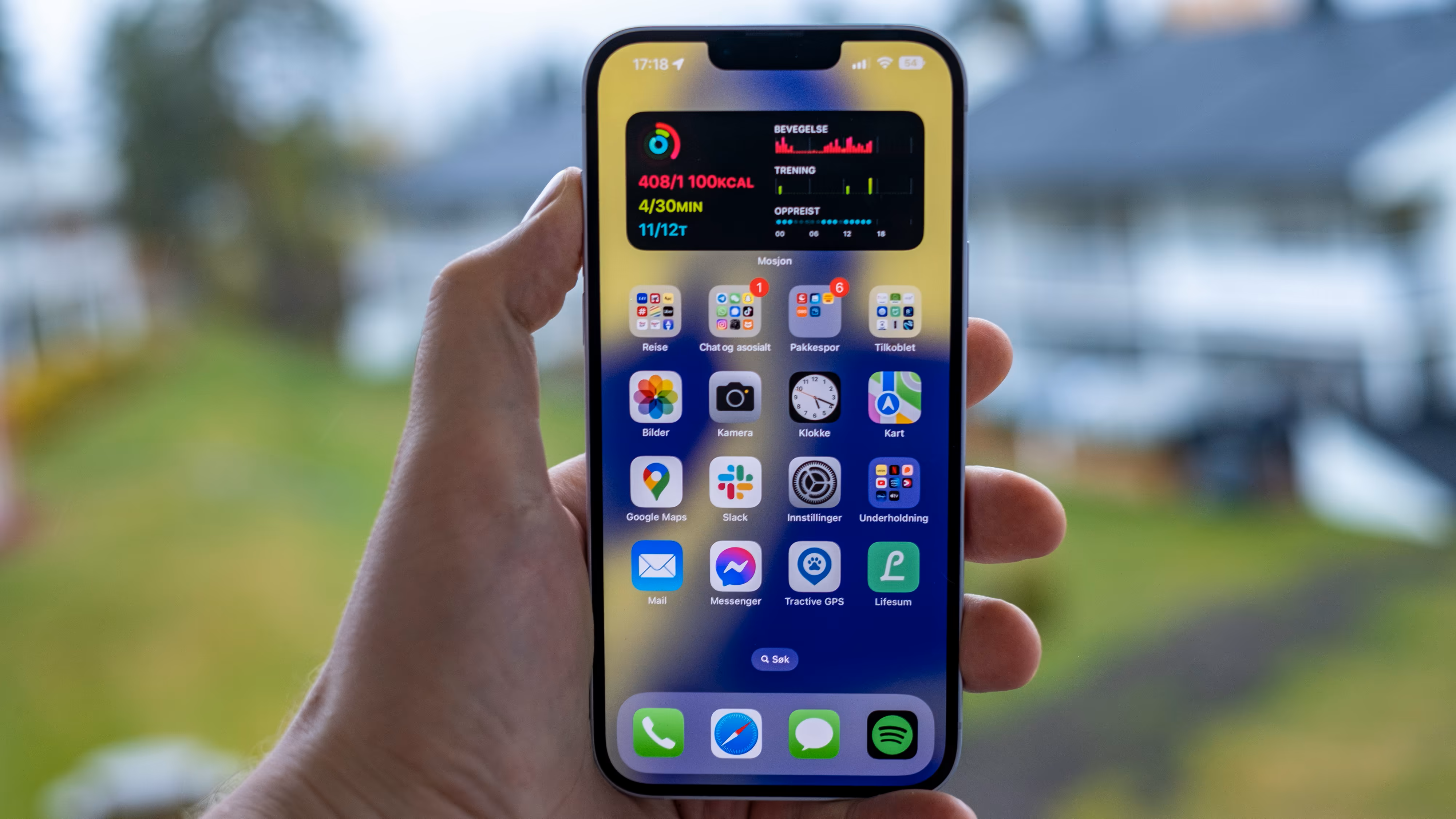
    Maintaining a clutter-free home screen on your iPhone is crucial, especially if you’re constantly downloading new apps or games. Fortunately, with the App Library feature introduced in iOS 14, you can easily organize your apps into categories while keeping your home screen neat and tidy.

    Here’s a comprehensive guide on how to hide apps on your iPhone’s home screen and leverage the App Library efficiently:

    Hiding Apps on Your iPhone:

    1. Tap and hold the app you wish to hide until a menu appears.
    2. Select “Remove App.”
    3. Choose “Remove from Home Screen.”

    With these steps, the app will disappear from your home screen but remain accessible in the App Library. You can repeat this process to hide multiple apps swiftly.

    Accessing Your Hidden Apps:

    1. To locate a hidden app quickly, use the Spotlight search feature by tapping “Search” near the bottom of your home screen. Type the app’s name, and it will appear above the search bar.
    2. Alternatively, swipe right on your home screen until you reach the App Library. Here, you can explore various app categories or use the search bar to find specific apps.

    Should you wish to reintegrate a hidden app onto your home screen, simply navigate to the App Library, tap and hold the app, then select “Add to Home Screen.”

    Organizing Apps in Folders as an Alternative:

    If you prefer to keep your apps visible but organized, creating folders on your home screen is an excellent option.

    Creating Folders on Your Home Screen:

    1. Tap and hold an app on your home screen until the icons begin to jiggle.
    2. Drag one app onto another to create a folder. Customize the folder name and add additional apps as desired.

    Utilizing folders allows you to group similar apps together while maintaining easy access directly from your home screen.

    By following these steps, you can effectively manage your apps, ensuring a clutter-free home screen experience while maximizing organization and accessibility.

    Post Views: 304
    Share. Facebook Twitter Pinterest LinkedIn Tumblr Email
    ayaksız
    • Website

    Related Posts

    Microsoft faces fresh security chaos after May Patch Tuesday

    Mayıs 24, 2026

    Microsoft is phasing out SMS verification for personal accounts

    Mayıs 19, 2026

    Microsoft patches 120 security flaws in May Windows updates

    Mayıs 14, 2026
    Add A Comment

    Comments are closed.

    Editors Picks
    8.5

    Apple Planning Big Mac Redesign and Half-Sized Old Mac

    Ocak 5, 2021

    Autonomous Driving Startup Attracts Chinese Investor

    Ocak 5, 2021

    Onboard Cameras Allow Disabled Quadcopters to Fly

    Ocak 5, 2021
    Top Reviews
    9.1

    Review: T-Mobile Winning 5G Race Around the World

    By sevketayaksiz
    8.9

    Samsung Galaxy S21 Ultra Review: the New King of Android Phones

    By sevketayaksiz
    8.9

    Xiaomi Mi 10: New Variant with Snapdragon 870 Review

    By sevketayaksiz
    Advertisement
    Demo
    Şevket Ayaksız
    Facebook X (Twitter) Instagram YouTube
    • Home
    • Adobe
    • microsoft
    • java
    • Oracle
    • Contact
    © 2026 Theme Designed by Şevket Ayaksız.

    Type above and press Enter to search. Press Esc to cancel.