


Close Menu
Şevket Ayaksız

    Subscribe to Updates

    Get the latest creative news from FooBar about art, design and business.

    What's Hot

    Valve targets a summer launch for Steam Machine but keeps pricing secret

    Haziran 7, 2026

    Chrome 149 patches a record 429 security vulnerabilities

    Haziran 7, 2026

    Corsair Nightsword V2 adds a built-in Stream Deck button

    Haziran 7, 2026
    Facebook X (Twitter) Instagram
    • software
    • Gadgets
    Facebook X (Twitter) Instagram
    Şevket AyaksızŞevket Ayaksız
    Subscribe
    • Home
    • Technology

      Valve targets a summer launch for Steam Machine but keeps pricing secret

      Haziran 7, 2026

      Intel and Phison aim to overcome local AI’s memory bottleneck

      Haziran 2, 2026

      Nvidia RTX Spark could transform the next generation of gaming handhelds

      Haziran 2, 2026

      HP OmniBook 5 drops to $699 with 16GB RAM and long battery life

      Mayıs 11, 2026

      Anker’s 9-port charging station drops to $34 on Amazon

      Mayıs 11, 2026
    • Adobe
    • Microsoft
    • java
    • Oracle
    Şevket Ayaksız
    Anasayfa » How I Fixed My Home Wi-Fi Dead Zones: 6 Practical Solutions That Made a Real Difference
    Tech

    How I Fixed My Home Wi-Fi Dead Zones: 6 Practical Solutions That Made a Real Difference

    By mustafa efeMayıs 1, 2026Yorum yapılmamış2 Mins Read
    Facebook Twitter Pinterest LinkedIn Tumblr Email
    Share
    Facebook Twitter LinkedIn Pinterest Email

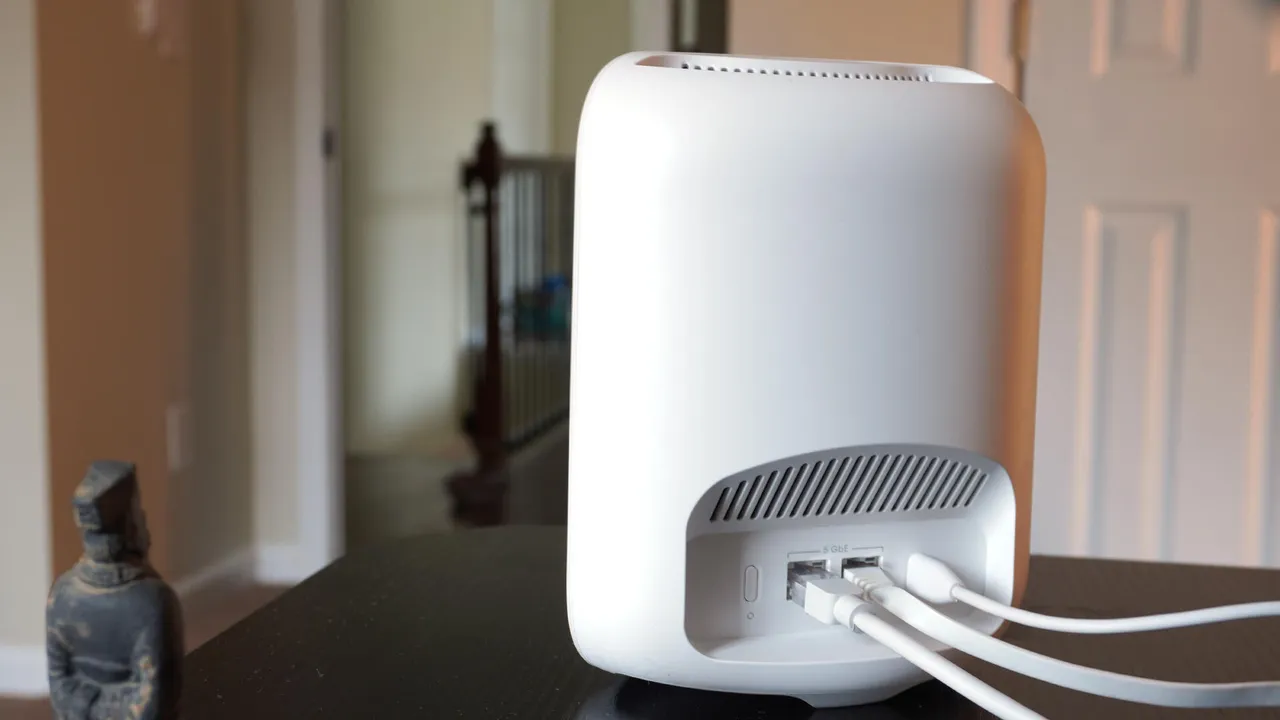
    How to get super-fast Wi-Fi in every room | TechRadar

    A stable home network should feel invisible, but for many households it turns into a constant source of frustration. Even with a decent internet plan, weak spots, buffering, and dropped connections can still appear in different parts of the home. While router placement and device congestion are often the first things people check, they don’t always fully solve the issue when structural interference comes into play.

    In my case, the Wi-Fi dead zones persisted for a long time, especially in rooms farther from the main router. Simple fixes like restarting the router or reducing connected devices helped only temporarily. It became clear that the problem wasn’t just network load, but also how the signal was being blocked and weakened by walls, furniture, and the overall layout of the house.

    One of the first major improvements came from repositioning the router to a more central and elevated location. This reduced signal loss significantly, but it still wasn’t enough to fully eliminate weak spots. Adding a mesh network system helped extend coverage more evenly across the home, ensuring that devices could switch between nodes without losing connection strength.

    Further improvements came from upgrading networking hardware and experimenting with different router brands that offered stronger antennas and better range management. Combining these changes created a more stable setup overall. By adjusting placement, expanding coverage, and upgrading equipment, it became possible to eliminate most dead zones and achieve a more consistent Wi-Fi experience throughout the home.

    Post Views: 70
    Wi-Fi
    Share. Facebook Twitter Pinterest LinkedIn Tumblr Email
    mustafa efe
    • Website

    Related Posts

    Valve targets a summer launch for Steam Machine but keeps pricing secret

    Haziran 7, 2026

    Intel and Phison aim to overcome local AI’s memory bottleneck

    Haziran 2, 2026

    Nvidia RTX Spark could transform the next generation of gaming handhelds

    Haziran 2, 2026
    Add A Comment

    Comments are closed.

    Editors Picks
    8.5

    Apple Planning Big Mac Redesign and Half-Sized Old Mac

    Ocak 5, 2021

    Autonomous Driving Startup Attracts Chinese Investor

    Ocak 5, 2021

    Onboard Cameras Allow Disabled Quadcopters to Fly

    Ocak 5, 2021
    Top Reviews
    9.1

    Review: T-Mobile Winning 5G Race Around the World

    By sevketayaksiz
    8.9

    Samsung Galaxy S21 Ultra Review: the New King of Android Phones

    By sevketayaksiz
    8.9

    Xiaomi Mi 10: New Variant with Snapdragon 870 Review

    By sevketayaksiz
    Advertisement
    Demo
    Şevket Ayaksız
    Facebook X (Twitter) Instagram YouTube
    • Home
    • Adobe
    • microsoft
    • java
    • Oracle
    • Contact
    © 2026 Theme Designed by Şevket Ayaksız.

    Type above and press Enter to search. Press Esc to cancel.