


Close Menu
Şevket Ayaksız

    Subscribe to Updates

    Get the latest creative news from FooBar about art, design and business.

    What's Hot

    Chainguard launches Athena, an AI-powered initiative designed

    Haziran 16, 2026

    Sony WH-1000XM6 vs. Sennheiser Momentum 5: The headphones

    Haziran 16, 2026

    Fast chargers with flagship iPhone, Samsung, and OnePlus phones

    Haziran 16, 2026
    Facebook X (Twitter) Instagram
    • software
    • Gadgets
    Facebook X (Twitter) Instagram
    Şevket AyaksızŞevket Ayaksız
    Subscribe
    • Home
    • Technology

      Fast chargers with flagship iPhone, Samsung, and OnePlus phones

      Haziran 16, 2026

      7 budget-friendly upgrades that made my TV sound dramatically better

      Haziran 16, 2026

      Valve targets a summer launch for Steam Machine but keeps pricing secret

      Haziran 7, 2026

      Intel and Phison aim to overcome local AI’s memory bottleneck

      Haziran 2, 2026

      Nvidia RTX Spark could transform the next generation of gaming handhelds

      Haziran 2, 2026
    • Adobe
    • Microsoft
    • java
    • Oracle
    Şevket Ayaksız
    Anasayfa » Keep Your PS4 Running Smoothly: Backup and Restore Guide
    Gear

    Keep Your PS4 Running Smoothly: Backup and Restore Guide

    By ayaksızAğustos 26, 2024Yorum yapılmamış2 Mins Read
    Facebook Twitter Pinterest LinkedIn Tumblr Email
    Share
    Facebook Twitter LinkedIn Pinterest Email

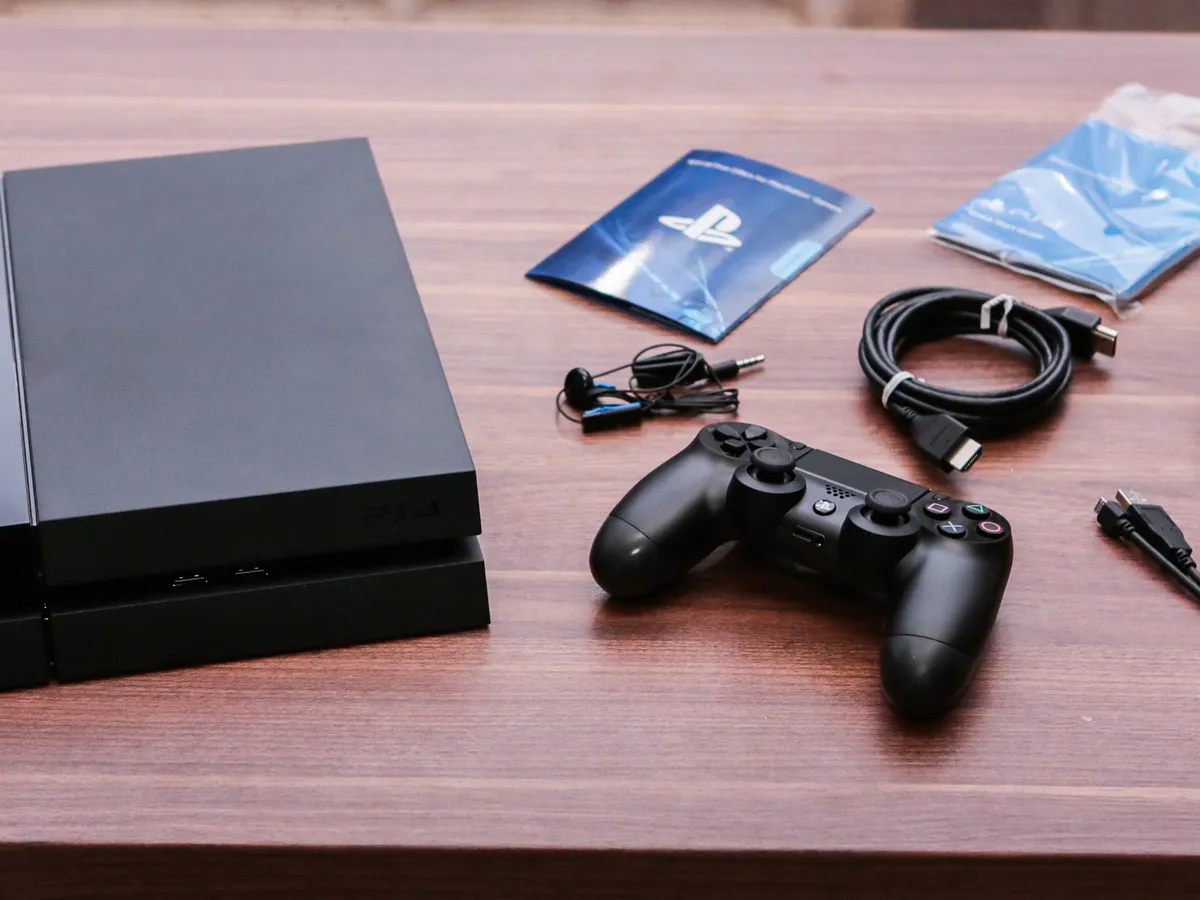
    Even though the PS4 is no longer Sony’s newest console, it remains a favorite for many gamers. Whether you’re using it alongside a PS5 or enjoying it as your main device, keeping your PS4 in top condition is important. Given its age, issues like data corruption can occur, making it crucial to regularly back up your game data.

    In this guide, we’ll show you how to back up and restore your PS4 data, ensuring that if something goes wrong, your game progress is safe.

    For those with a PS5, don’t miss our guides on how to factory reset and back up your PS5 data.

    Why Backing Up Your PS4 is Important

    Creating a backup is key not only to prevent data loss but also when upgrading your hard drive, preparing to sell your PS4, or transitioning to a new console.

    Prepare Your USB Drive

    Make sure you have a USB drive formatted to EXFAT or FAT32 with sufficient storage space. Formatting can be done quickly using a Windows PC or Mac.

    Sync Your Trophies Manually

    Since trophies aren’t included in the backup, you’ll need to sync them manually:

    1. Go to Trophies on the PS4 home screen.
    2. Press the Options button.
    3. Select Sync with PlayStation Network.

    Steps to Back Up Your PS4 Data

    Once you’ve synced your trophies and prepared your USB drive:

    1. Insert the USB drive into the PS4.
    2. Go to Settings > System > Back Up and Restore.
    3. Choose Back Up.
    4. Select the data to back up and confirm.
    5. Add a description for your backup and select Back Up.

    The system will estimate the time needed to complete the backup. Afterward, remove the USB drive and store it securely.

    Steps to Restore Your PS4 Data

    If you need to restore your data:

    1. Insert the USB drive containing the backup file into your PS4.
    2. Go to Settings > System > Back Up and Restore.
    3. Choose Restore PS4.
    4. Select the backup file with the X button.
    5. The PS4 will restart, initiating the restoration process and resetting the system to the state captured in the backup.
    Post Views: 301
    Share. Facebook Twitter Pinterest LinkedIn Tumblr Email
    ayaksız
    • Website

    Related Posts

    Sony WH-1000XM6 vs. Sennheiser Momentum 5: The headphones

    Haziran 16, 2026

    Anker’s 25,000mAh laptop power bank drops $39 to $96

    Mayıs 24, 2026

    Tiny Baseus Picogo power bank drops to $20 in clearance deal

    Mayıs 14, 2026
    Add A Comment

    Comments are closed.

    Editors Picks
    8.5

    Apple Planning Big Mac Redesign and Half-Sized Old Mac

    Ocak 5, 2021

    Autonomous Driving Startup Attracts Chinese Investor

    Ocak 5, 2021

    Onboard Cameras Allow Disabled Quadcopters to Fly

    Ocak 5, 2021
    Top Reviews
    9.1

    Review: T-Mobile Winning 5G Race Around the World

    By sevketayaksiz
    8.9

    Samsung Galaxy S21 Ultra Review: the New King of Android Phones

    By sevketayaksiz
    8.9

    Xiaomi Mi 10: New Variant with Snapdragon 870 Review

    By sevketayaksiz
    Advertisement
    Demo
    Şevket Ayaksız
    Facebook X (Twitter) Instagram YouTube
    • Home
    • Adobe
    • microsoft
    • java
    • Oracle
    • Contact
    © 2026 Theme Designed by Şevket Ayaksız.

    Type above and press Enter to search. Press Esc to cancel.