

Close Menu
Şevket Ayaksız

    Subscribe to Updates

    Get the latest creative news from FooBar about art, design and business.

    What's Hot

    Why I Switched From iPhone Hotspot to a 5G Travel Router for Good

    Nisan 18, 2026

    Apple AirTags Revisited After 5 Years: How They Stack Up Today

    Nisan 18, 2026

    Verizon Offers Free iPad or Apple Watch With New iPhone Purchase: Here’s How It Works

    Nisan 18, 2026
    Facebook X (Twitter) Instagram
    • software
    • Gadgets
    Facebook X (Twitter) Instagram
    Şevket AyaksızŞevket Ayaksız
    Subscribe
    • Home
    • Technology

      Why I Switched From iPhone Hotspot to a 5G Travel Router for Good

      Nisan 18, 2026

      Verizon Offers Free iPad or Apple Watch With New iPhone Purchase: Here’s How It Works

      Nisan 18, 2026

      How to Use AI Safely at Work: 4 Practical Tips

      Nisan 18, 2026

      Turn an Old Tablet into a Smart Home Control Hub

      Nisan 18, 2026

      Gemini Mac App Tested: Key Edge Over Web Version

      Nisan 18, 2026
    • Adobe
    • Microsoft
    • java
    • Oracle
    Şevket Ayaksız
    Anasayfa » Make Your Linux Look Like Windows Easily with KDE Plasma
    Tech

    Make Your Linux Look Like Windows Easily with KDE Plasma

    By mustafa efeŞubat 26, 2026Yorum yapılmamış2 Mins Read
    Facebook Twitter Pinterest LinkedIn Tumblr Email
    Share
    Facebook Twitter LinkedIn Pinterest Email

    Here's How I Made Linux Feel More Like macOS Using KDE Plasma

    If you’re looking to give your Linux desktop a Windows-style makeover, KDE Plasma is the perfect starting point. Known for its customizability, speed, and stability, KDE Plasma allows users to tweak almost every aspect of their desktop environment. Whether you’re a long-time Linux user or a recent convert from Windows, it’s entirely possible to make your setup feel familiar without sacrificing performance.

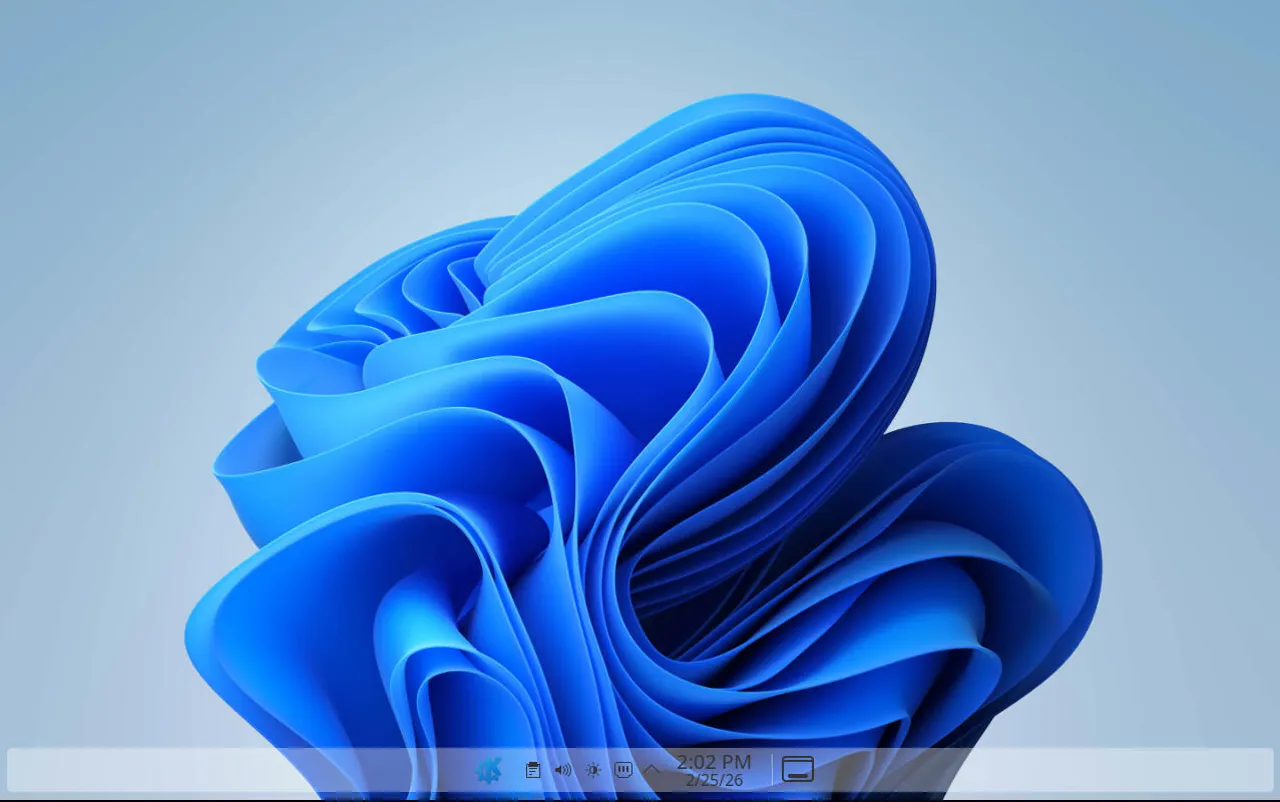
    For those who want to replicate Windows 11’s look and feel, the process is mostly about themes, widgets, and layout adjustments. KDE Plasma offers built-in options and downloadable themes that make this transformation straightforward. From the taskbar to system menus, you can adjust elements to resemble Windows closely, giving your Linux system a polished, modern appearance.

    The first step is changing the theme. Using a distribution like KDE Neon, which ships with the latest KDE Plasma release, makes this process easier. You can apply Windows-inspired color schemes, icons, and fonts to create a cohesive experience. Themes are available through KDE’s System Settings or the online KDE store, where you can preview and install them with just a few clicks.

    Beyond themes, adding widgets, adjusting the panel layout, and configuring shortcuts further enhances the Windows-like experience. You can align the panel to the bottom, add a Start-like application launcher, and tweak notification styles. With these customizations, KDE Plasma doesn’t just mimic Windows visually—it provides a smooth, functional environment that combines familiarity with Linux’s flexibility and efficiency.

    Post Views: 62
    Share. Facebook Twitter Pinterest LinkedIn Tumblr Email
    mustafa efe
    • Website

    Related Posts

    Why I Switched From iPhone Hotspot to a 5G Travel Router for Good

    Nisan 18, 2026

    Verizon Offers Free iPad or Apple Watch With New iPhone Purchase: Here’s How It Works

    Nisan 18, 2026

    How to Use AI Safely at Work: 4 Practical Tips

    Nisan 18, 2026
    Add A Comment

    Comments are closed.

    Editors Picks
    8.5

    Apple Planning Big Mac Redesign and Half-Sized Old Mac

    Ocak 5, 2021

    Autonomous Driving Startup Attracts Chinese Investor

    Ocak 5, 2021

    Onboard Cameras Allow Disabled Quadcopters to Fly

    Ocak 5, 2021
    Top Reviews
    9.1

    Review: T-Mobile Winning 5G Race Around the World

    By sevketayaksiz
    8.9

    Samsung Galaxy S21 Ultra Review: the New King of Android Phones

    By sevketayaksiz
    8.9

    Xiaomi Mi 10: New Variant with Snapdragon 870 Review

    By sevketayaksiz
    Advertisement
    Demo
    Şevket Ayaksız
    Facebook X (Twitter) Instagram YouTube
    • Home
    • Adobe
    • microsoft
    • java
    • Oracle
    • Contact
    © 2026 Theme Designed by Şevket Ayaksız.

    Type above and press Enter to search. Press Esc to cancel.