


Close Menu
Şevket Ayaksız

    Subscribe to Updates

    Get the latest creative news from FooBar about art, design and business.

    What's Hot

    Microsoft cuts 3,200 Xbox jobs amid gaming business overhaul

    Temmuz 12, 2026

    Mysterious blank white window appears on some Windows PCs

    Temmuz 12, 2026

    Chrome and Edge speed up copy-and-paste with smarter clipboard access

    Temmuz 12, 2026
    Facebook X (Twitter) Instagram
    • software
    • Gadgets
    Facebook X (Twitter) Instagram
    Şevket AyaksızŞevket Ayaksız
    Subscribe
    • Home
    • Technology

      Sony 1000X The Collexion vs. Bowers & Wilkins Px8 S2: Which Premium Headphones Come Out on Top?

      Temmuz 11, 2026

      SpaceX Eyes Massive Starlink Expansion With Plans for 100,000 Additional Satellites

      Temmuz 11, 2026

      Nvidia celebrates 30 years of GPUs with free GeForce trading cards

      Temmuz 10, 2026

      Acer’s 7-in-1 wireless charging station drops to $50

      Temmuz 9, 2026

      Fast chargers with flagship iPhone, Samsung, and OnePlus phones

      Haziran 16, 2026
    • Adobe
    • Microsoft
    • java
    • Oracle
    Şevket Ayaksız
    Anasayfa » Mysterious blank white window appears on some Windows PCs
    Windows

    Mysterious blank white window appears on some Windows PCs

    By ayaksızTemmuz 12, 2026Yorum yapılmamış3 Mins Read
    Facebook Twitter Pinterest LinkedIn Tumblr Email
    Share
    Facebook Twitter LinkedIn Pinterest Email

    Windows 10 and 11 Users Report Mysterious White Window Bug—Chrome Background Task May Be Responsible

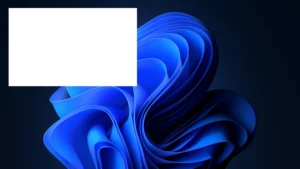
    A growing number of Windows 10 and Windows 11 users are reporting a strange issue where a large blank white window appears in the corner of the screen after starting, unlocking, or restarting their PC. The problem has been observed on both AMD- and Intel-based systems, and early reports suggest it may be linked to a background task installed with Google Chrome.

    Neither Microsoft nor Google has officially acknowledged the issue.

    A White Window That Blocks the Desktop

    Affected users describe a blank white window appearing shortly after logging into Windows. The window can cover a significant portion of the desktop, preventing interaction with icons, applications, or other on-screen elements.

    The behavior varies between systems:

    • The window may disappear after a few seconds.
    • In some cases, it remains indefinitely until the PC is restarted or the underlying process is stopped.

    The issue has been reported on both Windows 10 and Windows 11.

    Chrome Background Task Appears to Be Involved

    Investigations by users and technology publications point to a scheduled task called RunPlatformExperienceHelperOnUnlock.

    The task is located under GoogleUserPEH in Windows Task Scheduler and appears to launch whenever a user unlocks or signs into Windows.

    Although Google has not documented its exact purpose, it is believed to support Chrome background services, potentially including extension management, update processes, or other platform components.

    Importantly, the problem does not appear to be caused by the Chrome browser itself, but rather by this auxiliary background task.

    Disabling the Task Appears to Fix the Issue

    Users who have disabled RunPlatformExperienceHelperOnUnlock report that the white window no longer appears.

    So far, there have been no widespread reports of functionality being lost after disabling the task, although its precise role remains unclear.

    How to Disable the Task

    If you’re experiencing the issue, you can disable the scheduled task manually:

    1. Press Windows + R to open the Run dialog.
    2. Type taskschd.msc and press Enter to launch Task Scheduler.
    3. Navigate to:
      • Task Scheduler (Local)
      • Task Scheduler Library
      • GoogleUserPEH
    4. In the center pane, locate RunPlatformExperienceHelperOnUnlock.
    5. Right-click the task and select Disable.

    If the task is responsible for the bug on your system, the white window should no longer appear after your next sign-in or restart.

    No Official Fix Yet

    At the time of writing, neither Microsoft nor Google has confirmed the cause of the issue or announced an official fix.

    Until one becomes available, disabling the scheduled task appears to be the most effective workaround for users affected by this unusual Windows bug.

    Post Views: 8
    Share. Facebook Twitter Pinterest LinkedIn Tumblr Email
    ayaksız
    • Website

    Related Posts

    No Windows 12 at Build 2026, but Microsoft has other plans

    Haziran 2, 2026

    Windows 11 bug has blocked updates for some PCs since February

    Mayıs 24, 2026

    Windows 11 May update fails to install on some PCs

    Mayıs 19, 2026
    Add A Comment

    Comments are closed.

    Editors Picks
    8.5

    Apple Planning Big Mac Redesign and Half-Sized Old Mac

    Ocak 5, 2021

    Autonomous Driving Startup Attracts Chinese Investor

    Ocak 5, 2021

    Onboard Cameras Allow Disabled Quadcopters to Fly

    Ocak 5, 2021
    Top Reviews
    9.1

    Review: T-Mobile Winning 5G Race Around the World

    By sevketayaksiz
    8.9

    Samsung Galaxy S21 Ultra Review: the New King of Android Phones

    By sevketayaksiz
    8.9

    Xiaomi Mi 10: New Variant with Snapdragon 870 Review

    By sevketayaksiz
    Advertisement
    Demo
    Şevket Ayaksız
    Facebook X (Twitter) Instagram YouTube
    • Home
    • Adobe
    • microsoft
    • java
    • Oracle
    • Contact
    © 2026 Theme Designed by Şevket Ayaksız.

    Type above and press Enter to search. Press Esc to cancel.