

Close Menu
Şevket Ayaksız

    Subscribe to Updates

    Get the latest creative news from FooBar about art, design and business.

    What's Hot

    Microsoft admits Windows 11 still relies on 1990s-era code

    Mayıs 8, 2026

    Ploopy Bean brings TrackPoint-style control to a quirky mouse design

    Mayıs 8, 2026

    Ugreen 4-port GaN charger drops 40% to $33

    Mayıs 8, 2026
    Facebook X (Twitter) Instagram
    • software
    • Gadgets
    Facebook X (Twitter) Instagram
    Şevket AyaksızŞevket Ayaksız
    Subscribe
    • Home
    • Technology

      Google Maps vs Waze: I Put the Two Best Navigation Apps Head-to-Head — and One Clearly Came Out on Top

      Mayıs 1, 2026

      T-Mobile Bundles Free Hulu and Netflix for 5G Users: Eligibility Explained

      Mayıs 1, 2026

      This Portable Mini PC Is the Unexpected Raspberry Pi Alternative You Might Actually Want

      Mayıs 1, 2026

      Samsung warns RAM shortages could worsen beyond 2027

      Mayıs 1, 2026

      Oxford study finds friendly AI chatbots are less accurate

      Mayıs 1, 2026
    • Adobe
    • Microsoft
    • java
    • Oracle
    Şevket Ayaksız
    Anasayfa » Pixel Power Unleashed: Transform Your Phone into a High-End Webcam with Ease
    Tech

    Pixel Power Unleashed: Transform Your Phone into a High-End Webcam with Ease

    By ayaksızŞubat 6, 2024Yorum yapılmamış2 Mins Read
    Facebook Twitter Pinterest LinkedIn Tumblr Email
    Share
    Facebook Twitter LinkedIn Pinterest Email

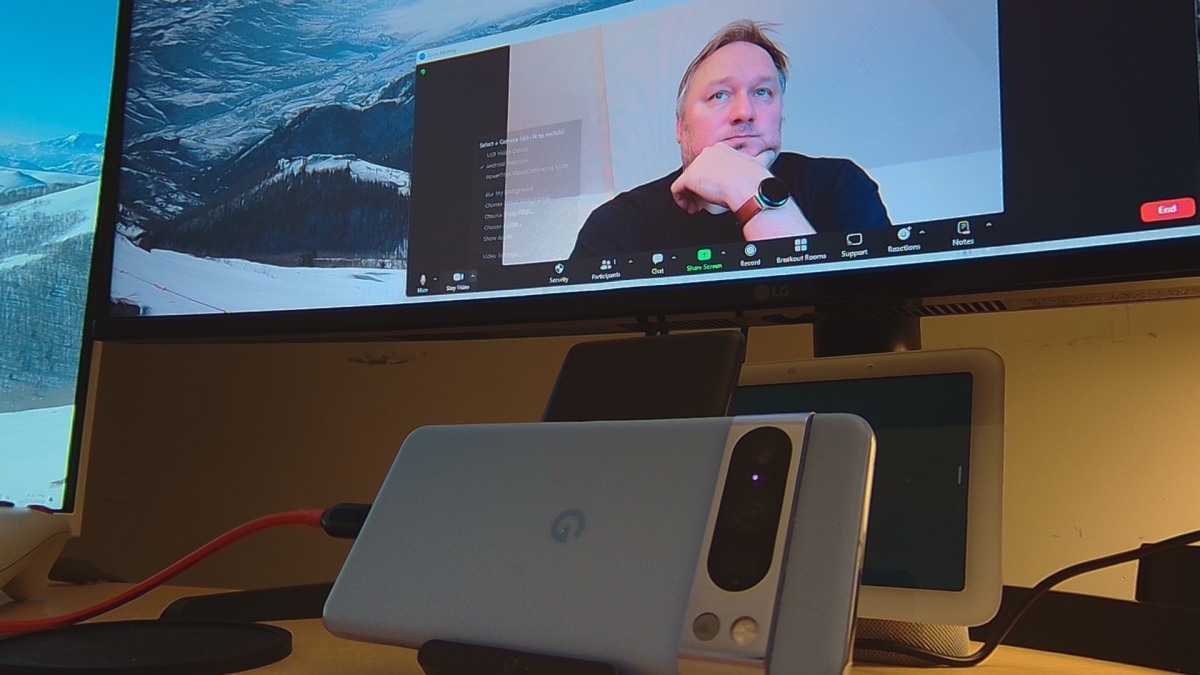
    In the quest for the perfect webcam, the search often seemed endless, until now. Google’s December Feature Drop for Pixel phones has unveiled a groundbreaking feature, allowing users to harness the prowess of their phone’s cameras as a superior webcam with just a tap—akin to the iPhone’s Continuity Camera.

    Requirements

    To embark on this webcam transformation, ensure you have a Pixel phone eligible for the latest Android 14 updates (Pixel 4a (5G) or later). Additionally, confirm that your device has received the latest Feature Drop by navigating to Settings > System > System Update.

    Connecting Your Phone to Your Computer

    Use a data-carrying USB-C cable (typically included with your Pixel phone) to establish a connection between your phone and computer. Upon connection, swipe down from the top of the screen to find the “Charging this device via USB” notification. Tap it, select “Webcam” under “Use USB for,” and witness a webcam icon in the upper-left corner of your screen.

    That’s it – you’re connected! Launch your preferred video conferencing program, and you should be able to choose “Android Webcam” as your webcam.

    More Options

    By default, the Pixel’s superior rear-facing camera serves as the webcam. However, you can explore additional options by swiping down from the top of the screen, tapping the “Webcam” notification, and toggling between zoom levels or switching between front and rear cameras.

    Not Just for Computers

    The beauty of this feature extends beyond computers. It seamlessly works on select TVs, high-end cars, and even other phones and tablets (excluding other Pixel devices). As long as the device supports USB Video Class (UVC), your Pixel becomes a versatile camera option.

    Embrace the freedom to charge your phone during use and explore various camera angles—all while transforming your Pixel into a top-tier webcam for a diverse range of devices. Google’s Pixel phones have indeed redefined the boundaries of webcam convenience.

    Post Views: 314
    Google Phone webcam
    Share. Facebook Twitter Pinterest LinkedIn Tumblr Email
    ayaksız
    • Website

    Related Posts

    Google Maps vs Waze: I Put the Two Best Navigation Apps Head-to-Head — and One Clearly Came Out on Top

    Mayıs 1, 2026

    T-Mobile Bundles Free Hulu and Netflix for 5G Users: Eligibility Explained

    Mayıs 1, 2026

    This Portable Mini PC Is the Unexpected Raspberry Pi Alternative You Might Actually Want

    Mayıs 1, 2026
    Add A Comment

    Comments are closed.

    Editors Picks
    8.5

    Apple Planning Big Mac Redesign and Half-Sized Old Mac

    Ocak 5, 2021

    Autonomous Driving Startup Attracts Chinese Investor

    Ocak 5, 2021

    Onboard Cameras Allow Disabled Quadcopters to Fly

    Ocak 5, 2021
    Top Reviews
    9.1

    Review: T-Mobile Winning 5G Race Around the World

    By sevketayaksiz
    8.9

    Samsung Galaxy S21 Ultra Review: the New King of Android Phones

    By sevketayaksiz
    8.9

    Xiaomi Mi 10: New Variant with Snapdragon 870 Review

    By sevketayaksiz
    Advertisement
    Demo
    Şevket Ayaksız
    Facebook X (Twitter) Instagram YouTube
    • Home
    • Adobe
    • microsoft
    • java
    • Oracle
    • Contact
    © 2026 Theme Designed by Şevket Ayaksız.

    Type above and press Enter to search. Press Esc to cancel.