

With the Extension Pack for Java, VS Code makes a highly capable Java IDE and formidable competitor to Eclipse, NetBeans, and IntelliJ IDEA.
There was a time when your choices for Java IDEs were Eclipse, NetBeans, or IntelliJ IDEA. That has changed somewhat. Among other innovations, Visual Studio Code now has good support for editing, running, and debugging Java code through a set of Java-specific extensions.
Visual Studio Code is a free, lightweight but powerful source code editor that runs on your desktop and on the web and is available for Windows, macOS, Linux, and Raspberry Pi OS. It comes with built-in support for JavaScript, TypeScript, and Node.js and has a rich ecosystem of extensions for other programming languages (such as Java, C++, C#, Python, PHP, and Go), runtimes (such as .NET and Unity), environments (such as Docker and Kubernetes), and clouds (such as Amazon Web Services, Microsoft Azure, and Google Cloud Platform).
Aside from the whole idea of being lightweight and starting quickly, Visual Studio Code has IntelliSense code completion for variables, methods, and imported modules; graphical debugging; linting, multi-cursor editing, parameter hints, and other powerful editing features; snazzy code navigation and refactoring; and built-in source code control including Git support. Much of this was adapted from Visual Studio technology.
Extensions to Visual Studio Code can use the Language Server Protocol, which defines the protocol used between an editor or IDE and a language server that provides language features like auto complete, go to definition, find all references, etc. A Language Server is meant to provide the language-specific smarts and communicate with development tools over a protocol that enables inter-process communication.
In addition, extensions can use the Debug Adapter Protocol (DAP), which defines the abstract protocol used between a development tool (e.g., IDE or editor) and a debugger. The Debug Adapter Protocol makes it possible to implement a generic debugger for a development tool that can communicate with different debuggers via Debug Adapters.
Java extensions to Visual Studio Code
Visual Studio Code has a long list of Java extensions, not all of which are compatible with each other. The easiest way to get started is to install the Coding Pack for Java on Windows or macOS. The next easiest way on Windows and macOS, and the easiest way on Linux, is to install a JDK, VS Code, and Java extensions.
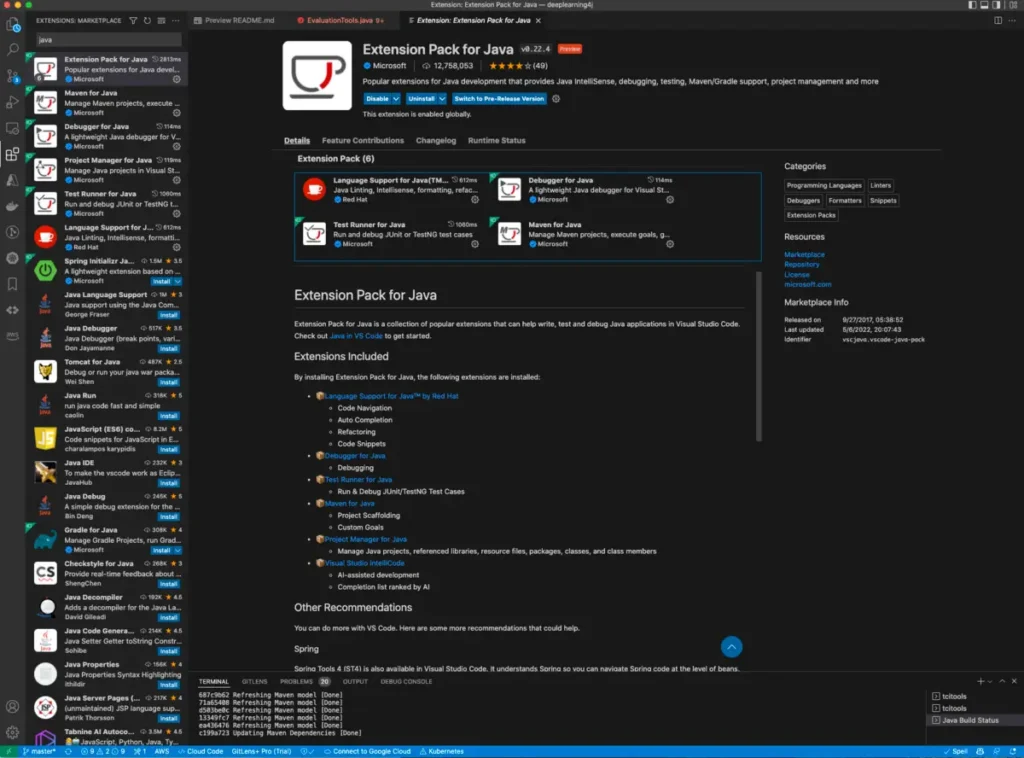
To install the Java Extension Pack, which includes the essential extensions for Java development in Visual Studio Code, you can go to the Extensions view in Visual Studio Code and search for “Java Extension Pack.” This pack includes extensions for language support, debugging, testing, and project management. Once installed, you can start coding, running, and debugging your Java applications right away.
With these extensions, Visual Studio Code becomes a formidable competitor to traditional Java IDEs like Eclipse, NetBeans, and IntelliJ IDEA, offering a lightweight yet powerful environment for Java development.