

Close Menu
Şevket Ayaksız

    Subscribe to Updates

    Get the latest creative news from FooBar about art, design and business.

    What's Hot

    Chainguard launches Athena, an AI-powered initiative designed

    Haziran 16, 2026

    Sony WH-1000XM6 vs. Sennheiser Momentum 5: The headphones

    Haziran 16, 2026

    Fast chargers with flagship iPhone, Samsung, and OnePlus phones

    Haziran 16, 2026
    Facebook X (Twitter) Instagram
    • software
    • Gadgets
    Facebook X (Twitter) Instagram
    Şevket AyaksızŞevket Ayaksız
    Subscribe
    • Home
    • Technology

      Fast chargers with flagship iPhone, Samsung, and OnePlus phones

      Haziran 16, 2026

      7 budget-friendly upgrades that made my TV sound dramatically better

      Haziran 16, 2026

      Valve targets a summer launch for Steam Machine but keeps pricing secret

      Haziran 7, 2026

      Intel and Phison aim to overcome local AI’s memory bottleneck

      Haziran 2, 2026

      Nvidia RTX Spark could transform the next generation of gaming handhelds

      Haziran 2, 2026
    • Adobe
    • Microsoft
    • java
    • Oracle
    Şevket Ayaksız
    Anasayfa » Sonic Personalization: A Guide to Revamping Your iPhone Alert Tone
    Tech

    Sonic Personalization: A Guide to Revamping Your iPhone Alert Tone

    By ayaksızOcak 6, 2024Yorum yapılmamış2 Mins Read
    Facebook Twitter Pinterest LinkedIn Tumblr Email
    Share
    Facebook Twitter LinkedIn Pinterest Email

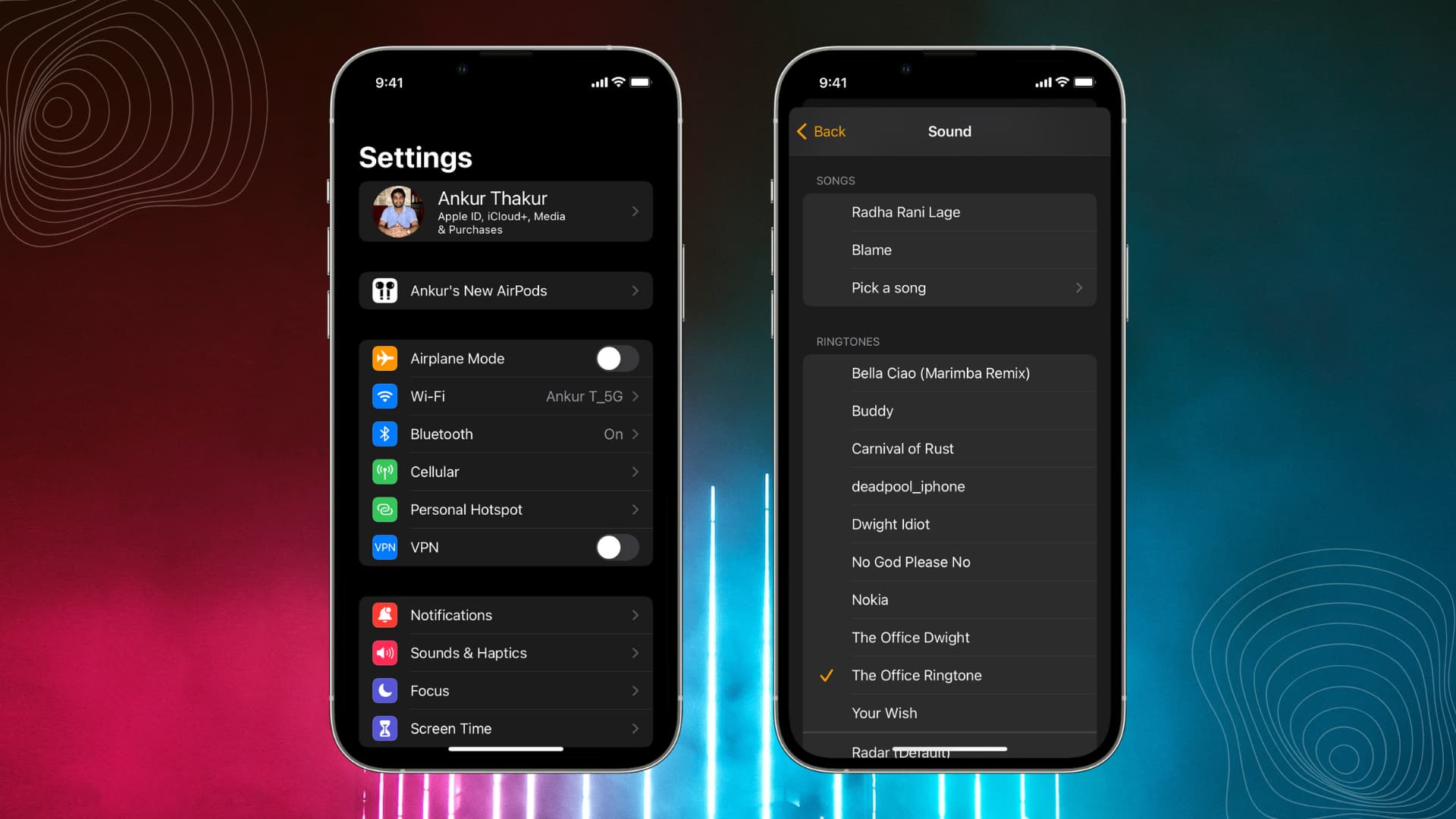
    December marked the release of iOS 17.2, an update brimming with over a dozen features and enhancements, including the introduction of the Journal app and Contact Key Verification. Notably, Apple addressed a user grievance that emerged with the earlier iOS 17 release in September – the unanticipated modification of the default alert tone. Online complaints highlighted issues ranging from the new tone’s lack of volume for critical alerts to its inadequacy in serving as a dependable reminder for caregiving duties. With the unveiling of iOS 17.2, users gained the ability to take control of their iPhone’s default notification alert tone, offering a personalized touch to their device experience.

    Here’s a step-by-step guide on how to change your iPhone’s default notification tone:

    Easily change your default alert tone

    1. Open Settings.
    2. Tap Sounds & Haptics.
    3. Tap Default Alerts.

    This menu provides options to preview and select diverse alert tones, from the classic Tri-tone to the timeless Bell. Alternatively, users can opt for complete silence by selecting None, preserving only the haptic alert – the vibration pattern. Additionally, users can further customize their experience by tweaking haptic alerts.

    How to change your haptic alert tone

    1. Open Settings.
    2. Tap Sounds & Haptics.
    3. Tap Default Alerts.
    4. Tap Haptics.

    Within this submenu, users can choose from various vibration patterns such as the succinct Accent or the SOS pattern, which vibrates in Morse code. Selecting Synchronized ensures a seamless fusion of haptic and alert tone. For those seeking an even more personalized experience, an option to create a custom vibration pattern is available. By tapping “Create New Vibration” in the Haptics menu, users can design a unique pattern, save it, name it, and witness it automatically becoming their default alert haptic.

    Post Views: 308
    Share. Facebook Twitter Pinterest LinkedIn Tumblr Email
    ayaksız
    • Website

    Related Posts

    Fast chargers with flagship iPhone, Samsung, and OnePlus phones

    Haziran 16, 2026

    7 budget-friendly upgrades that made my TV sound dramatically better

    Haziran 16, 2026

    Valve targets a summer launch for Steam Machine but keeps pricing secret

    Haziran 7, 2026
    Add A Comment

    Comments are closed.

    Editors Picks
    8.5

    Apple Planning Big Mac Redesign and Half-Sized Old Mac

    Ocak 5, 2021

    Autonomous Driving Startup Attracts Chinese Investor

    Ocak 5, 2021

    Onboard Cameras Allow Disabled Quadcopters to Fly

    Ocak 5, 2021
    Top Reviews
    9.1

    Review: T-Mobile Winning 5G Race Around the World

    By sevketayaksiz
    8.9

    Samsung Galaxy S21 Ultra Review: the New King of Android Phones

    By sevketayaksiz
    8.9

    Xiaomi Mi 10: New Variant with Snapdragon 870 Review

    By sevketayaksiz
    Advertisement
    Demo
    Şevket Ayaksız
    Facebook X (Twitter) Instagram YouTube
    • Home
    • Adobe
    • microsoft
    • java
    • Oracle
    • Contact
    © 2026 Theme Designed by Şevket Ayaksız.

    Type above and press Enter to search. Press Esc to cancel.