


Close Menu
Şevket Ayaksız
    What's Hot

    AI watermarks could improve transparency but won’t stop AI slop

    Eylül 13, 2026

    LG’s 4K OLED gaming monitor gets a $600 discount

    Eylül 13, 2026

    Keychron’s 100-key macropad offers 8,000Hz polling for $65

    Eylül 13, 2026
    • software
    • Gadgets
    Şevket AyaksızŞevket Ayaksız
    • Home
    • Technology

      Apple: iPhone 17 and Older Models Hit With Unexpected $100 Price Increase

      Eylül 10, 2026

      Apple Watch Intelligence Could Be a Major Accessibility Breakthrough

      Eylül 10, 2026

      Apple May Skip the Base iPhone 18 This Year

      Eylül 10, 2026

      FCC changes robot vacuum rules, potentially affecting future models

      Ağustos 8, 2026

      Samsung’s new 2TB 990 SSD drops to its lowest price yet

      Ağustos 6, 2026
    • Adobe

      Adobe brings four key creative apps to Windows on Arm beta

      Ağustos 1, 2025

      Skip the Legal Jargon—Adobe Acrobat’s AI Reads Contracts for You

      Şubat 5, 2025

      Save 50% on a Top-Rated Adobe Alternative This Black Friday

      Kasım 30, 2024

      Save 50% on Adobe’s Creative Cloud This Black Friday

      Kasım 25, 2024

      Adobe Brings Generative AI to Premiere Pro for Smarter Video Editing

      Ekim 24, 2024
    • Microsoft

      Microsoft quietly removes Windows 11’s 32GB RAM recommendation

      Ağustos 6, 2026

      Microsoft aims to improve Windows 11 performance on 8GB PCs

      Ağustos 2, 2026

      Microsoft PowerToys remains an essential Windows utility

      Temmuz 31, 2026

      Microsoft says Windows Secure Boot certificate rollout is still in progress

      Temmuz 30, 2026

      Microsoft tests Windows Update changes after major outage

      Temmuz 29, 2026
    • java

      Optimizing Java Streams for High-Performance Applications

      Aralık 20, 2025

      AI Brings a New Spark to JavaScript Programming

      Kasım 9, 2025

      Revisiting the Spring Framework: What’s New and Why It Still Matters

      Kasım 9, 2025

      Top Highlights and Features to Watch in Java 25

      Kasım 3, 2025

      Mastering Java Cold Starts: Achieving High-Performance Serverless with GraalVM and Spring

      Kasım 3, 2025
    • Oracle

      JavaScript Community Pushes Back Against Oracle’s Trademark Claim

      Şubat 8, 2025

      Understanding the Impact of the Google vs. Oracle Decision

      Aralık 25, 2024

      Google Wins Legal Battle Over Java, Oracle Continues to Resist

      Aralık 25, 2024

      Oracle Unveils Verrazzano: A New Container Platform for Kubernetes

      Aralık 12, 2024

      Oracle vs. Google: Implications of the Verdict on Open Source Software

      Aralık 8, 2024
    Şevket Ayaksız
    Anasayfa » Tame Your Talkative Alexa
    Tech

    Tame Your Talkative Alexa

    By ayaksızAğustos 13, 2024Yorum yapılmamış4 Mins Read
    Facebook Twitter Pinterest LinkedIn Tumblr Email
    Share
    Facebook Twitter LinkedIn Pinterest Email

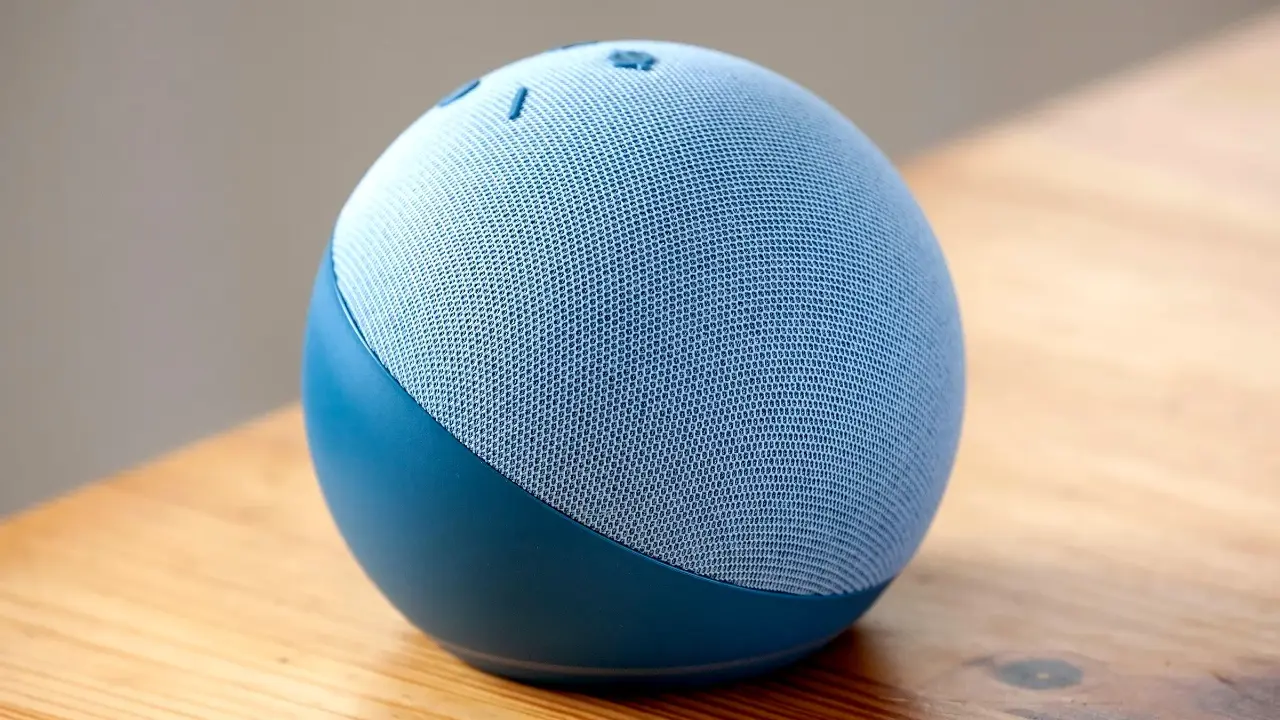
    After Alexa fulfills a command, you might hear an unexpected “By the way” followed by a random suggestion or tip. Does that sound familiar?

    To be fair, Alexa’s “by the way” interruptions are meant to be helpful. Yet, this chatty voice assistant often interjects when least needed, making unnecessary remarks or lingering with off-topic digressions.

    Thankfully, there are several ways to quiet Alexa. In some instances, you can adjust a few settings in the Alexa app. In others, a bit of customization is necessary.

    Regardless of the method, we’ll walk you through the process, ensuring a more peaceful interaction with Alexa.

    Turning Off Weather Notifications

    It’s crucial to stay updated on severe weather events like heatwaves, floods, tornadoes, and hurricanes. But warnings about rip tides or wind advisories? That might be overkill, especially if you’re already getting similar alerts from your phone or other apps.

    Here’s how to adjust or disable Alexa’s weather notifications:

    1. Open the Alexa app, tap More, Settings, and then Notifications. Scroll down to Weather.
    2. Tap Severe Weather Alert and customize the options. You can choose whether Alexa repeats severe weather alerts or mentions them just once. You can also enable or disable mobile push notifications.
    3. Finally, select a delivery method: voice announcements from Alexa or standard notifications on your devices.

    Silencing Amazon Shopping Notifications

    If you’re worried about package theft, timely updates on your Amazon deliveries might be essential.

    However, you may not want to hear every little detail about your orders, such as when a package is out for delivery, if your return reached the warehouse, or the status of a “Subscribe & Save” item.

    To manage Alexa’s shopping notifications, follow these steps:

    1. Open the Alexa app, tap More, Settings, and go to Notifications. Select Amazon Shopping.
    2. Review the available options and disable the notifications that aren’t necessary. For instance, you can prevent Alexa from announcing updates on orders or silence the “out for delivery” and “delivered” alerts.
    3. You can also disable updates for “Subscribe & Save” orders and stop deal and reorder recommendations.

    Disabling the “Always Follow Up” Mode for Reminders

    Alexa can be quite persistent with reminders, nagging you repeatedly until they’re marked as completed.

    If these constant reminders are more annoying than helpful, you can tone them down:

    1. Tap More, then Settings, and select Reminders.
    2. Scroll down and disable the Always Follow-up option to stop Alexa from repeatedly reminding you about incomplete tasks.
    3. Additionally, you can reduce the frequency of reminder announcements, with options ranging from one to three times.

    Activating Brief Mode

    Even during routine interactions, Alexa can be overly talkative, from the initial “Alexa” wake word to the conclusion of a command.

    If you prefer a more concise interaction:

    1. Tap More, then Settings, and select Voice Responses.
    2. Enable Brief Mode.
    3. Alexa will now acknowledge most commands with a simple beep, reducing unnecessary chatter.

    Curbing the “By the Way” Asides

    If you thought Brief Mode would eliminate Alexa’s “by the way” remarks, think again.

    These comments might still appear occasionally, usually after you’ve asked Alexa to do something.

    While there’s no foolproof setting to remove “by the way” remarks permanently, a handy hack from Reddit users offers some relief.

    This hack involves telling Alexa to “stop By the Way,” though this only works temporarily. For a more permanent fix, you can create a routine that instructs Alexa to issue the “stop By the Way” command daily.

    1. Tap More, then Routines, and tap the “+” button in the top-right corner.
    2. Name the routine (something like “Stop by the way”) and set a triggering event, such as a specific time each day.
    3. Add an action, tap Custom, and type “stop by the way.”

    With this routine in place, Alexa should remind herself to stop the “by the way” comments, hopefully bringing those interruptions to an end.


    Post Views: 377
    Share. Facebook Twitter Pinterest LinkedIn Tumblr Email
    ayaksız
    • Website

    Related Posts

    Apple: iPhone 17 and Older Models Hit With Unexpected $100 Price Increase

    Eylül 10, 2026

    Apple Watch Intelligence Could Be a Major Accessibility Breakthrough

    Eylül 10, 2026

    Apple May Skip the Base iPhone 18 This Year

    Eylül 10, 2026
    Add A Comment

    Comments are closed.

    Editors Picks
    8.5

    Apple Planning Big Mac Redesign and Half-Sized Old Mac

    Ocak 5, 2021

    Autonomous Driving Startup Attracts Chinese Investor

    Ocak 5, 2021

    Onboard Cameras Allow Disabled Quadcopters to Fly

    Ocak 5, 2021
    Top Reviews
    9.1

    Review: T-Mobile Winning 5G Race Around the World

    By sevketayaksiz
    8.9

    Samsung Galaxy S21 Ultra Review: the New King of Android Phones

    By sevketayaksiz
    8.9

    Xiaomi Mi 10: New Variant with Snapdragon 870 Review

    By sevketayaksiz
    Advertisement
    Demo
    Şevket Ayaksız
    Instagram
    • Home
    • Adobe
    • microsoft
    • java
    • Oracle
    • Contact
    © 2026 Theme Designed by Şevket Ayaksız.

    Type above and press Enter to search. Press Esc to cancel.