

Close Menu
Şevket Ayaksız

    Subscribe to Updates

    Get the latest creative news from FooBar about art, design and business.

    What's Hot

    Windows 11 bug has blocked updates for some PCs since February

    Mayıs 24, 2026

    Anker’s 25,000mAh laptop power bank drops $39 to $96

    Mayıs 24, 2026

    Ring Indoor Cam Plus drops to a record-low $35 on Amazon

    Mayıs 24, 2026
    Facebook X (Twitter) Instagram
    • software
    • Gadgets
    Facebook X (Twitter) Instagram
    Şevket AyaksızŞevket Ayaksız
    Subscribe
    • Home
    • Technology

      HP OmniBook 5 drops to $699 with 16GB RAM and long battery life

      Mayıs 11, 2026

      Anker’s 9-port charging station drops to $34 on Amazon

      Mayıs 11, 2026

      DDR5 counterfeits surge as the RAM shortage worsens

      Mayıs 11, 2026

      Google Maps vs Waze: I Put the Two Best Navigation Apps Head-to-Head — and One Clearly Came Out on Top

      Mayıs 1, 2026

      T-Mobile Bundles Free Hulu and Netflix for 5G Users: Eligibility Explained

      Mayıs 1, 2026
    • Adobe
    • Microsoft
    • java
    • Oracle
    Şevket Ayaksız
    Anasayfa » The Hidden Privacy Risk: Disabling iPhone Journal Suggestions
    software

    The Hidden Privacy Risk: Disabling iPhone Journal Suggestions

    By ayaksızMart 23, 2024Yorum yapılmamış2 Mins Read
    Facebook Twitter Pinterest LinkedIn Tumblr Email
    Share
    Facebook Twitter LinkedIn Pinterest Email

    Securing Your Privacy: Disabling Journal Suggestions Access:

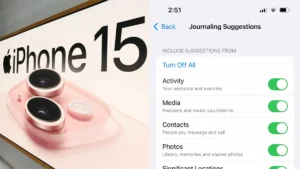
    To maintain your privacy and prevent Journal from accessing your personal data, it’s essential to disable this feature. Journal employs various data points such as your activities, media usage, contacts, photos, and even your location to generate suggestions. If these notifications feel intrusive or unnecessary to you, it’s time to take control.

    Follow these steps to revoke Journal’s access to your data and halt notifications:

    1. Open the Settings app on your iPhone.
    2. Scroll down and tap on “Journal.”
    3. Navigate to “Journaling Suggestions” and select “Suggestion Privacy Settings.“
    4. Choose “Turn Off All” at the top of the page to restrict Journal’s access to your data.
    5. Confirm your decision when prompted.

    By taking these actions, you not only safeguard your personal information but also put an end to unwanted notifications from the Journal app.

    Managing Journal Suggestions Notifications:

    If you still want to utilize Journal but prefer to minimize disruptions, you can opt to disable notifications while retaining the app’s access to your data.

    Here’s how to manage Journal Suggestions notifications:

    1. Access the Settings app on your iPhone.
    2. Locate and tap on “Journal.”
    3. Select “Journaling Suggestions” and proceed to “Suggestion Notification Settings.“
    4. Toggle off the option labeled “Allow Notifications.“

    Keep in mind that disabling notifications will only stop alerts from appearing; Journal will continue to access your data, and you’ll still receive suggestions when you interact with the app.

    Post Views: 289
    Share. Facebook Twitter Pinterest LinkedIn Tumblr Email
    ayaksız
    • Website

    Related Posts

    Microsoft faces fresh security chaos after May Patch Tuesday

    Mayıs 24, 2026

    Microsoft is phasing out SMS verification for personal accounts

    Mayıs 19, 2026

    Microsoft patches 120 security flaws in May Windows updates

    Mayıs 14, 2026
    Add A Comment

    Comments are closed.

    Editors Picks
    8.5

    Apple Planning Big Mac Redesign and Half-Sized Old Mac

    Ocak 5, 2021

    Autonomous Driving Startup Attracts Chinese Investor

    Ocak 5, 2021

    Onboard Cameras Allow Disabled Quadcopters to Fly

    Ocak 5, 2021
    Top Reviews
    9.1

    Review: T-Mobile Winning 5G Race Around the World

    By sevketayaksiz
    8.9

    Samsung Galaxy S21 Ultra Review: the New King of Android Phones

    By sevketayaksiz
    8.9

    Xiaomi Mi 10: New Variant with Snapdragon 870 Review

    By sevketayaksiz
    Advertisement
    Demo
    Şevket Ayaksız
    Facebook X (Twitter) Instagram YouTube
    • Home
    • Adobe
    • microsoft
    • java
    • Oracle
    • Contact
    © 2026 Theme Designed by Şevket Ayaksız.

    Type above and press Enter to search. Press Esc to cancel.