

Close Menu
Şevket Ayaksız

    Subscribe to Updates

    Get the latest creative news from FooBar about art, design and business.

    What's Hot

    Google Maps vs Waze: I Put the Two Best Navigation Apps Head-to-Head — and One Clearly Came Out on Top

    Mayıs 1, 2026

    Samsung Electronics Offers Free 32-Inch Odyssey gaming monitor: Eligibility and How to Claim Deal

    Mayıs 1, 2026

    T-Mobile Bundles Free Hulu and Netflix for 5G Users: Eligibility Explained

    Mayıs 1, 2026
    Facebook X (Twitter) Instagram
    • software
    • Gadgets
    Facebook X (Twitter) Instagram
    Şevket AyaksızŞevket Ayaksız
    Subscribe
    • Home
    • Technology

      Google Maps vs Waze: I Put the Two Best Navigation Apps Head-to-Head — and One Clearly Came Out on Top

      Mayıs 1, 2026

      T-Mobile Bundles Free Hulu and Netflix for 5G Users: Eligibility Explained

      Mayıs 1, 2026

      This Portable Mini PC Is the Unexpected Raspberry Pi Alternative You Might Actually Want

      Mayıs 1, 2026

      Samsung warns RAM shortages could worsen beyond 2027

      Mayıs 1, 2026

      Oxford study finds friendly AI chatbots are less accurate

      Mayıs 1, 2026
    • Adobe
    • Microsoft
    • java
    • Oracle
    Şevket Ayaksız
    Anasayfa » The Standout Security Feature That Makes Windows 11 Pro Truly Valuable
    Windows

    The Standout Security Feature That Makes Windows 11 Pro Truly Valuable

    By ayaksızEylül 30, 2024Yorum yapılmamış3 Mins Read
    Facebook Twitter Pinterest LinkedIn Tumblr Email
    Share
    Facebook Twitter LinkedIn Pinterest Email

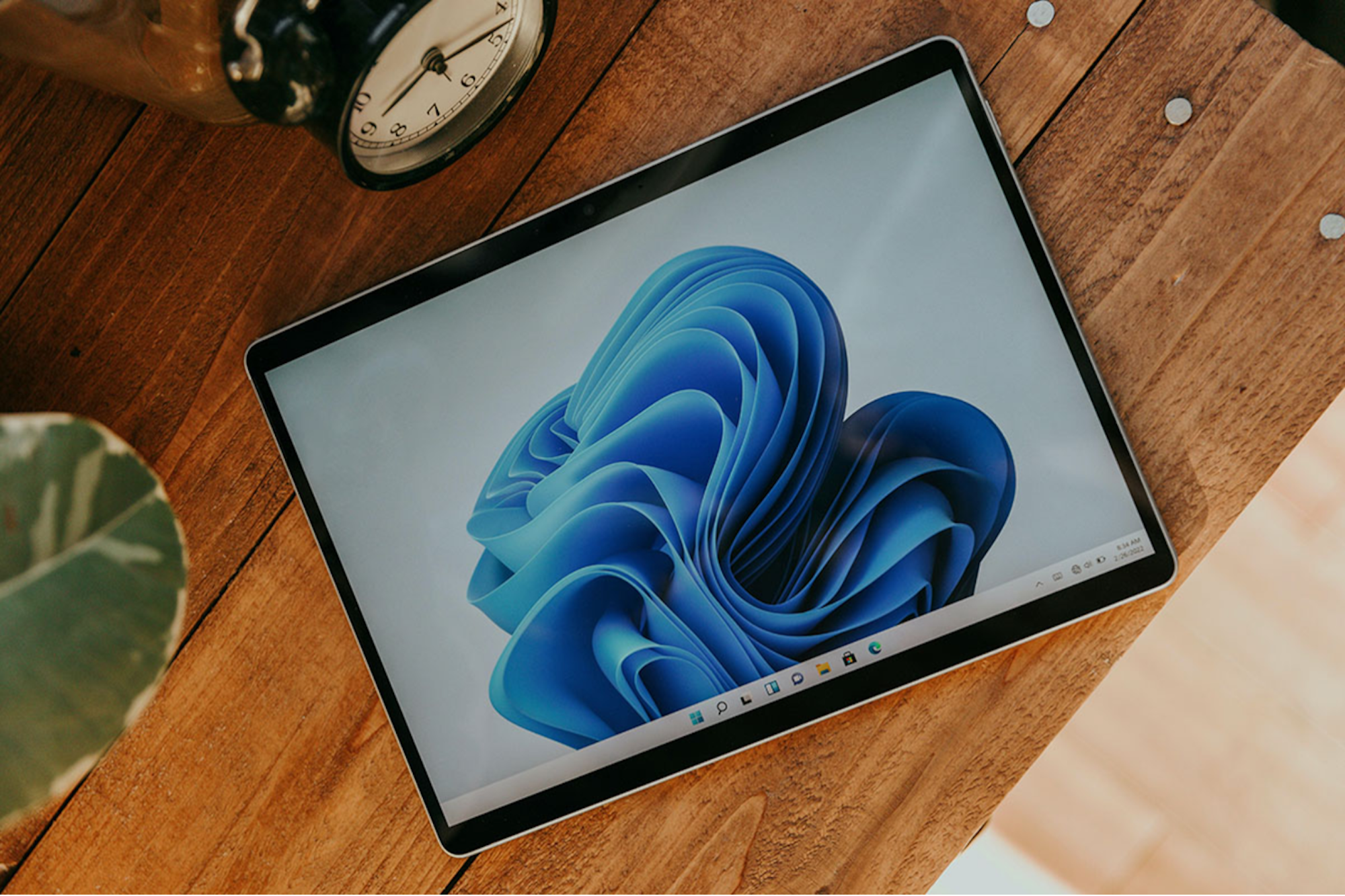
    No, I’m not engaging in software piracy or downloading inappropriate content while I work, but I am a huge advocate of Windows Sandbox. This feature alone makes Windows 11 Pro a must-have for anyone serious about security.

    Chances are, you might not even be aware whether your laptop is running Windows 11 Home or Pro. Both versions look identical, and Microsoft hasn’t released many Pro-specific features in a long time. In fact, it’s uncertain whether they’ll continue the Pro line, which comes at an extra $100 unless you find a discounted license.

    However, Windows Sandbox stands out as the feature that makes the Pro upgrade worthwhile. It functions as a protective barrier against harmful elements online, creating an isolated version of Windows that contains any potential malware, keeping it from spreading to your primary system. The best part? With one click, you can close Sandbox and delete everything inside it.

    Getting Started with Windows Sandbox

    To activate Windows Sandbox, you’ll need to enable it manually on Windows 11 Pro. Press the Windows key, search for “Windows features,” and select the option to “Turn Windows features on and off.” Scroll down to find “Windows Sandbox,” and check the box to enable it.

    If you don’t see this option, you might not have the Pro version. Verify your version by typing “winver” in the search menu, and it will display whether you have Windows 10 Pro or 11 Pro. Once enabled, Windows may prompt you to download additional files and restart your system.

    After rebooting, Sandbox will be ready to use. It essentially acts as a virtual, temporary Windows environment, separate from your main system. You can browse, download apps, or even use a VPN for enhanced privacy. It’s particularly useful for opening suspicious email attachments or checking potentially dangerous links, allowing you to do so without risk.

    Why Windows Sandbox Is Worth the Upgrade

    Sandbox isn’t completely foolproof, but it adds a significant layer of defense. For an attacker to access your main system, they’d need to break through your VPN, a sandboxed browser, and Sandbox itself. It’s not impossible, but it’s highly unlikely. Be mindful, though, when transferring files from Sandbox to your main Windows system, as they could still carry malware.

    Setting up Sandbox might take a bit of time, but it offers unmatched security for those who value safety. It’s like having a virtual quarantine for anything you want to examine. Given that most PCs ship with Windows 11 Home, this feature alone justifies the investment in upgrading to Windows 11 Pro.

    Post Views: 279
    Share. Facebook Twitter Pinterest LinkedIn Tumblr Email
    ayaksız
    • Website

    Related Posts

    Windows 11 April update breaks some third-party backup apps

    Mayıs 1, 2026

    Windows 11 fixes two major design complaints, including taskbar limits

    Nisan 8, 2026

    Windows 11 finally overtakes as the dominant PC OS

    Nisan 8, 2026
    Add A Comment

    Comments are closed.

    Editors Picks
    8.5

    Apple Planning Big Mac Redesign and Half-Sized Old Mac

    Ocak 5, 2021

    Autonomous Driving Startup Attracts Chinese Investor

    Ocak 5, 2021

    Onboard Cameras Allow Disabled Quadcopters to Fly

    Ocak 5, 2021
    Top Reviews
    9.1

    Review: T-Mobile Winning 5G Race Around the World

    By sevketayaksiz
    8.9

    Samsung Galaxy S21 Ultra Review: the New King of Android Phones

    By sevketayaksiz
    8.9

    Xiaomi Mi 10: New Variant with Snapdragon 870 Review

    By sevketayaksiz
    Advertisement
    Demo
    Şevket Ayaksız
    Facebook X (Twitter) Instagram YouTube
    • Home
    • Adobe
    • microsoft
    • java
    • Oracle
    • Contact
    © 2026 Theme Designed by Şevket Ayaksız.

    Type above and press Enter to search. Press Esc to cancel.