

Close Menu
Şevket Ayaksız

    Subscribe to Updates

    Get the latest creative news from FooBar about art, design and business.

    What's Hot

    Microsoft quietly removes Windows 11’s 32GB RAM recommendation

    Ağustos 6, 2026

    Samsung’s new 2TB 990 SSD drops to its lowest price yet

    Ağustos 6, 2026

    AI safety tests keep spilling beyond the lab

    Ağustos 6, 2026
    Facebook X (Twitter) Instagram
    • software
    • Gadgets
    Facebook X (Twitter) Instagram
    Şevket AyaksızŞevket Ayaksız
    Subscribe
    • Home
    • Technology

      Samsung’s new 2TB 990 SSD drops to its lowest price yet

      Ağustos 6, 2026

      OpenAI’s AI incident highlights the need for digital disaster planning

      Ağustos 4, 2026

      New underwater habitat marks major milestone for human ocean living

      Ağustos 3, 2026

      DuckDuckGo unveils ‘Anti-AI’ sunglasses with a privacy-first message

      Ağustos 3, 2026

      Samsung expects global RAM shortage to continue through 2027

      Ağustos 2, 2026
    • Adobe
    • Microsoft
    • java
    • Oracle
    Şevket Ayaksız
    Anasayfa » Boost Your iPhone Battery Life: Key iOS Settings You Should Change
    Insights

    Boost Your iPhone Battery Life: Key iOS Settings You Should Change

    By ayaksızTemmuz 28, 2024Yorum yapılmamış2 Mins Read
    Facebook Twitter Pinterest LinkedIn Tumblr Email
    Share
    Facebook Twitter LinkedIn Pinterest Email

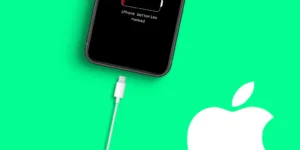
    Your smartphone is a crucial companion when you’re on the go, but a low battery can quickly turn a handy tool into a source of anxiety—especially if you don’t have a charger handy. With iOS 17.4, there are a few settings you can adjust to extend your iPhone’s battery life and keep it reliable when you need it most.

    The Battery Health menu in iOS lets you monitor your battery’s condition, including its health percentage, cycle count, and whether it’s functioning normally. Alongside this, there are some less obvious battery-saving tips that can make a significant difference.

    One major drain on battery life comes from widgets on your lock screen. Widgets continuously fetch data to keep their information current, which can consume a lot of power. To boost your battery life on iOS 17, consider switching to a lock screen profile without widgets or removing them from your current screen. Simply press down on your lock screen, select Customize, and remove widgets by tapping the “—” button.

    Another tip is to disable haptic feedback on your keyboard. Introduced in iOS 16, this feature adds vibrations to key presses, which can use more battery. If you’re aiming to conserve power, turn off this feature by going to Settings > Sounds & Haptics > Keyboard Feedback and toggling off Haptic feedback.

    Post Views: 308
    Share. Facebook Twitter Pinterest LinkedIn Tumblr Email
    ayaksız
    • Website

    Related Posts

    TP-Link’s 3-pack mesh Wi-Fi system drops below $100

    Ağustos 4, 2026

    Amazon to issue tariff refunds to eligible customers

    Ağustos 3, 2026

    YouTube moves closer to replacing traditional TV with Peacock bundle

    Temmuz 31, 2026
    Add A Comment

    Comments are closed.

    Editors Picks
    8.5

    Apple Planning Big Mac Redesign and Half-Sized Old Mac

    Ocak 5, 2021

    Autonomous Driving Startup Attracts Chinese Investor

    Ocak 5, 2021

    Onboard Cameras Allow Disabled Quadcopters to Fly

    Ocak 5, 2021
    Top Reviews
    9.1

    Review: T-Mobile Winning 5G Race Around the World

    By sevketayaksiz
    8.9

    Samsung Galaxy S21 Ultra Review: the New King of Android Phones

    By sevketayaksiz
    8.9

    Xiaomi Mi 10: New Variant with Snapdragon 870 Review

    By sevketayaksiz
    Advertisement
    Demo
    Şevket Ayaksız
    Facebook X (Twitter) Instagram YouTube
    • Home
    • Adobe
    • microsoft
    • java
    • Oracle
    • Contact
    © 2026 Theme Designed by Şevket Ayaksız.

    Type above and press Enter to search. Press Esc to cancel.