

Close Menu
Şevket Ayaksız

    Subscribe to Updates

    Get the latest creative news from FooBar about art, design and business.

    What's Hot

    Windows 11 bug has blocked updates for some PCs since February

    Mayıs 24, 2026

    Anker’s 25,000mAh laptop power bank drops $39 to $96

    Mayıs 24, 2026

    Ring Indoor Cam Plus drops to a record-low $35 on Amazon

    Mayıs 24, 2026
    Facebook X (Twitter) Instagram
    • software
    • Gadgets
    Facebook X (Twitter) Instagram
    Şevket AyaksızŞevket Ayaksız
    Subscribe
    • Home
    • Technology

      HP OmniBook 5 drops to $699 with 16GB RAM and long battery life

      Mayıs 11, 2026

      Anker’s 9-port charging station drops to $34 on Amazon

      Mayıs 11, 2026

      DDR5 counterfeits surge as the RAM shortage worsens

      Mayıs 11, 2026

      Google Maps vs Waze: I Put the Two Best Navigation Apps Head-to-Head — and One Clearly Came Out on Top

      Mayıs 1, 2026

      T-Mobile Bundles Free Hulu and Netflix for 5G Users: Eligibility Explained

      Mayıs 1, 2026
    • Adobe
    • Microsoft
    • java
    • Oracle
    Şevket Ayaksız
    Anasayfa » Effortlessly Transfer Tabs in Chrome from Mobile to Desktop
    Insights

    Effortlessly Transfer Tabs in Chrome from Mobile to Desktop

    By ayaksızKasım 1, 2024Yorum yapılmamış2 Mins Read
    Facebook Twitter Pinterest LinkedIn Tumblr Email
    Share
    Facebook Twitter LinkedIn Pinterest Email

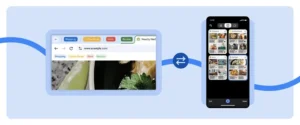
    Google is reviving a long-missed feature in Chrome’s Android app: the ability to share tab groups across devices. The feature, initially removed several years ago, has returned with added automation to sync grouped tabs seamlessly between phones, tablets, and desktops. Announced as part of a larger update, this feature aims to enhance productivity and make multi-device browsing effortless for Chrome users.

    To use this feature, users simply need to log into their Google account and enable sync on all participating devices. Chrome will then automatically sync tab groups between devices, eliminating the need for manual tab transfers. This allows users to, for example, create a set of tabs on their phone while traveling, then easily access the same set on their desktop once they’re home. It’s a simple yet powerful addition for multitaskers and frequent travelers alike.

    In tandem with this, Chrome’s updated sync capabilities make it easier to continue browsing from the exact point where you left off. If a tab is open on one device, switching to another will prompt Chrome to suggest resuming that same tab, streamlining the browsing experience across multiple devices.

    This reintroduction of cross-device tab group sharing reflects Google’s focus on making Chrome more adaptive and supportive of users’ multi-device lifestyles. For anyone who uses Chrome across several devices, these updates represent a valuable enhancement that brings greater cohesion and accessibility to their daily browsing routine.


    Post Views: 240
    Share. Facebook Twitter Pinterest LinkedIn Tumblr Email
    ayaksız
    • Website

    Related Posts

    Tomb Raider I–III Remastered is free on Epic Games Store

    Mayıs 24, 2026

    Google wants to turn brain dumps into an AI productivity tool

    Mayıs 19, 2026

    Google unveils $100-per-month Spark AI agent at I/O 2026

    Mayıs 19, 2026
    Add A Comment

    Comments are closed.

    Editors Picks
    8.5

    Apple Planning Big Mac Redesign and Half-Sized Old Mac

    Ocak 5, 2021

    Autonomous Driving Startup Attracts Chinese Investor

    Ocak 5, 2021

    Onboard Cameras Allow Disabled Quadcopters to Fly

    Ocak 5, 2021
    Top Reviews
    9.1

    Review: T-Mobile Winning 5G Race Around the World

    By sevketayaksiz
    8.9

    Samsung Galaxy S21 Ultra Review: the New King of Android Phones

    By sevketayaksiz
    8.9

    Xiaomi Mi 10: New Variant with Snapdragon 870 Review

    By sevketayaksiz
    Advertisement
    Demo
    Şevket Ayaksız
    Facebook X (Twitter) Instagram YouTube
    • Home
    • Adobe
    • microsoft
    • java
    • Oracle
    • Contact
    © 2026 Theme Designed by Şevket Ayaksız.

    Type above and press Enter to search. Press Esc to cancel.