

Close Menu
Şevket Ayaksız

    Subscribe to Updates

    Get the latest creative news from FooBar about art, design and business.

    What's Hot

    Windows 11 bug has blocked updates for some PCs since February

    Mayıs 24, 2026

    Anker’s 25,000mAh laptop power bank drops $39 to $96

    Mayıs 24, 2026

    Ring Indoor Cam Plus drops to a record-low $35 on Amazon

    Mayıs 24, 2026
    Facebook X (Twitter) Instagram
    • software
    • Gadgets
    Facebook X (Twitter) Instagram
    Şevket AyaksızŞevket Ayaksız
    Subscribe
    • Home
    • Technology

      HP OmniBook 5 drops to $699 with 16GB RAM and long battery life

      Mayıs 11, 2026

      Anker’s 9-port charging station drops to $34 on Amazon

      Mayıs 11, 2026

      DDR5 counterfeits surge as the RAM shortage worsens

      Mayıs 11, 2026

      Google Maps vs Waze: I Put the Two Best Navigation Apps Head-to-Head — and One Clearly Came Out on Top

      Mayıs 1, 2026

      T-Mobile Bundles Free Hulu and Netflix for 5G Users: Eligibility Explained

      Mayıs 1, 2026
    • Adobe
    • Microsoft
    • java
    • Oracle
    Şevket Ayaksız
    Anasayfa » Extend Your Home Security: Convert Your Old Phone Into a Surveillance Camera
    Insights

    Extend Your Home Security: Convert Your Old Phone Into a Surveillance Camera

    By ayaksızMart 11, 2024Yorum yapılmamış2 Mins Read
    Facebook Twitter Pinterest LinkedIn Tumblr Email
    Share
    Facebook Twitter LinkedIn Pinterest Email

    As you contemplate upgrading to the latest iPhone 15, Google Pixel 8, or Galaxy S24, consider repurposing your old smartphone into a practical home security camera. Rather than discarding or selling it, converting your old phone into a surveillance device offers a cost-effective solution to bolstering your home security.

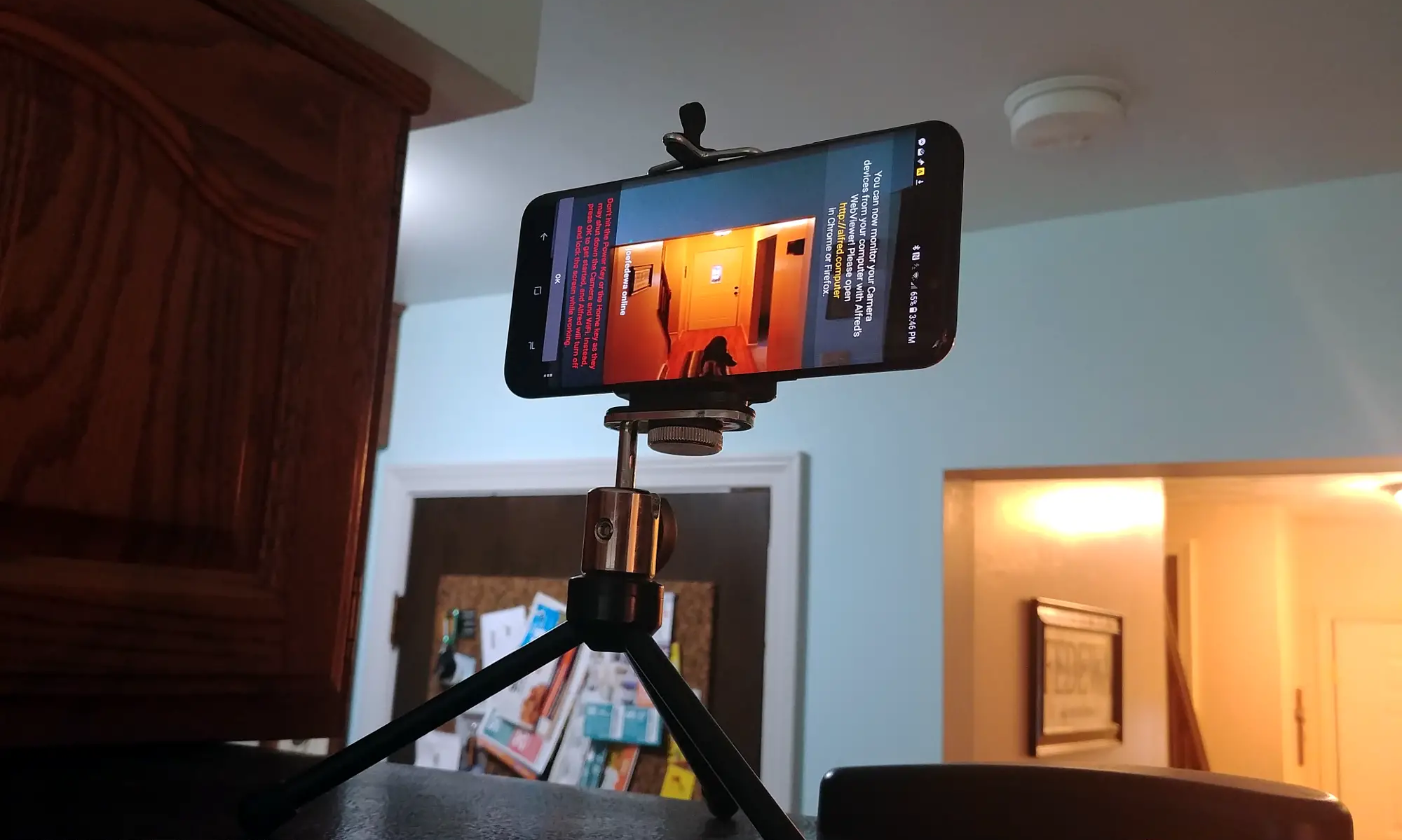
    Setting up your smartphone as a security camera is a straightforward process that can be accomplished in just a few easy steps. Begin by downloading a reliable security camera app onto your old smartphone. Alfred, a free app with features like live streaming, motion detection, and cloud storage, is an excellent choice for this purpose.

    Once you’ve installed Alfred on both your old and new phones, or any additional tablets you wish to utilize, you can proceed with the setup. Select the Viewer option on your new phone and sign in with your Google account credentials. Simultaneously, on your old phone, choose the Camera option and sign in with the same Google account. With both devices linked, you can remotely monitor your home and control the security camera using your new phone.

    With the app configured, it’s time to strategically position your new smartphone security camera. Consider installing it at entry points, in your backyard, or in areas of particular vulnerability. Alternatively, repurpose it as a baby monitor or deploy multiple cameras for comprehensive coverage.

    Lastly, mount your security camera smartphone near a power source to ensure uninterrupted operation. Utilize a smartphone tripod or suction-cup car mount for discreet positioning, and opt for a long charging cable to provide flexibility in placement.

    In just three simple steps, you’ve transformed your old smartphone into a valuable home security asset, enhancing your protection affordably and effectively.

    Post Views: 257
    Share. Facebook Twitter Pinterest LinkedIn Tumblr Email
    ayaksız
    • Website

    Related Posts

    Tomb Raider I–III Remastered is free on Epic Games Store

    Mayıs 24, 2026

    Google wants to turn brain dumps into an AI productivity tool

    Mayıs 19, 2026

    Google unveils $100-per-month Spark AI agent at I/O 2026

    Mayıs 19, 2026
    Add A Comment

    Comments are closed.

    Editors Picks
    8.5

    Apple Planning Big Mac Redesign and Half-Sized Old Mac

    Ocak 5, 2021

    Autonomous Driving Startup Attracts Chinese Investor

    Ocak 5, 2021

    Onboard Cameras Allow Disabled Quadcopters to Fly

    Ocak 5, 2021
    Top Reviews
    9.1

    Review: T-Mobile Winning 5G Race Around the World

    By sevketayaksiz
    8.9

    Samsung Galaxy S21 Ultra Review: the New King of Android Phones

    By sevketayaksiz
    8.9

    Xiaomi Mi 10: New Variant with Snapdragon 870 Review

    By sevketayaksiz
    Advertisement
    Demo
    Şevket Ayaksız
    Facebook X (Twitter) Instagram YouTube
    • Home
    • Adobe
    • microsoft
    • java
    • Oracle
    • Contact
    © 2026 Theme Designed by Şevket Ayaksız.

    Type above and press Enter to search. Press Esc to cancel.