


Close Menu
Şevket Ayaksız
    What's Hot

    AI watermarks could improve transparency but won’t stop AI slop

    Eylül 13, 2026

    LG’s 4K OLED gaming monitor gets a $600 discount

    Eylül 13, 2026

    Keychron’s 100-key macropad offers 8,000Hz polling for $65

    Eylül 13, 2026
    • software
    • Gadgets
    Şevket AyaksızŞevket Ayaksız
    • Home
    • Technology

      Apple: iPhone 17 and Older Models Hit With Unexpected $100 Price Increase

      Eylül 10, 2026

      Apple Watch Intelligence Could Be a Major Accessibility Breakthrough

      Eylül 10, 2026

      Apple May Skip the Base iPhone 18 This Year

      Eylül 10, 2026

      FCC changes robot vacuum rules, potentially affecting future models

      Ağustos 8, 2026

      Samsung’s new 2TB 990 SSD drops to its lowest price yet

      Ağustos 6, 2026
    • Adobe

      Adobe brings four key creative apps to Windows on Arm beta

      Ağustos 1, 2025

      Skip the Legal Jargon—Adobe Acrobat’s AI Reads Contracts for You

      Şubat 5, 2025

      Save 50% on a Top-Rated Adobe Alternative This Black Friday

      Kasım 30, 2024

      Save 50% on Adobe’s Creative Cloud This Black Friday

      Kasım 25, 2024

      Adobe Brings Generative AI to Premiere Pro for Smarter Video Editing

      Ekim 24, 2024
    • Microsoft

      Microsoft quietly removes Windows 11’s 32GB RAM recommendation

      Ağustos 6, 2026

      Microsoft aims to improve Windows 11 performance on 8GB PCs

      Ağustos 2, 2026

      Microsoft PowerToys remains an essential Windows utility

      Temmuz 31, 2026

      Microsoft says Windows Secure Boot certificate rollout is still in progress

      Temmuz 30, 2026

      Microsoft tests Windows Update changes after major outage

      Temmuz 29, 2026
    • java

      Optimizing Java Streams for High-Performance Applications

      Aralık 20, 2025

      AI Brings a New Spark to JavaScript Programming

      Kasım 9, 2025

      Revisiting the Spring Framework: What’s New and Why It Still Matters

      Kasım 9, 2025

      Top Highlights and Features to Watch in Java 25

      Kasım 3, 2025

      Mastering Java Cold Starts: Achieving High-Performance Serverless with GraalVM and Spring

      Kasım 3, 2025
    • Oracle

      JavaScript Community Pushes Back Against Oracle’s Trademark Claim

      Şubat 8, 2025

      Understanding the Impact of the Google vs. Oracle Decision

      Aralık 25, 2024

      Google Wins Legal Battle Over Java, Oracle Continues to Resist

      Aralık 25, 2024

      Oracle Unveils Verrazzano: A New Container Platform for Kubernetes

      Aralık 12, 2024

      Oracle vs. Google: Implications of the Verdict on Open Source Software

      Aralık 8, 2024
    Şevket Ayaksız
    Anasayfa » Hiding Your Webcam? Take This Extra Step for Better Privacy
    Insights

    Hiding Your Webcam? Take This Extra Step for Better Privacy

    By ayaksızMart 3, 2025Yorum yapılmamış3 Mins Read
    Facebook Twitter Pinterest LinkedIn Tumblr Email
    Share
    Facebook Twitter LinkedIn Pinterest Email

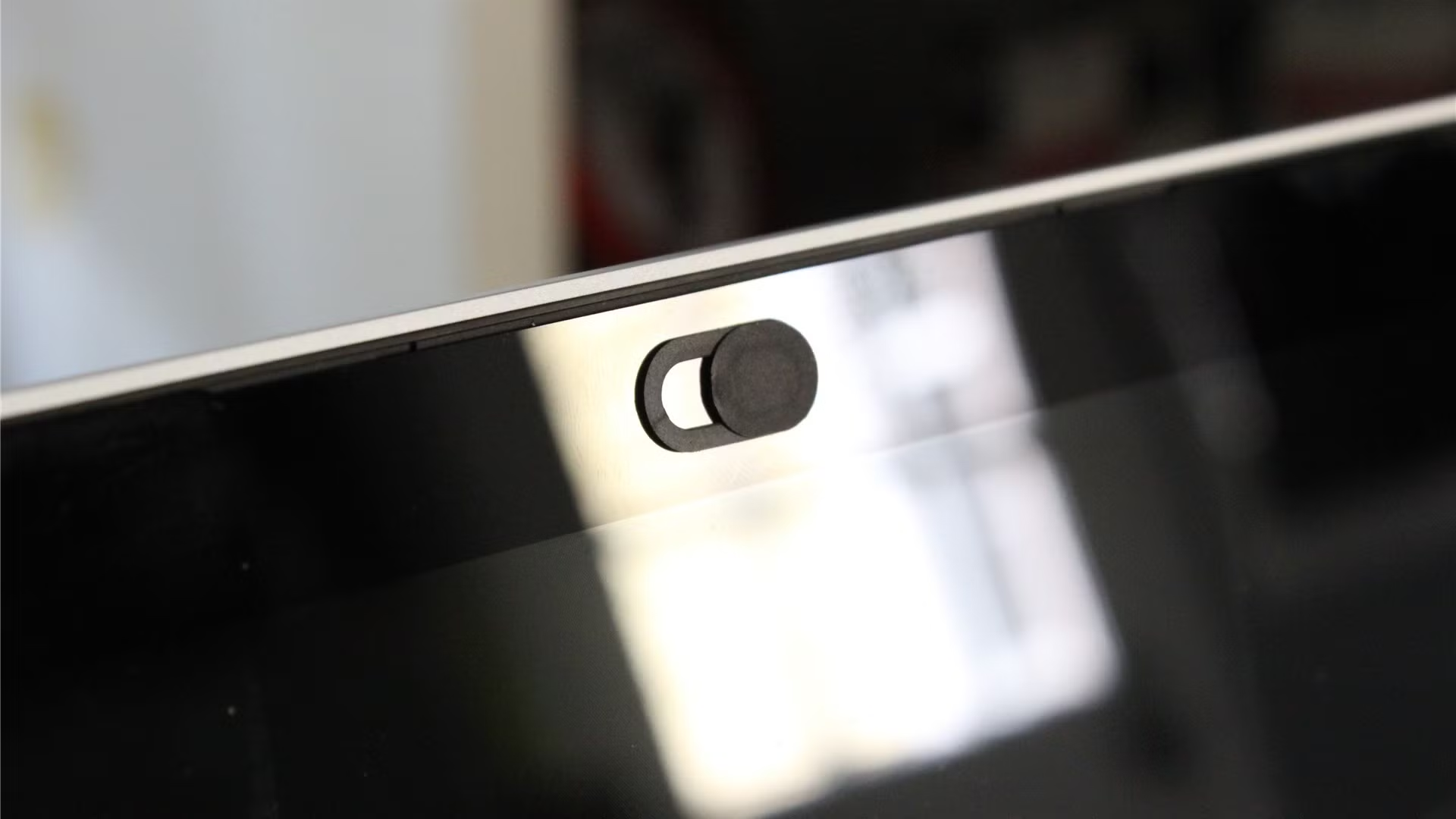
    Years ago, my coworkers were curious about why I covered my laptop’s webcam—until they watched a disturbing video of a hacker using a remote access trojan (RAT) to spy on two people as they slept. After that, they quickly followed suit, taping over their own webcam lenses.

    But while blocking your camera is a smart precaution, it’s not enough to stop cybercriminals from spying on you. If you truly want to secure your privacy, you also need to disable your microphone. Malware that hijacks a webcam feed can just as easily record audio, as cybersecurity company Kaspersky recently pointed out. While hackers can steal all kinds of personal data, unauthorized access to your microphone and camera is among the most invasive. Fortunately, protecting yourself from this threat is simple and quick.

    One of the easiest ways to block unauthorized microphone access is by using a headset with an integrated mic that includes a mute button. Even if the mic itself is broken, as long as Windows still detects it as an active input device, it can effectively block the built-in microphone. Simply plug in the headset, mute it, and verify in Windows’ Sound settings (Sound settings > Input) that it has taken over as the primary mic. In most cases, Windows automatically switches to the new device. To confirm the microphone is muted, test it within the Sound settings. On Windows 11, select the mic and check the Microphone test option. Windows 10 users can do this directly from the main Sound settings page.

    For an even stronger safeguard, you can manually disable the microphone in Windows settings. In Windows 11, navigate to Sound settings, scroll down to Input, select your microphone, and press Don’t allow under Audio. On Windows 10, go to Sound settings, select Device properties, and check the Disable box. This method is perfect if you rarely use your laptop’s built-in microphone or external mics. If you need to re-enable it later, Windows 11 users can go to Sound settings > [your device] > Audio and click Allow, while Windows 10 users should navigate to Sound settings > Input, choose Manage sound devices, locate the disabled mic, and hit Enable.

    If you have multiple input devices, you can disable specific ones you don’t use. For example, I personally disable the microphone on my Logitech C920 webcam connected to my desktop because its audio quality is poor. Doing so reduces the number of options I need to scroll through when adjusting my sound settings. Desktop users generally don’t have to worry about built-in microphones, but those with all-in-one PCs should check their settings to see if an active mic is present.

    Of course, the most effective way to prevent spying is to avoid getting malware in the first place. Keeping your antivirus software up to date, steering clear of suspicious websites, and being cautious about downloads are all essential precautions. Some malicious sites can install malware through drive-by downloads, and files obtained through torrents—including certain “Linux distros”—may come with hidden surprises.

    But if all else fails, taking steps to limit access to your laptop’s camera and microphone adds an extra layer of protection. And at the very least, these precautions can save you from the embarrassment of unintentionally broadcasting background conversations during a work meeting.

    Post Views: 392
    Share. Facebook Twitter Pinterest LinkedIn Tumblr Email
    ayaksız
    • Website

    Related Posts

    GTA VI’s next reveal will be a Netflix exclusive

    Ağustos 8, 2026

    TP-Link’s 3-pack mesh Wi-Fi system drops below $100

    Ağustos 4, 2026

    Amazon to issue tariff refunds to eligible customers

    Ağustos 3, 2026
    Add A Comment

    Comments are closed.

    Editors Picks
    8.5

    Apple Planning Big Mac Redesign and Half-Sized Old Mac

    Ocak 5, 2021

    Autonomous Driving Startup Attracts Chinese Investor

    Ocak 5, 2021

    Onboard Cameras Allow Disabled Quadcopters to Fly

    Ocak 5, 2021
    Top Reviews
    9.1

    Review: T-Mobile Winning 5G Race Around the World

    By sevketayaksiz
    8.9

    Samsung Galaxy S21 Ultra Review: the New King of Android Phones

    By sevketayaksiz
    8.9

    Xiaomi Mi 10: New Variant with Snapdragon 870 Review

    By sevketayaksiz
    Advertisement
    Demo
    Şevket Ayaksız
    Instagram
    • Home
    • Adobe
    • microsoft
    • java
    • Oracle
    • Contact
    © 2026 Theme Designed by Şevket Ayaksız.

    Type above and press Enter to search. Press Esc to cancel.