


Close Menu
Şevket Ayaksız

    Subscribe to Updates

    Get the latest creative news from FooBar about art, design and business.

    What's Hot

    Windows 11 bug has blocked updates for some PCs since February

    Mayıs 24, 2026

    Anker’s 25,000mAh laptop power bank drops $39 to $96

    Mayıs 24, 2026

    Ring Indoor Cam Plus drops to a record-low $35 on Amazon

    Mayıs 24, 2026
    Facebook X (Twitter) Instagram
    • software
    • Gadgets
    Facebook X (Twitter) Instagram
    Şevket AyaksızŞevket Ayaksız
    Subscribe
    • Home
    • Technology

      HP OmniBook 5 drops to $699 with 16GB RAM and long battery life

      Mayıs 11, 2026

      Anker’s 9-port charging station drops to $34 on Amazon

      Mayıs 11, 2026

      DDR5 counterfeits surge as the RAM shortage worsens

      Mayıs 11, 2026

      Google Maps vs Waze: I Put the Two Best Navigation Apps Head-to-Head — and One Clearly Came Out on Top

      Mayıs 1, 2026

      T-Mobile Bundles Free Hulu and Netflix for 5G Users: Eligibility Explained

      Mayıs 1, 2026
    • Adobe
    • Microsoft
    • java
    • Oracle
    Şevket Ayaksız
    Anasayfa » How to Keep Your Laptop Cool During Hot Summer Days
    Insights

    How to Keep Your Laptop Cool During Hot Summer Days

    By ayaksızTemmuz 23, 2024Yorum yapılmamış2 Mins Read
    Facebook Twitter Pinterest LinkedIn Tumblr Email
    Share
    Facebook Twitter LinkedIn Pinterest Email

    As summer temperatures rise, your laptop might struggle with the heat. Excessive heat can cause performance issues and potential damage, but there are effective ways to keep your laptop cool and functioning optimally during those sweltering months.

    Tip 1: Monitor System Temperatures
    To prevent overheating, keep an eye on your laptop’s temperature using software like MSI Afterburner. This tool allows you to monitor the heat levels of critical components such as the CPU and GPU, helping you manage performance and avoid heat-related slowdowns.

    Tip 2: Optimize Your Laptop’s Location
    Consider relocating your laptop to a cooler area of your home if your current setup is too warm. Avoid placing it in direct sunlight or on top of other electronic devices that generate heat. This simple change can significantly reduce the risk of overheating.

    Tip 3: Limit Battery Charging
    Continuous charging can generate additional heat and shorten your battery’s lifespan. During hot weather, try to unplug your laptop once it reaches a full charge to minimize heat buildup and preserve battery health.

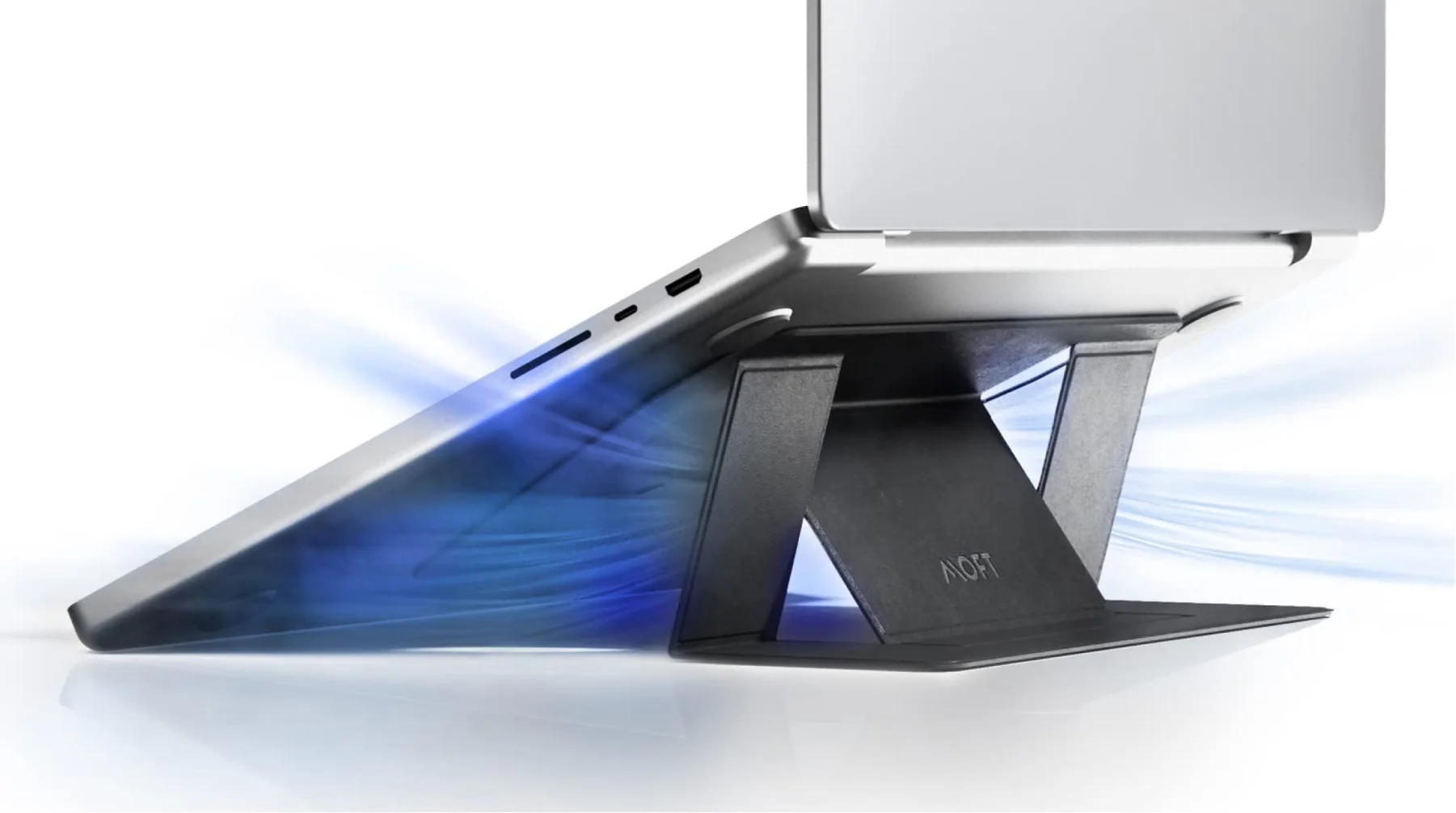
    Tip 4: Use Cooling Accessories
    To enhance cooling, use a laptop cooler or stand. A laptop cooler helps to dissipate heat by increasing airflow, while a stand elevates your laptop to improve air circulation underneath. For a more budget-friendly option, a small table fan positioned near your laptop can also provide effective cooling.

    Post Views: 291
    Share. Facebook Twitter Pinterest LinkedIn Tumblr Email
    ayaksız
    • Website

    Related Posts

    Tomb Raider I–III Remastered is free on Epic Games Store

    Mayıs 24, 2026

    Google wants to turn brain dumps into an AI productivity tool

    Mayıs 19, 2026

    Google unveils $100-per-month Spark AI agent at I/O 2026

    Mayıs 19, 2026
    Add A Comment

    Comments are closed.

    Editors Picks
    8.5

    Apple Planning Big Mac Redesign and Half-Sized Old Mac

    Ocak 5, 2021

    Autonomous Driving Startup Attracts Chinese Investor

    Ocak 5, 2021

    Onboard Cameras Allow Disabled Quadcopters to Fly

    Ocak 5, 2021
    Top Reviews
    9.1

    Review: T-Mobile Winning 5G Race Around the World

    By sevketayaksiz
    8.9

    Samsung Galaxy S21 Ultra Review: the New King of Android Phones

    By sevketayaksiz
    8.9

    Xiaomi Mi 10: New Variant with Snapdragon 870 Review

    By sevketayaksiz
    Advertisement
    Demo
    Şevket Ayaksız
    Facebook X (Twitter) Instagram YouTube
    • Home
    • Adobe
    • microsoft
    • java
    • Oracle
    • Contact
    © 2026 Theme Designed by Şevket Ayaksız.

    Type above and press Enter to search. Press Esc to cancel.