

Close Menu
Şevket Ayaksız

    Subscribe to Updates

    Get the latest creative news from FooBar about art, design and business.

    What's Hot

    Eero Signal Ensures Continuous Business Connectivity Even During Internet Outages

    Mayıs 1, 2026

    7 Simple but Surprising Ways to Boost Your TV’s Sound Quality at Home

    Mayıs 1, 2026

    From AI Pilots to Enterprise Value: Building the Superhighway

    Mayıs 1, 2026
    Facebook X (Twitter) Instagram
    • software
    • Gadgets
    Facebook X (Twitter) Instagram
    Şevket AyaksızŞevket Ayaksız
    Subscribe
    • Home
    • Technology

      7 Simple but Surprising Ways to Boost Your TV’s Sound Quality at Home

      Mayıs 1, 2026

      From AI Pilots to Enterprise Value: Building the Superhighway

      Mayıs 1, 2026

      How I Fixed My Home Wi-Fi Dead Zones: 6 Practical Solutions That Made a Real Difference

      Mayıs 1, 2026

      Why I Switched From iPhone Hotspot to a 5G Travel Router for Good

      Nisan 18, 2026

      Verizon Offers Free iPad or Apple Watch With New iPhone Purchase: Here’s How It Works

      Nisan 18, 2026
    • Adobe
    • Microsoft
    • java
    • Oracle
    Şevket Ayaksız
    Anasayfa » iOS 18 Beta Tips: Lock and Hide iPhone Apps to Boost Your Security
    Insights

    iOS 18 Beta Tips: Lock and Hide iPhone Apps to Boost Your Security

    By ayaksızEylül 6, 2024Yorum yapılmamış3 Mins Read
    Facebook Twitter Pinterest LinkedIn Tumblr Email
    Share
    Facebook Twitter LinkedIn Pinterest Email

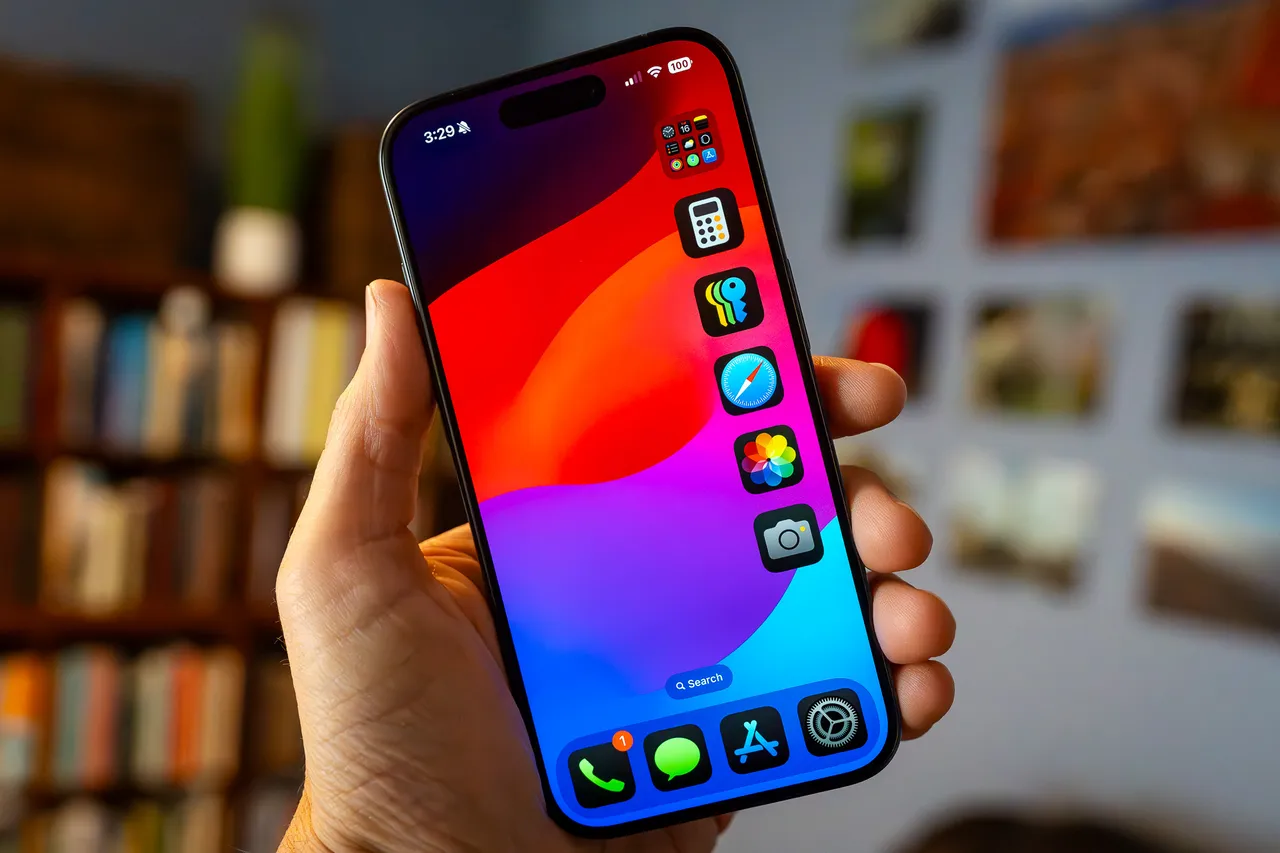
    Apple’s latest iOS 18 beta, released on August 29, brings several noteworthy enhancements, including new security features for locking and hiding apps. This update arrives ahead of Apple’s iPhone launch event on September 9 and offers new ways to manage app security on your device. With the introduction of these features, users can now better protect their apps from unauthorized access, an important development for parents and anyone concerned about securing their devices.

    The new security measures could prove invaluable in preventing incidents like the one reported by CBS, where a young child used a parent’s phone to make over $3,000 in purchases on Amazon. The ability to lock and hide apps with iOS 18 can help avoid such scenarios.

    For those interested in exploring the iOS 18 beta, it’s advisable to install it on a secondary device rather than your main phone. The beta may contain bugs and affect battery performance, so testing it on an older model, like an iPhone XR, can prevent disruptions to your primary device.

    While iOS 18 is slated for a public release this fall, a specific launch date is not yet confirmed. Here’s how you can use the new features to lock and hide apps on your iPhone:

    Locking Apps on iOS 18:

    1. Press and hold the app icon.
    2. Select “Require Face ID.”
    3. Confirm by tapping “Require Face ID” once more.

    This process will lock the app behind Face ID or your passcode. While most apps can be locked, essential ones such as Camera, Find My, and Settings are not eligible.

    Hiding Apps on iOS 18: Hiding an app also locks it and involves a similar process:

    1. Long press the app icon.
    2. Tap “Require Face ID.”
    3. Choose “Hide and Require Face ID.”

    You will need to enter your Face ID or passcode to confirm hiding the app. Once hidden, the app will be removed from your home screen and stored in a Hidden folder in the App Library, with no notifications sent from it.

    To view hidden apps:

    1. Swipe right to access the App Library.
    2. Scroll down to find the Hidden folder.
    3. Enter your Face ID or passcode to access the hidden apps.

    Unhiding and Removing Locks: To unhide or remove a lock from an app, long press the app icon, select “Don’t Require Face ID,” and authenticate with Face ID or passcode. The app will be unlocked and removed from the Hidden folder. To add the app back to your home screen, navigate to the App Library, long press the app, and choose “Add to Home Screen.”

    Post Views: 256
    Share. Facebook Twitter Pinterest LinkedIn Tumblr Email
    ayaksız
    • Website

    Related Posts

    Valve unsure on Steam Machine launch timing amid delays

    Mart 21, 2026

    Fake “1.1TB” laptop listings on Amazon mislead buyers

    Mart 21, 2026

    Firefox redesign preview shows a more rounded, modern look

    Mart 21, 2026
    Add A Comment

    Comments are closed.

    Editors Picks
    8.5

    Apple Planning Big Mac Redesign and Half-Sized Old Mac

    Ocak 5, 2021

    Autonomous Driving Startup Attracts Chinese Investor

    Ocak 5, 2021

    Onboard Cameras Allow Disabled Quadcopters to Fly

    Ocak 5, 2021
    Top Reviews
    9.1

    Review: T-Mobile Winning 5G Race Around the World

    By sevketayaksiz
    8.9

    Samsung Galaxy S21 Ultra Review: the New King of Android Phones

    By sevketayaksiz
    8.9

    Xiaomi Mi 10: New Variant with Snapdragon 870 Review

    By sevketayaksiz
    Advertisement
    Demo
    Şevket Ayaksız
    Facebook X (Twitter) Instagram YouTube
    • Home
    • Adobe
    • microsoft
    • java
    • Oracle
    • Contact
    © 2026 Theme Designed by Şevket Ayaksız.

    Type above and press Enter to search. Press Esc to cancel.