

Close Menu
Şevket Ayaksız

    Subscribe to Updates

    Get the latest creative news from FooBar about art, design and business.

    What's Hot

    Google Maps vs Waze: I Put the Two Best Navigation Apps Head-to-Head — and One Clearly Came Out on Top

    Mayıs 1, 2026

    Samsung Electronics Offers Free 32-Inch Odyssey gaming monitor: Eligibility and How to Claim Deal

    Mayıs 1, 2026

    T-Mobile Bundles Free Hulu and Netflix for 5G Users: Eligibility Explained

    Mayıs 1, 2026
    Facebook X (Twitter) Instagram
    • software
    • Gadgets
    Facebook X (Twitter) Instagram
    Şevket AyaksızŞevket Ayaksız
    Subscribe
    • Home
    • Technology

      Google Maps vs Waze: I Put the Two Best Navigation Apps Head-to-Head — and One Clearly Came Out on Top

      Mayıs 1, 2026

      T-Mobile Bundles Free Hulu and Netflix for 5G Users: Eligibility Explained

      Mayıs 1, 2026

      This Portable Mini PC Is the Unexpected Raspberry Pi Alternative You Might Actually Want

      Mayıs 1, 2026

      Samsung warns RAM shortages could worsen beyond 2027

      Mayıs 1, 2026

      Oxford study finds friendly AI chatbots are less accurate

      Mayıs 1, 2026
    • Adobe
    • Microsoft
    • java
    • Oracle
    Şevket Ayaksız
    Anasayfa » Master App Privacy in iOS 18 Beta
    software

    Master App Privacy in iOS 18 Beta

    By ayaksızAğustos 4, 2024Yorum yapılmamış2 Mins Read
    Facebook Twitter Pinterest LinkedIn Tumblr Email
    Share
    Facebook Twitter LinkedIn Pinterest Email

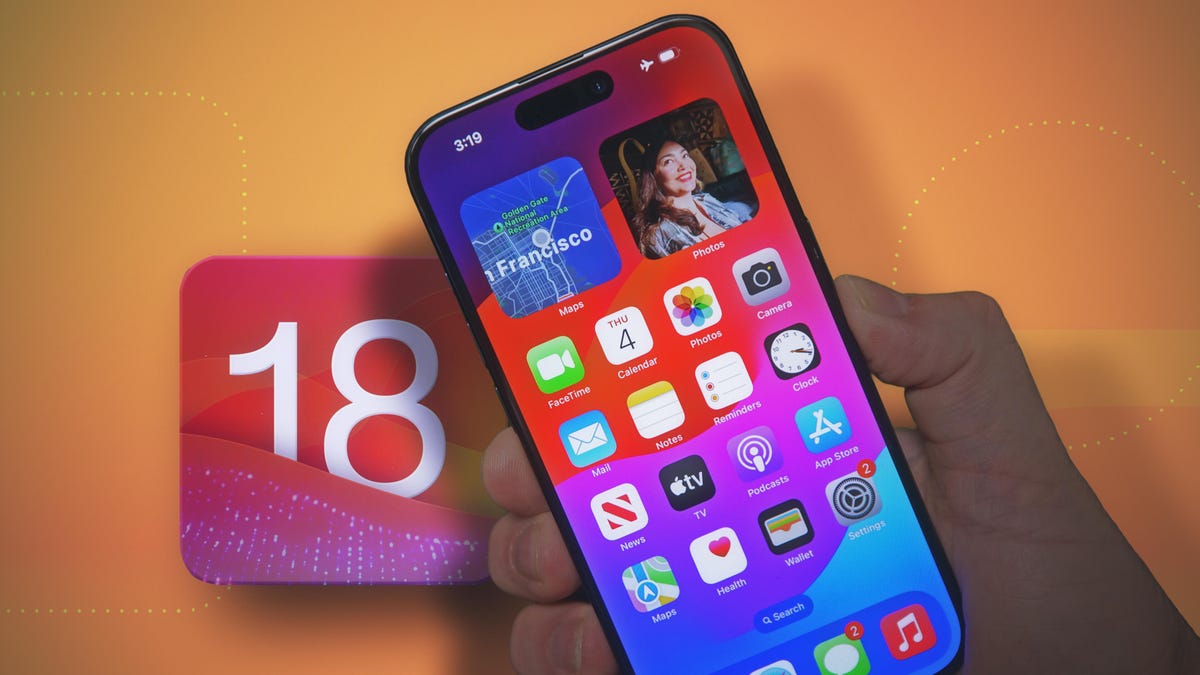
    Apple released the second public beta for iOS 18 on July 29, following its announcement at the Worldwide Developers Conference in June. This update introduces various new features for developers and beta testers, such as scheduled messages and a customizable lock screen. Two standout additions are the ability to lock and hide apps, enhancing your iPhone’s security.

    These features are particularly valuable for parents. A recent CBS report highlighted a case where a 5-year-old used her mother’s phone to buy over $3,000 worth of items on Amazon. While the mother could return the items, it was a stressful experience. With iOS 18’s app-locking and hiding capabilities, you can safeguard against such mishaps.

    It’s advisable to install the beta on a secondary device due to potential bugs and battery issues. I installed it on my old iPhone XR to keep my iPhone 14 Pro problem-free.

    Here’s how to lock and hide your iPhone apps using iOS 18.

    How to Lock Apps on iOS 18:

    1. Long press an app.
    2. Tap Require Face ID.
    3. Tap Require Face ID again.

    This will ensure the app can only be accessed with Face ID or a passcode. Note that some apps, like Camera, Find My, and Settings, cannot be locked, but most other apps can be.

    How to Hide Apps on iOS 18:

    Hiding apps is similar to locking them but is limited to third-party apps like Instagram and Twitter.

    1. Long press an app.
    2. Tap Require Face ID.
    3. Tap Hide and Require Face ID.

    After confirming with Face ID or a passcode, the app’s icon and name will be removed from your home screen and placed in a Hidden folder in your App Library. Notifications for hidden apps will be disabled.

    To access hidden apps, swipe right to your App Library and scroll to the bottom. Tap the Hidden folder and enter your Face ID or passcode to view the apps.

    How to Unhide and Remove Locks from Apps:

    To unhide or unlock an app, long press on the app, tap Don’t Require Face ID, and enter your Face ID or passcode. Unhidden apps will not automatically return to the home screen; to add them back, go to your App Library, long press on the app, and tap Add to Home Screen.

    Post Views: 225
    Share. Facebook Twitter Pinterest LinkedIn Tumblr Email
    ayaksız
    • Website

    Related Posts

    Anthropic’s Claude Security Tool Analyzes Codebases to Detect Vulnerabilities and Prioritize Fixes

    Mayıs 1, 2026

    Microsoft’s Windows Insider Program Finally Becomes More Streamlined and User-Friendly

    Nisan 11, 2026

    Microsoft launches tool to gather user feedback on Windows issues

    Nisan 8, 2026
    Add A Comment

    Comments are closed.

    Editors Picks
    8.5

    Apple Planning Big Mac Redesign and Half-Sized Old Mac

    Ocak 5, 2021

    Autonomous Driving Startup Attracts Chinese Investor

    Ocak 5, 2021

    Onboard Cameras Allow Disabled Quadcopters to Fly

    Ocak 5, 2021
    Top Reviews
    9.1

    Review: T-Mobile Winning 5G Race Around the World

    By sevketayaksiz
    8.9

    Samsung Galaxy S21 Ultra Review: the New King of Android Phones

    By sevketayaksiz
    8.9

    Xiaomi Mi 10: New Variant with Snapdragon 870 Review

    By sevketayaksiz
    Advertisement
    Demo
    Şevket Ayaksız
    Facebook X (Twitter) Instagram YouTube
    • Home
    • Adobe
    • microsoft
    • java
    • Oracle
    • Contact
    © 2026 Theme Designed by Şevket Ayaksız.

    Type above and press Enter to search. Press Esc to cancel.