


Close Menu
Şevket Ayaksız

    Subscribe to Updates

    Get the latest creative news from FooBar about art, design and business.

    What's Hot

    Eero Signal Ensures Continuous Business Connectivity Even During Internet Outages

    Mayıs 1, 2026

    7 Simple but Surprising Ways to Boost Your TV’s Sound Quality at Home

    Mayıs 1, 2026

    From AI Pilots to Enterprise Value: Building the Superhighway

    Mayıs 1, 2026
    Facebook X (Twitter) Instagram
    • software
    • Gadgets
    Facebook X (Twitter) Instagram
    Şevket AyaksızŞevket Ayaksız
    Subscribe
    • Home
    • Technology

      7 Simple but Surprising Ways to Boost Your TV’s Sound Quality at Home

      Mayıs 1, 2026

      From AI Pilots to Enterprise Value: Building the Superhighway

      Mayıs 1, 2026

      How I Fixed My Home Wi-Fi Dead Zones: 6 Practical Solutions That Made a Real Difference

      Mayıs 1, 2026

      Why I Switched From iPhone Hotspot to a 5G Travel Router for Good

      Nisan 18, 2026

      Verizon Offers Free iPad or Apple Watch With New iPhone Purchase: Here’s How It Works

      Nisan 18, 2026
    • Adobe
    • Microsoft
    • java
    • Oracle
    Şevket Ayaksız
    Anasayfa » Mastering Controller Setup: Play Your Steam Games with Ease
    Insights

    Mastering Controller Setup: Play Your Steam Games with Ease

    By ayaksızEkim 4, 2024Yorum yapılmamış2 Mins Read
    Facebook Twitter Pinterest LinkedIn Tumblr Email
    Share
    Facebook Twitter LinkedIn Pinterest Email

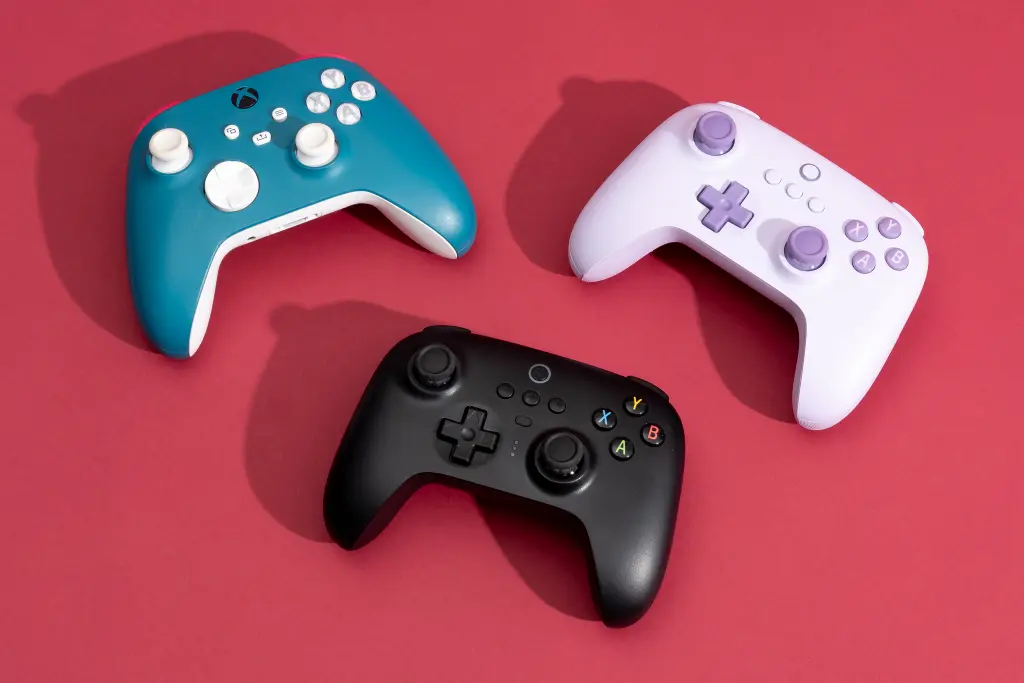
    I have to admit that I don’t usually reach for a controller when gaming on my PC; approximately 98% of my gaming is done with a keyboard and mouse because they offer unparalleled accuracy, especially for aiming. Nevertheless, there are times when I enjoy using a controller—particularly when I’m relaxing on my couch playing platformers on my 65-inch TV. It’s hard to argue against the comfort of a console-like experience on a gaming PC.

    In my experience, I’ve sometimes faced issues with controllers that didn’t work seamlessly right away. The key to resolving these problems has been to set them up correctly in Steam before I start gaming. Here’s a guide on how to get your controller ready to use:

    Setting Up Your Controller in Steam

    1. Open Steam and click on Settings in the upper left corner of the window.
    2. Scroll down and select Controller.
    3. Under External Gamepad Settings, tick the box that corresponds to your controller. For instance, if you have an Xbox controller, check the box for Enable Steam Input for Xbox Controllers. If you’re using a generic controller, select Enable Steam Input for Generic Controllers.

    Once you’ve done that, exit the settings and go to your Library from the top menu.

    1. Find the game you want to play with your controller, right-click on it, and select Properties.
    2. On the left side, choose Controllers. You’ll see options like Use Default Settings or Disable Steam Input. Switch this to Enable Steam Input.
    3. To finalize the process, restart your PC to ensure the settings take effect.

    That’s it! Your controller should now be operational for the Steam game you configured it for. Feel free to repeat this setup for any additional games you wish to play with your controller!

    Post Views: 255
    Share. Facebook Twitter Pinterest LinkedIn Tumblr Email
    ayaksız
    • Website

    Related Posts

    Valve unsure on Steam Machine launch timing amid delays

    Mart 21, 2026

    Fake “1.1TB” laptop listings on Amazon mislead buyers

    Mart 21, 2026

    Firefox redesign preview shows a more rounded, modern look

    Mart 21, 2026
    Add A Comment

    Comments are closed.

    Editors Picks
    8.5

    Apple Planning Big Mac Redesign and Half-Sized Old Mac

    Ocak 5, 2021

    Autonomous Driving Startup Attracts Chinese Investor

    Ocak 5, 2021

    Onboard Cameras Allow Disabled Quadcopters to Fly

    Ocak 5, 2021
    Top Reviews
    9.1

    Review: T-Mobile Winning 5G Race Around the World

    By sevketayaksiz
    8.9

    Samsung Galaxy S21 Ultra Review: the New King of Android Phones

    By sevketayaksiz
    8.9

    Xiaomi Mi 10: New Variant with Snapdragon 870 Review

    By sevketayaksiz
    Advertisement
    Demo
    Şevket Ayaksız
    Facebook X (Twitter) Instagram YouTube
    • Home
    • Adobe
    • microsoft
    • java
    • Oracle
    • Contact
    © 2026 Theme Designed by Şevket Ayaksız.

    Type above and press Enter to search. Press Esc to cancel.