

Close Menu
Şevket Ayaksız

    Subscribe to Updates

    Get the latest creative news from FooBar about art, design and business.

    What's Hot

    Google Maps vs Waze: I Put the Two Best Navigation Apps Head-to-Head — and One Clearly Came Out on Top

    Mayıs 1, 2026

    Samsung Electronics Offers Free 32-Inch Odyssey gaming monitor: Eligibility and How to Claim Deal

    Mayıs 1, 2026

    T-Mobile Bundles Free Hulu and Netflix for 5G Users: Eligibility Explained

    Mayıs 1, 2026
    Facebook X (Twitter) Instagram
    • software
    • Gadgets
    Facebook X (Twitter) Instagram
    Şevket AyaksızŞevket Ayaksız
    Subscribe
    • Home
    • Technology

      Google Maps vs Waze: I Put the Two Best Navigation Apps Head-to-Head — and One Clearly Came Out on Top

      Mayıs 1, 2026

      T-Mobile Bundles Free Hulu and Netflix for 5G Users: Eligibility Explained

      Mayıs 1, 2026

      This Portable Mini PC Is the Unexpected Raspberry Pi Alternative You Might Actually Want

      Mayıs 1, 2026

      Samsung warns RAM shortages could worsen beyond 2027

      Mayıs 1, 2026

      Oxford study finds friendly AI chatbots are less accurate

      Mayıs 1, 2026
    • Adobe
    • Microsoft
    • java
    • Oracle
    Şevket Ayaksız
    Anasayfa » Step-by-Step: Optimizing Safari on iOS 18 Beta
    software

    Step-by-Step: Optimizing Safari on iOS 18 Beta

    By ayaksızAğustos 25, 2024Yorum yapılmamış2 Mins Read
    Facebook Twitter Pinterest LinkedIn Tumblr Email
    Share
    Facebook Twitter LinkedIn Pinterest Email

    Apple’s Latest iOS 18 Beta Enhances Safari with Distraction Control

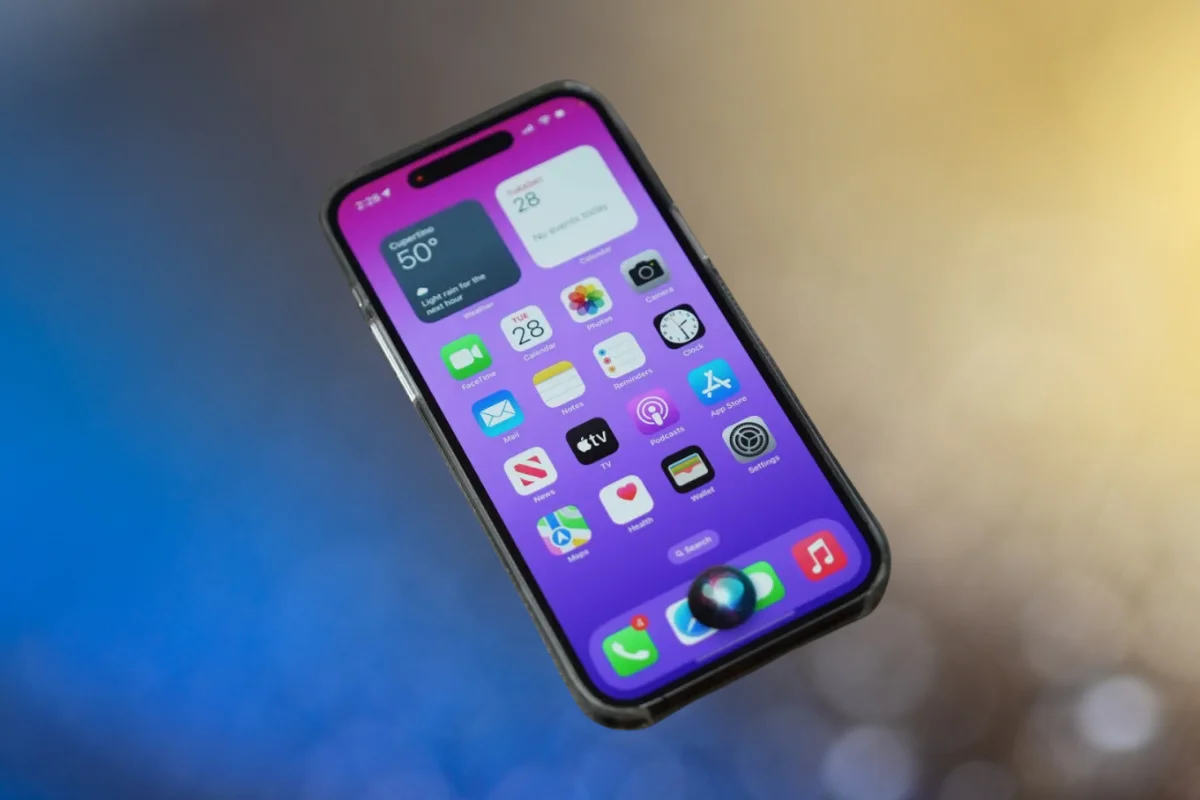
    On August 20, Apple rolled out the fifth public beta of iOS 18, building on the initial release announced at the Worldwide Developers Conference in June. This beta introduces several new features, including enhanced home screen customization and RCS messaging, but one notable addition is Safari’s Distraction Control. This feature aims to streamline your browsing experience by enabling users to hide unwanted banners and elements on websites.

    Because this is a beta version, it’s recommended to install it on a secondary device. Beta releases often come with issues such as bugs and shortened battery life. Using an older device, like an iPhone XR, for beta testing can help prevent potential problems on your main device, such as the iPhone 14 Pro.

    Steps to Use Safari’s Distraction Control:

    1. Launch Safari.
    2. Visit a webpage.
    3. Tap the Reader icon in the address bar (represented by a rectangle with dashes).
    4. Tap the three dots (…) icon.
    5. Select “Hide Distracting Items.”

    You can then choose specific items to hide, with a visual perimeter and “Hide” label indicating your selections. Once hidden, these elements will no longer appear on that webpage.

    Functionality and Limitations:

    Distraction Control can remove various distractions like banners and pop-ups but must be enabled on each webpage. It does not permanently eliminate ads or other dynamic elements that change frequently. A blue indicator will appear in the address bar to show when Distraction Control is active, and you can click it to view hidden items.

    As Distraction Control is still in beta, it may have some bugs and imperfections. Apple is expected to release further updates before the feature becomes available to the general public.

    Post Views: 240
    Share. Facebook Twitter Pinterest LinkedIn Tumblr Email
    ayaksız
    • Website

    Related Posts

    Anthropic’s Claude Security Tool Analyzes Codebases to Detect Vulnerabilities and Prioritize Fixes

    Mayıs 1, 2026

    Microsoft’s Windows Insider Program Finally Becomes More Streamlined and User-Friendly

    Nisan 11, 2026

    Microsoft launches tool to gather user feedback on Windows issues

    Nisan 8, 2026
    Add A Comment

    Comments are closed.

    Editors Picks
    8.5

    Apple Planning Big Mac Redesign and Half-Sized Old Mac

    Ocak 5, 2021

    Autonomous Driving Startup Attracts Chinese Investor

    Ocak 5, 2021

    Onboard Cameras Allow Disabled Quadcopters to Fly

    Ocak 5, 2021
    Top Reviews
    9.1

    Review: T-Mobile Winning 5G Race Around the World

    By sevketayaksiz
    8.9

    Samsung Galaxy S21 Ultra Review: the New King of Android Phones

    By sevketayaksiz
    8.9

    Xiaomi Mi 10: New Variant with Snapdragon 870 Review

    By sevketayaksiz
    Advertisement
    Demo
    Şevket Ayaksız
    Facebook X (Twitter) Instagram YouTube
    • Home
    • Adobe
    • microsoft
    • java
    • Oracle
    • Contact
    © 2026 Theme Designed by Şevket Ayaksız.

    Type above and press Enter to search. Press Esc to cancel.